Compare commits
122 Commits
| Author | SHA1 | Date | |
|---|---|---|---|

|
951460b9f1 | ||
|
|
6523509539 | ||
|
|
68cb074a92 | ||
|
|
aa2f16eb3e | ||
|
|
6e3d54c811 | ||
|
|
238f6e4b55 | ||
|
|
7fdfbbcd3e | ||
|
|
f8f10669cb | ||
|
|
f42b5f3710 | ||
|
|
aa945361ad | ||
|
|
3473ebf7f5 | ||
|
|
66fc858d05 | ||
|
|
de106e77a6 | ||
|
|
b8c57f0088 | ||
|
|
d2706a5fe4 | ||
|
|
d65e126486 | ||
|
|
f6c40deec6 | ||
|
|
579d3c0948 | ||
|
|
017a95d051 | ||
|
|
9314291748 | ||
|
|
18be15f446 | ||
|
|
b36caf63cf | ||
|
|
10f177adac | ||
|
|
c8d11ac4c3 | ||
|
|
6cb5f23487 | ||
|
|
83f0a54234 | ||
|
|
235362b044 | ||
|
|
a789fe7e9a | ||
|
|
9a20328d7a | ||
|
|
fda81b2e9a | ||
|
|
7ed4a1762d | ||
|
|
2bbbe5480e | ||
|
|
91e4d3ef72 | ||
|
|
4a33655ad7 | ||
|
|
95922908ce | ||
|
|
8449303a90 | ||
|
|
7bee963a18 | ||
|
|
e8f0db25ee | ||
|
|
33245996c5 | ||
|
|
4d5ca7f6f4 | ||
|
|
0bfec956c5 | ||
|
|
fec3a8b6bd | ||
|
|
3108c2e4e5 | ||
|
|
d8dd1f1acf | ||
|
|
208ea5c11b | ||
|
|
71d791a9af | ||
|
|
03a06f141c | ||
|
|
4c9ac5e6df | ||
|
|
4a64e211f9 | ||
|
|
97c631e696 | ||
|
|
a601705bf4 | ||
|
|
45f32756a3 | ||
|
|
22f47d90de | ||
|
|
c03dc9c984 | ||
|
|
7569c08a62 | ||
|
|
f07e5802f7 | ||
|
|
ffcfe8e03b | ||
|
|
35a7ef657a | ||
|
|
250ec4f65c | ||
|
|
5d0ffdad8a | ||
|
|
95e4d3170d | ||
|
|
dfa8328bb0 | ||
|
|
5177c1871a | ||
|
|
1901c2905b | ||
|
|
b312c52a33 | ||
|
|
fb974cefcf | ||
|
|
c7f7fa12b4 | ||
|
|
6a19e2bb29 | ||
|
|
443f5bf61e | ||
|
|
7d00e9c768 | ||
|
|
c0ab0ba473 | ||
|
|
4b2f9e42d7 | ||
|
|
4ce32a8851 | ||
|
|
47e4cff758 | ||
|
|
96e109e199 | ||
|
|
36dffe8de3 | ||
|
|
6d2e4a8081 | ||
|
|
a7c45b125f | ||
|
|
6c2b5b8cf4 | ||
|
|
91e9f3900d | ||
|
|
ab1bd03f0b | ||
|
|
cd0cbc8061 | ||
|
|
c6c6390a83 | ||
|
|
6bfb9355cf | ||
|
|
34d785a246 | ||
|
|
c9bd480514 | ||
|
|
5349f29415 | ||
|
|
6500cafa4f | ||
|
|
e2e92a433e | ||
|
|
dd90cfecbb | ||
|
|
7a5b037ad8 | ||
|
|
ee0d2371d5 | ||
|
|
c4586d37f5 | ||
|
|
2d8cd23fe7 | ||
|
|
85d446e2d0 | ||
|
|
afd064e15d | ||
|
|
809d6cabbb | ||
|
|
8058eed9ab | ||
|
|
15ee6126a5 | ||
|
|
b6a7ea2756 | ||
|
|
63c3402c94 | ||
|
|
5a6dd6c7a5 | ||
|
|
8c226322a0 | ||
|
|
3a7888937f | ||
|
|
6760a0ad00 | ||
|
|
6288b70ae2 | ||
|
|
4adc010388 | ||
|
|
162b5e17c3 | ||
|
|
0d43ba2124 | ||
|
|
080d8d82b4 | ||
|
|
fc50e16bc5 | ||
|
|
345b6d59a1 | ||
|
|
4ec19fd56a | ||
|
|
136630ec60 | ||
|
|
9d3d99a595 | ||
|
|
747c745ec0 | ||
|
|
a53ca843e8 | ||
|
|
8b18d84d8a | ||
|
|
edc4df6eb5 | ||
|
|
5ed98d317c | ||
|
|
c22ef5f1d2 | ||
|
|
bcc9621976 |
87
.github/ISSUE_TEMPLATE/bug_report.yml
vendored
Normal file
@ -0,0 +1,87 @@
|
||||
name: 🐛 Bug | Bug Report
|
||||
description: 报告错误或异常问题 | Report an error or unexpected behavior
|
||||
title: "[Bug]: "
|
||||
labels:
|
||||
- bug
|
||||
|
||||
body:
|
||||
- type: markdown
|
||||
attributes:
|
||||
value: |
|
||||
**提交问题前,请确保您已阅读以下文档:[Getting Started (English)](https://github.com/harry0703/MoneyPrinterTurbo/blob/main/README-en.md#system-requirements-) 或 [快速开始 (中文)](https://github.com/harry0703/MoneyPrinterTurbo/blob/main/README.md#%E5%BF%AB%E9%80%9F%E5%BC%80%E5%A7%8B-)。**
|
||||
|
||||
**Before submitting an issue, please make sure you've read the following documentation: [Getting Started (English)](https://github.com/harry0703/MoneyPrinterTurbo/blob/main/README-en.md#system-requirements-) or [快速开始 (Chinese)](https://github.com/harry0703/MoneyPrinterTurbo/blob/main/README.md#%E5%BF%AB%E9%80%9F%E5%BC%80%E5%A7%8B-).**
|
||||
|
||||
- type: textarea
|
||||
attributes:
|
||||
label: 问题描述 | Current Behavior
|
||||
description: |
|
||||
描述您遇到的问题
|
||||
Describe the issue you're experiencing
|
||||
placeholder: |
|
||||
当我执行...操作时,程序出现了...问题
|
||||
When I perform..., the program shows...
|
||||
validations:
|
||||
required: true
|
||||
- type: textarea
|
||||
attributes:
|
||||
label: 重现步骤 | Steps to Reproduce
|
||||
description: |
|
||||
详细描述如何重现此问题
|
||||
Describe in detail how to reproduce this issue
|
||||
placeholder: |
|
||||
1. 打开...
|
||||
2. 点击...
|
||||
3. 出现错误...
|
||||
|
||||
1. Open...
|
||||
2. Click on...
|
||||
3. Error occurs...
|
||||
validations:
|
||||
required: true
|
||||
- type: textarea
|
||||
attributes:
|
||||
label: 错误日志 | Error Logs
|
||||
description: |
|
||||
请提供相关错误信息或日志(注意不要包含敏感信息)
|
||||
Please provide any error messages or logs (be careful not to include sensitive information)
|
||||
placeholder: |
|
||||
错误信息、日志或截图...
|
||||
Error messages, logs, or screenshots...
|
||||
validations:
|
||||
required: true
|
||||
- type: input
|
||||
attributes:
|
||||
label: Python 版本 | Python Version
|
||||
description: |
|
||||
您使用的 Python 版本
|
||||
The Python version you're using
|
||||
placeholder: v3.13.0, v3.10.0, etc.
|
||||
validations:
|
||||
required: true
|
||||
- type: input
|
||||
attributes:
|
||||
label: 操作系统 | Operating System
|
||||
description: |
|
||||
您的操作系统信息
|
||||
Your operating system information
|
||||
placeholder: macOS 14.1, Windows 11, Ubuntu 22.04, etc.
|
||||
validations:
|
||||
required: true
|
||||
- type: input
|
||||
attributes:
|
||||
label: MoneyPrinterTurbo 版本 | Version
|
||||
description: |
|
||||
您使用的 MoneyPrinterTurbo 版本
|
||||
The version of MoneyPrinterTurbo you're using
|
||||
placeholder: v1.2.2, etc.
|
||||
validations:
|
||||
required: true
|
||||
- type: textarea
|
||||
attributes:
|
||||
label: 补充信息 | Additional Information
|
||||
description: |
|
||||
其他对解决问题有帮助的信息(如截图、视频等)
|
||||
Any other information that might help solve the issue (screenshots, videos, etc.)
|
||||
validations:
|
||||
required: false
|
||||
1
.github/ISSUE_TEMPLATE/config.yml
vendored
Normal file
@ -0,0 +1 @@
|
||||
blank_issues_enabled: false
|
||||
29
.github/ISSUE_TEMPLATE/feature_request.yml
vendored
Normal file
@ -0,0 +1,29 @@
|
||||
name: ✨ 增加功能 | Feature Request
|
||||
description: 为此项目提出一个新想法或建议 | Suggest a new idea for this project
|
||||
title: "[Feature]: "
|
||||
labels:
|
||||
- enhancement
|
||||
|
||||
body:
|
||||
- type: textarea
|
||||
attributes:
|
||||
label: 需求描述 | Problem Statement
|
||||
description: |
|
||||
请描述您希望解决的问题或需求
|
||||
Please describe the problem you want to solve
|
||||
placeholder: |
|
||||
我在使用过程中遇到了...
|
||||
I encountered... when using this project
|
||||
validations:
|
||||
required: true
|
||||
- type: textarea
|
||||
attributes:
|
||||
label: 建议的解决方案 | Proposed Solution
|
||||
description: |
|
||||
请描述您认为可行的解决方案或实现方式
|
||||
Please describe your suggested solution or implementation
|
||||
placeholder: |
|
||||
可以考虑添加...功能来解决这个问题
|
||||
Consider adding... feature to address this issue
|
||||
validations:
|
||||
required: true
|
||||
33
.github/workflows/gh-pages.yml
vendored
@ -1,33 +0,0 @@
|
||||
name: gp-pages
|
||||
on:
|
||||
push:
|
||||
branches:
|
||||
- main
|
||||
paths:
|
||||
- 'sites/**'
|
||||
|
||||
jobs:
|
||||
build-deploy:
|
||||
runs-on: ubuntu-latest
|
||||
steps:
|
||||
- name: Checkout
|
||||
uses: actions/checkout@v2
|
||||
- name: Set-up Node
|
||||
uses: actions/setup-node@v1
|
||||
with:
|
||||
node-version: "18.15.0"
|
||||
- name: Install pnpm
|
||||
run: npm install -g pnpm
|
||||
- name: Install dependencies
|
||||
run: pnpm i
|
||||
working-directory: ./sites
|
||||
- name: Build gh-pages
|
||||
run: pnpm docs:build
|
||||
working-directory: ./sites
|
||||
- name: Deploy to gh-pages
|
||||
uses: crazy-max/ghaction-github-pages@v1
|
||||
with:
|
||||
target_branch: gh-pages
|
||||
build_dir: sites/docs/.vuepress/dist
|
||||
env:
|
||||
GITHUB_TOKEN: ${{ secrets.MY_TOKEN }}
|
||||
12
.gitignore
vendored
@ -22,4 +22,14 @@ node_modules
|
||||
/sites/docs/.vuepress/dist
|
||||
# 模型目录
|
||||
/models/
|
||||
./models/*
|
||||
./models/*
|
||||
|
||||
venv/
|
||||
.venv
|
||||
|
||||
# Debug and test files
|
||||
CLAUDE.md
|
||||
debug/
|
||||
debug_*.py
|
||||
test_*.py
|
||||
streamlit.log
|
||||
22
CHANGELOG.md
@ -1,22 +0,0 @@
|
||||
<!-- insertion marker -->
|
||||
## [1.1.2](https://github.com/KevinZhang19870314/MoneyPrinterTurbo/releases/tag/1.1.2) - 2024-04-18
|
||||
|
||||
<small>[Compare with first commit](https://github.com/KevinZhang19870314/MoneyPrinterTurbo/compare/d4f7b53b841e65da658e3d77822f9923286ddab6...1.1.2)</small>
|
||||
|
||||
### Features
|
||||
|
||||
- add support for maximum concurrency of /api/v1/videos ([abe12ab](https://github.com/KevinZhang19870314/MoneyPrinterTurbo/commit/abe12abd7b78997651468ad5dd656985066f8bd9) by kevin.zhang).
|
||||
- add task deletion endpoint ([d57434e](https://github.com/KevinZhang19870314/MoneyPrinterTurbo/commit/d57434e0d31c8195dbcd3c86ff2763af96736cdf) by kevin.zhang).
|
||||
- add redis support for task state management ([3d45348](https://github.com/KevinZhang19870314/MoneyPrinterTurbo/commit/3d453486627234937c7bfe6f176890360074696b) by kevin.zhang).
|
||||
- enable cors to allow play video through mounted videos url ([3b1871d](https://github.com/KevinZhang19870314/MoneyPrinterTurbo/commit/3b1871d591873594bb4aa8dc17a1253b3a7563a3) by kevin.zhang).
|
||||
- add /api/v1/get_bgm_list and /api/v1/upload_bgm_file ([6d8911f](https://github.com/KevinZhang19870314/MoneyPrinterTurbo/commit/6d8911f5bf496e7c5dd718309a302df88d11817b) by cathy).
|
||||
- return combined videos in /api/v1/tasks response ([28199c9](https://github.com/KevinZhang19870314/MoneyPrinterTurbo/commit/28199c93b78f67e9a6bf50f290f1591078f63da8) by cathy).
|
||||
- add Dockerfile ([f3b3c7f](https://github.com/KevinZhang19870314/MoneyPrinterTurbo/commit/f3b3c7fb47b01ed4ecba44eaebf29f5d6d2cb7b5) by kevin.zhang).
|
||||
|
||||
### Bug Fixes
|
||||
|
||||
- response parsing bug for gemini ([ee7306d](https://github.com/KevinZhang19870314/MoneyPrinterTurbo/commit/ee7306d216ea41e40855bbca396cacb094d572db) by elf-mouse).
|
||||
|
||||
### Code Refactoring
|
||||
|
||||
- Streaming MP4 files in the browser using video html element instead of waiting for the entire file to download before playing ([d13a3cf](https://github.com/KevinZhang19870314/MoneyPrinterTurbo/commit/d13a3cf6e911d1573c62b1f6459c3c0b7a1bc18d) by kevin.zhang).
|
||||
50
Dockerfile
@ -1,5 +1,5 @@
|
||||
# Use an official Python runtime as a parent image
|
||||
FROM python:3.10-slim-bullseye
|
||||
FROM python:3.11-slim-bullseye
|
||||
|
||||
# Set the working directory in the container
|
||||
WORKDIR /MoneyPrinterTurbo
|
||||
@ -9,12 +9,40 @@ RUN chmod 777 /MoneyPrinterTurbo
|
||||
|
||||
ENV PYTHONPATH="/MoneyPrinterTurbo"
|
||||
|
||||
# Install system dependencies
|
||||
RUN apt-get update && apt-get install -y \
|
||||
git \
|
||||
imagemagick \
|
||||
ffmpeg \
|
||||
&& rm -rf /var/lib/apt/lists/*
|
||||
# Install system dependencies with domestic mirrors first for stability
|
||||
RUN echo "deb http://mirrors.aliyun.com/debian bullseye main" > /etc/apt/sources.list && \
|
||||
echo "deb http://mirrors.aliyun.com/debian-security bullseye-security main" >> /etc/apt/sources.list && \
|
||||
( \
|
||||
for i in 1 2 3; do \
|
||||
echo "Attempt $i: Using Aliyun mirror"; \
|
||||
apt-get update && apt-get install -y --no-install-recommends \
|
||||
git \
|
||||
imagemagick \
|
||||
ffmpeg && break || \
|
||||
echo "Attempt $i failed, retrying..."; \
|
||||
if [ $i -eq 3 ]; then \
|
||||
echo "Aliyun mirror failed, switching to Tsinghua mirror"; \
|
||||
sed -i 's/mirrors.aliyun.com/mirrors.tuna.tsinghua.edu.cn/g' /etc/apt/sources.list && \
|
||||
sed -i 's/mirrors.aliyun.com\/debian-security/mirrors.tuna.tsinghua.edu.cn\/debian-security/g' /etc/apt/sources.list && \
|
||||
( \
|
||||
apt-get update && apt-get install -y --no-install-recommends \
|
||||
git \
|
||||
imagemagick \
|
||||
ffmpeg || \
|
||||
( \
|
||||
echo "Tsinghua mirror failed, switching to default Debian mirror"; \
|
||||
sed -i 's/mirrors.tuna.tsinghua.edu.cn/deb.debian.org/g' /etc/apt/sources.list && \
|
||||
sed -i 's/mirrors.tuna.tsinghua.edu.cn\/debian-security/security.debian.org/g' /etc/apt/sources.list; \
|
||||
apt-get update && apt-get install -y --no-install-recommends \
|
||||
git \
|
||||
imagemagick \
|
||||
ffmpeg; \
|
||||
); \
|
||||
); \
|
||||
fi; \
|
||||
sleep 5; \
|
||||
done \
|
||||
) && rm -rf /var/lib/apt/lists/*
|
||||
|
||||
# Fix security policy for ImageMagick
|
||||
RUN sed -i '/<policy domain="path" rights="none" pattern="@\*"/d' /etc/ImageMagick-6/policy.xml
|
||||
@ -22,8 +50,10 @@ RUN sed -i '/<policy domain="path" rights="none" pattern="@\*"/d' /etc/ImageMagi
|
||||
# Copy only the requirements.txt first to leverage Docker cache
|
||||
COPY requirements.txt ./
|
||||
|
||||
# Install Python dependencies
|
||||
RUN pip install --no-cache-dir -r requirements.txt
|
||||
# Install Python dependencies with domestic mirrors first and retry logic
|
||||
RUN pip install --no-cache-dir -i https://mirrors.aliyun.com/pypi/simple/ --trusted-host mirrors.aliyun.com --retries 3 --timeout 60 -r requirements.txt || \
|
||||
pip install --no-cache-dir -i https://mirrors.tuna.tsinghua.edu.cn/pypi/web/simple/ --trusted-host mirrors.tuna.tsinghua.edu.cn --retries 3 --timeout 60 -r requirements.txt || \
|
||||
pip install --no-cache-dir --retries 3 --timeout 60 -r requirements.txt
|
||||
|
||||
# Now copy the rest of the codebase into the image
|
||||
COPY . .
|
||||
@ -41,4 +71,4 @@ CMD ["streamlit", "run", "./webui/Main.py","--browser.serverAddress=127.0.0.1","
|
||||
## For Linux or MacOS:
|
||||
# docker run -v $(pwd)/config.toml:/MoneyPrinterTurbo/config.toml -v $(pwd)/storage:/MoneyPrinterTurbo/storage -p 8501:8501 moneyprinterturbo
|
||||
## For Windows:
|
||||
# docker run -v %cd%/config.toml:/MoneyPrinterTurbo/config.toml -v %cd%/storage:/MoneyPrinterTurbo/storage -p 8501:8501 moneyprinterturbo
|
||||
# docker run -v ${PWD}/config.toml:/MoneyPrinterTurbo/config.toml -v ${PWD}/storage:/MoneyPrinterTurbo/storage -p 8501:8501 moneyprinterturbo
|
||||
183
README-en.md
@ -35,10 +35,19 @@ like to express our special thanks to
|
||||
**RecCloud (AI-Powered Multimedia Service Platform)** for providing a free `AI Video Generator` service based on this
|
||||
project. It allows for online use without deployment, which is very convenient.
|
||||
|
||||
https://reccloud.com
|
||||
- Chinese version: https://reccloud.cn
|
||||
- English version: https://reccloud.com
|
||||
|
||||

|
||||
|
||||
## Thanks for Sponsorship 🙏
|
||||
|
||||
Thanks to Picwish https://picwish.com for supporting and sponsoring this project, enabling continuous updates and maintenance.
|
||||
|
||||
Picwish focuses on the **image processing field**, providing a rich set of **image processing tools** that extremely simplify complex operations, truly making image processing easier.
|
||||
|
||||

|
||||
|
||||
## Features 🎯
|
||||
|
||||
- [x] Complete **MVC architecture**, **clearly structured** code, easy to maintain, supports both `API`
|
||||
@ -51,28 +60,22 @@ https://reccloud.com
|
||||
satisfactory one
|
||||
- [x] Supports setting the **duration of video clips**, facilitating adjustments to material switching frequency
|
||||
- [x] Supports video copy in both **Chinese** and **English**
|
||||
- [x] Supports **multiple voice** synthesis
|
||||
- [x] Supports **multiple voice** synthesis, with **real-time preview** of effects
|
||||
- [x] Supports **subtitle generation**, with adjustable `font`, `position`, `color`, `size`, and also
|
||||
supports `subtitle outlining`
|
||||
- [x] Supports **background music**, either random or specified music files, with adjustable `background music volume`
|
||||
- [x] Video material sources are **high-definition** and **royalty-free**
|
||||
- [x] Supports integration with various models such as **OpenAI**, **moonshot**, **Azure**, **gpt4free**, **one-api**,
|
||||
**qianwen**, **Google Gemini**, **Ollama** and more
|
||||
|
||||
❓[How to Use the Free OpenAI GPT-3.5 Model?](https://github.com/harry0703/MoneyPrinterTurbo/blob/main/README-en.md#common-questions-)
|
||||
- [x] Video material sources are **high-definition** and **royalty-free**, and you can also use your own **local materials**
|
||||
- [x] Supports integration with various models such as **OpenAI**, **Moonshot**, **Azure**, **gpt4free**, **one-api**, **Qwen**, **Google Gemini**, **Ollama**, **DeepSeek**, **ERNIE**, **Pollinations**, **ModelScope** and more
|
||||
|
||||
### Future Plans 📅
|
||||
|
||||
- [ ] Introduce support for GPT-SoVITS dubbing
|
||||
- [ ] Enhance voice synthesis with large models for a more natural and emotionally resonant voice output
|
||||
- [ ] Incorporate video transition effects to ensure a smoother viewing experience
|
||||
- [ ] Improve the relevance of video content
|
||||
- [ ] Add options for video length: short, medium, long
|
||||
- [ ] Package the application into a one-click launch bundle for Windows and macOS for ease of use
|
||||
- [ ] Enable the use of custom materials
|
||||
- [ ] Offer voiceover and background music options with real-time preview
|
||||
- [ ] Support a wider range of voice synthesis providers, such as OpenAI TTS, Azure TTS
|
||||
- [ ] Automate the upload process to the YouTube platform
|
||||
- [ ] GPT-SoVITS dubbing support
|
||||
- [ ] Optimize voice synthesis using large models for more natural and emotionally rich voice output
|
||||
- [ ] Add video transition effects for a smoother viewing experience
|
||||
- [ ] Add more video material sources, improve the matching between video materials and script
|
||||
- [ ] Add video length options: short, medium, long
|
||||
- [ ] Support more voice synthesis providers, such as OpenAI TTS
|
||||
- [ ] Automate upload to YouTube platform
|
||||
|
||||
## Video Demos 📺
|
||||
|
||||
@ -112,13 +115,32 @@ https://reccloud.com
|
||||
|
||||
## System Requirements 📦
|
||||
|
||||
- Recommended minimum 4 CPU cores or more, 8G of memory or more, GPU is not required
|
||||
- Recommended minimum 4 CPU cores or more, 4G of memory or more, GPU is not required
|
||||
- Windows 10 or MacOS 11.0, and their later versions
|
||||
|
||||
## Quick Start 🚀
|
||||
|
||||
### Run in Google Colab
|
||||
Want to try MoneyPrinterTurbo without setting up a local environment? Run it directly in Google Colab!
|
||||
|
||||
[](https://colab.research.google.com/github/harry0703/MoneyPrinterTurbo/blob/main/docs/MoneyPrinterTurbo.ipynb)
|
||||
|
||||
|
||||
### Windows
|
||||
|
||||
Google Drive (v1.2.6): https://drive.google.com/file/d/1HsbzfT7XunkrCrHw5ncUjFX8XX4zAuUh/view?usp=sharing
|
||||
|
||||
After downloading, it is recommended to **double-click** `update.bat` first to update to the **latest code**, then double-click `start.bat` to launch
|
||||
|
||||
After launching, the browser will open automatically (if it opens blank, it is recommended to use **Chrome** or **Edge**)
|
||||
|
||||
### Other Systems
|
||||
|
||||
One-click startup packages have not been created yet. See the **Installation & Deployment** section below. It is recommended to use **docker** for deployment, which is more convenient.
|
||||
|
||||
## Installation & Deployment 📥
|
||||
|
||||
- Try to avoid using **Chinese paths** to prevent unpredictable issues
|
||||
- Ensure your **network** is stable, meaning you can access foreign websites normally
|
||||
### Prerequisites
|
||||
|
||||
#### ① Clone the Project
|
||||
|
||||
@ -132,11 +154,6 @@ git clone https://github.com/harry0703/MoneyPrinterTurbo.git
|
||||
- Follow the instructions in the `config.toml` file to configure `pexels_api_keys` and `llm_provider`, and according to
|
||||
the llm_provider's service provider, set up the corresponding API Key
|
||||
|
||||
#### ③ Configure Large Language Models (LLM)
|
||||
|
||||
- To use `GPT-4.0` or `GPT-3.5`, you need an `API Key` from `OpenAI`. If you don't have one, you can set `llm_provider`
|
||||
to `g4f` (a free-to-use GPT library https://github.com/xtekky/gpt4free)
|
||||
|
||||
### Docker Deployment 🐳
|
||||
|
||||
#### ① Launch the Docker Container
|
||||
@ -152,6 +169,8 @@ cd MoneyPrinterTurbo
|
||||
docker-compose up
|
||||
```
|
||||
|
||||
> Note:The latest version of docker will automatically install docker compose in the form of a plug-in, and the start command is adjusted to `docker compose up `
|
||||
|
||||
#### ② Access the Web Interface
|
||||
|
||||
Open your browser and visit http://0.0.0.0:8501
|
||||
@ -164,13 +183,12 @@ Open your browser and visit http://0.0.0.0:8080/docs Or http://0.0.0.0:8080/redo
|
||||
|
||||
#### ① Create a Python Virtual Environment
|
||||
|
||||
It is recommended to create a Python virtual environment
|
||||
using [conda](https://conda.io/projects/conda/en/latest/user-guide/install/index.html)
|
||||
It is recommended to create a Python virtual environment using [conda](https://conda.io/projects/conda/en/latest/user-guide/install/index.html)
|
||||
|
||||
```shell
|
||||
git clone https://github.com/harry0703/MoneyPrinterTurbo.git
|
||||
cd MoneyPrinterTurbo
|
||||
conda create -n MoneyPrinterTurbo python=3.10
|
||||
conda create -n MoneyPrinterTurbo python=3.11
|
||||
conda activate MoneyPrinterTurbo
|
||||
pip install -r requirements.txt
|
||||
```
|
||||
@ -179,10 +197,9 @@ pip install -r requirements.txt
|
||||
|
||||
###### Windows:
|
||||
|
||||
- Download https://imagemagick.org/archive/binaries/ImageMagick-7.1.1-29-Q16-x64-static.exe
|
||||
- Download https://imagemagick.org/script/download.php Choose the Windows version, make sure to select the **static library** version, such as ImageMagick-7.1.1-32-Q16-x64-**static**.exe
|
||||
- Install the downloaded ImageMagick, **do not change the installation path**
|
||||
- Modify the `config.toml` configuration file, set `imagemagick_path` to your actual installation path (if you didn't
|
||||
change the path during installation, just uncomment it)
|
||||
- Modify the `config.toml` configuration file, set `imagemagick_path` to your actual installation path
|
||||
|
||||
###### MacOS:
|
||||
|
||||
@ -209,14 +226,12 @@ Note that you need to execute the following commands in the `root directory` of
|
||||
###### Windows
|
||||
|
||||
```bat
|
||||
conda activate MoneyPrinterTurbo
|
||||
webui.bat
|
||||
```
|
||||
|
||||
###### MacOS or Linux
|
||||
|
||||
```shell
|
||||
conda activate MoneyPrinterTurbo
|
||||
sh webui.sh
|
||||
```
|
||||
|
||||
@ -235,13 +250,15 @@ online for a quick experience.
|
||||
|
||||
A list of all supported voices can be viewed here: [Voice List](./docs/voice-list.txt)
|
||||
|
||||
2024-04-16 v1.1.2 Added 9 new Azure voice synthesis voices that require API KEY configuration. These voices sound more realistic.
|
||||
|
||||
## Subtitle Generation 📜
|
||||
|
||||
Currently, there are 2 ways to generate subtitles:
|
||||
|
||||
- edge: Faster generation speed, better performance, no specific requirements for computer configuration, but the
|
||||
- **edge**: Faster generation speed, better performance, no specific requirements for computer configuration, but the
|
||||
quality may be unstable
|
||||
- whisper: Slower generation speed, poorer performance, specific requirements for computer configuration, but more
|
||||
- **whisper**: Slower generation speed, poorer performance, specific requirements for computer configuration, but more
|
||||
reliable quality
|
||||
|
||||
You can switch between them by modifying the `subtitle_provider` in the `config.toml` configuration file
|
||||
@ -250,18 +267,22 @@ It is recommended to use `edge` mode, and switch to `whisper` mode if the qualit
|
||||
satisfactory.
|
||||
|
||||
> Note:
|
||||
> If left blank, it means no subtitles will be generated.
|
||||
>
|
||||
> 1. In whisper mode, you need to download a model file from HuggingFace, about 3GB in size, please ensure good internet connectivity
|
||||
> 2. If left blank, it means no subtitles will be generated.
|
||||
|
||||
**Download whisper**
|
||||
- Please ensure a good internet connectivity
|
||||
- `whisper` model can be downloaded from HuggingFace: https://huggingface.co/openai/whisper-large-v3/tree/main
|
||||
> Since HuggingFace is not accessible in China, you can use the following methods to download the `whisper-large-v3` model file
|
||||
|
||||
After downloading the model to local machine, copy the whole folder and put it into the following path: `.\MoneyPrinterTurbo\models`
|
||||
Download links:
|
||||
|
||||
This is what the final path should look like: `.\MoneyPrinterTurbo\models\whisper-large-v3`
|
||||
- Baidu Netdisk: https://pan.baidu.com/s/11h3Q6tsDtjQKTjUu3sc5cA?pwd=xjs9
|
||||
- Quark Netdisk: https://pan.quark.cn/s/3ee3d991d64b
|
||||
|
||||
After downloading the model, extract it and place the entire directory in `.\MoneyPrinterTurbo\models`,
|
||||
The final file path should look like this: `.\MoneyPrinterTurbo\models\whisper-large-v3`
|
||||
|
||||
```
|
||||
MoneyPrinterTurbo
|
||||
MoneyPrinterTurbo
|
||||
├─models
|
||||
│ └─whisper-large-v3
|
||||
│ config.json
|
||||
@ -284,24 +305,6 @@ own fonts.
|
||||
|
||||
## Common Questions 🤔
|
||||
|
||||
### ❓How to Use the Free OpenAI GPT-3.5 Model?
|
||||
|
||||
[OpenAI has announced that ChatGPT with 3.5 is now free](https://openai.com/blog/start-using-chatgpt-instantly), and
|
||||
developers have wrapped it into an API for direct usage.
|
||||
|
||||
**Ensure you have Docker installed and running**. Execute the following command to start the Docker service:
|
||||
|
||||
```shell
|
||||
docker run -p 3040:3040 missuo/freegpt35
|
||||
```
|
||||
|
||||
Once successfully started, modify the `config.toml` configuration as follows:
|
||||
|
||||
- Set `llm_provider` to `openai`
|
||||
- Fill in `openai_api_key` with any value, for example, '123456'
|
||||
- Change `openai_base_url` to `http://localhost:3040/v1/`
|
||||
- Set `openai_model_name` to `gpt-3.5-turbo`
|
||||
|
||||
### ❓RuntimeError: No ffmpeg exe could be found
|
||||
|
||||
Normally, ffmpeg will be automatically downloaded and detected.
|
||||
@ -321,24 +324,6 @@ actual installation path.
|
||||
ffmpeg_path = "C:\\Users\\harry\\Downloads\\ffmpeg.exe"
|
||||
```
|
||||
|
||||
### ❓Error generating audio or downloading videos
|
||||
|
||||
[issue 56](https://github.com/harry0703/MoneyPrinterTurbo/issues/56)
|
||||
|
||||
```
|
||||
failed to generate audio, maybe the network is not available.
|
||||
if you are in China, please use a VPN.
|
||||
```
|
||||
|
||||
[issue 44](https://github.com/harry0703/MoneyPrinterTurbo/issues/44)
|
||||
|
||||
```
|
||||
failed to download videos, maybe the network is not available.
|
||||
if you are in China, please use a VPN.
|
||||
```
|
||||
|
||||
This is likely due to network issues preventing access to foreign services. Please use a VPN to resolve this.
|
||||
|
||||
### ❓ImageMagick is not installed on your computer
|
||||
|
||||
[issue 33](https://github.com/harry0703/MoneyPrinterTurbo/issues/33)
|
||||
@ -353,16 +338,48 @@ For Linux systems, you can manually install it, refer to https://cn.linux-consol
|
||||
|
||||
Thanks to [@wangwenqiao666](https://github.com/wangwenqiao666) for their research and exploration
|
||||
|
||||
### ❓ImageMagick's security policy prevents operations related to temporary file @/tmp/tmpur5hyyto.txt
|
||||
|
||||
You can find these policies in ImageMagick's configuration file policy.xml.
|
||||
This file is usually located in /etc/ImageMagick-`X`/ or a similar location in the ImageMagick installation directory.
|
||||
Modify the entry containing `pattern="@"`, change `rights="none"` to `rights="read|write"` to allow read and write operations on files.
|
||||
|
||||
### ❓OSError: [Errno 24] Too many open files
|
||||
|
||||
This issue is caused by the system's limit on the number of open files. You can solve it by modifying the system's file open limit.
|
||||
|
||||
Check the current limit:
|
||||
|
||||
```shell
|
||||
ulimit -n
|
||||
```
|
||||
|
||||
If it's too low, you can increase it, for example:
|
||||
|
||||
```shell
|
||||
ulimit -n 10240
|
||||
```
|
||||
|
||||
### ❓Whisper model download failed, with the following error
|
||||
|
||||
LocalEntryNotfoundEror: Cannot find an appropriate cached snapshotfolderfor the specified revision on the local disk and
|
||||
outgoing trafic has been disabled.
|
||||
To enablerepo look-ups and downloads online, pass 'local files only=False' as input.
|
||||
|
||||
or
|
||||
|
||||
An error occured while synchronizing the model Systran/faster-whisper-large-v3 from the Hugging Face Hub:
|
||||
An error happened while trying to locate the files on the Hub and we cannot find the appropriate snapshot folder for the
|
||||
specified revision on the local disk. Please check your internet connection and try again.
|
||||
Trying to load the model directly from the local cache, if it exists.
|
||||
|
||||
Solution: [Click to see how to manually download the model from netdisk](#subtitle-generation-)
|
||||
|
||||
## Feedback & Suggestions 📢
|
||||
|
||||
- You can submit an [issue](https://github.com/harry0703/MoneyPrinterTurbo/issues) or
|
||||
a [pull request](https://github.com/harry0703/MoneyPrinterTurbo/pulls).
|
||||
|
||||
## Reference Projects 📚
|
||||
|
||||
This project is based on https://github.com/FujiwaraChoki/MoneyPrinter and has been refactored with a lot of
|
||||
optimizations and added functionalities. Thanks to the original author for their spirit of open source.
|
||||
|
||||
## License 📝
|
||||
|
||||
Click to view the [`LICENSE`](LICENSE) file
|
||||
|
||||
68
README.md
@ -58,10 +58,10 @@
|
||||
- [x] 支持 **字幕生成**,可以调整 `字体`、`位置`、`颜色`、`大小`,同时支持`字幕描边`设置
|
||||
- [x] 支持 **背景音乐**,随机或者指定音乐文件,可设置`背景音乐音量`
|
||||
- [x] 视频素材来源 **高清**,而且 **无版权**,也可以使用自己的 **本地素材**
|
||||
- [x] 支持 **OpenAI**、**Moonshot**、**Azure**、**gpt4free**、**one-api**、**通义千问**、**Google Gemini**、**Ollama**、
|
||||
**DeepSeek**、 **文心一言** 等多种模型接入
|
||||
- [x] 支持 **OpenAI**、**Moonshot**、**Azure**、**gpt4free**、**one-api**、**通义千问**、**Google Gemini**、**Ollama**、**DeepSeek**、 **文心一言**, **Pollinations**、**ModelScope** 等多种模型接入
|
||||
- 中国用户建议使用 **DeepSeek** 或 **Moonshot** 作为大模型提供商(国内可直接访问,不需要VPN。注册就送额度,基本够用)
|
||||
|
||||
|
||||
### 后期计划 📅
|
||||
|
||||
- [ ] GPT-SoVITS 配音支持
|
||||
@ -72,10 +72,6 @@
|
||||
- [ ] 支持更多的语音合成服务商,比如 OpenAI TTS
|
||||
- [ ] 自动上传到YouTube平台
|
||||
|
||||
## 交流讨论 💬
|
||||
|
||||
<img src="docs/wechat-group.jpg" width="250">
|
||||
|
||||
## 视频演示 📺
|
||||
|
||||
### 竖屏 9:16
|
||||
@ -116,25 +112,29 @@
|
||||
|
||||
## 配置要求 📦
|
||||
|
||||
- 建议最低 CPU 4核或以上,内存 8G 或以上,显卡非必须
|
||||
- 建议最低 CPU **4核** 或以上,内存 **4G** 或以上,显卡非必须
|
||||
- Windows 10 或 MacOS 11.0 以上系统
|
||||
|
||||
|
||||
## 快速开始 🚀
|
||||
|
||||
下载一键启动包,解压直接使用(路径不要有 **中文** 和 **空格**)
|
||||
### 在 Google Colab 中运行
|
||||
免去本地环境配置,点击直接在 Google Colab 中快速体验 MoneyPrinterTurbo
|
||||
|
||||
### Windows
|
||||
[](https://colab.research.google.com/github/harry0703/MoneyPrinterTurbo/blob/main/docs/MoneyPrinterTurbo.ipynb)
|
||||
|
||||
- 百度网盘: https://pan.baidu.com/s/1MzBmcLTmVWohPEp9ohvvzA?pwd=pdcu 提取码: pdcu
|
||||
|
||||
### Windows一键启动包
|
||||
|
||||
下载一键启动包,解压直接使用(路径不要有 **中文**、**特殊字符**、**空格**)
|
||||
|
||||
- 百度网盘(v1.2.6): https://pan.baidu.com/s/1wg0UaIyXpO3SqIpaq790SQ?pwd=sbqx 提取码: sbqx
|
||||
- Google Drive (v1.2.6): https://drive.google.com/file/d/1HsbzfT7XunkrCrHw5ncUjFX8XX4zAuUh/view?usp=sharing
|
||||
|
||||
下载后,建议先**双击执行** `update.bat` 更新到**最新代码**,然后双击 `start.bat` 启动
|
||||
|
||||
启动后,会自动打开浏览器(如果打开是空白,建议换成 **Chrome** 或者 **Edge** 打开)
|
||||
|
||||
### 其他系统
|
||||
|
||||
还没有制作一键启动包,看下面的 **安装部署** 部分,建议使用 **docker** 部署,更加方便。
|
||||
|
||||
## 安装部署 📥
|
||||
|
||||
### 前提条件
|
||||
@ -148,7 +148,7 @@
|
||||
git clone https://github.com/harry0703/MoneyPrinterTurbo.git
|
||||
```
|
||||
|
||||
#### ② 修改配置文件
|
||||
#### ② 修改配置文件(可选,建议启动后也可以在 WebUI 里面配置)
|
||||
|
||||
- 将 `config.example.toml` 文件复制一份,命名为 `config.toml`
|
||||
- 按照 `config.toml` 文件中的说明,配置好 `pexels_api_keys` 和 `llm_provider`,并根据 llm_provider 对应的服务商,配置相关的
|
||||
@ -170,6 +170,8 @@ cd MoneyPrinterTurbo
|
||||
docker-compose up
|
||||
```
|
||||
|
||||
> 注意:最新版的docker安装时会自动以插件的形式安装docker compose,启动命令调整为docker compose up
|
||||
|
||||
#### ② 访问Web界面
|
||||
|
||||
打开浏览器,访问 http://0.0.0.0:8501
|
||||
@ -192,7 +194,7 @@ docker-compose up
|
||||
```shell
|
||||
git clone https://github.com/harry0703/MoneyPrinterTurbo.git
|
||||
cd MoneyPrinterTurbo
|
||||
conda create -n MoneyPrinterTurbo python=3.10
|
||||
conda create -n MoneyPrinterTurbo python=3.11
|
||||
conda activate MoneyPrinterTurbo
|
||||
pip install -r requirements.txt
|
||||
```
|
||||
@ -225,14 +227,12 @@ pip install -r requirements.txt
|
||||
###### Windows
|
||||
|
||||
```bat
|
||||
conda activate MoneyPrinterTurbo
|
||||
webui.bat
|
||||
```
|
||||
|
||||
###### MacOS or Linux
|
||||
|
||||
```shell
|
||||
conda activate MoneyPrinterTurbo
|
||||
sh webui.sh
|
||||
```
|
||||
|
||||
@ -300,33 +300,6 @@ MoneyPrinterTurbo
|
||||
|
||||
## 常见问题 🤔
|
||||
|
||||
### ❓如何使用免费的OpenAI GPT-3.5模型?
|
||||
|
||||
[OpenAI宣布ChatGPT里面3.5已经免费了](https://openai.com/blog/start-using-chatgpt-instantly),有开发者将其封装成了API,可以直接调用
|
||||
|
||||
**确保你安装和启动了docker服务**,执行以下命令启动docker服务
|
||||
|
||||
```shell
|
||||
docker run -p 3040:3040 missuo/freegpt35
|
||||
```
|
||||
|
||||
启动成功后,修改 `config.toml` 中的配置
|
||||
|
||||
- `llm_provider` 设置为 `openai`
|
||||
- `openai_api_key` 随便填写一个即可,比如 '123456'
|
||||
- `openai_base_url` 改为 `http://localhost:3040/v1/`
|
||||
- `openai_model_name` 改为 `gpt-3.5-turbo`
|
||||
|
||||
> 注意:该方式稳定性较差
|
||||
|
||||
### ❓AttributeError: 'str' object has no attribute 'choices'`
|
||||
|
||||
这个问题是由于大模型没有返回正确的回复导致的。
|
||||
|
||||
大概率是网络原因, 使用 **VPN**,或者设置 `openai_base_url` 为你的代理 ,应该就可以解决了。
|
||||
|
||||
同时建议使用 **Moonshot** 或 **DeepSeek** 作为大模型提供商,这两个服务商在国内访问速度更快,更加稳定。
|
||||
|
||||
### ❓RuntimeError: No ffmpeg exe could be found
|
||||
|
||||
通常情况下,ffmpeg 会被自动下载,并且会被自动检测到。
|
||||
@ -387,11 +360,6 @@ Trying to load the model directly from the local cache, if it exists.
|
||||
- 可以提交 [issue](https://github.com/harry0703/MoneyPrinterTurbo/issues)
|
||||
或者 [pull request](https://github.com/harry0703/MoneyPrinterTurbo/pulls)。
|
||||
|
||||
## 参考项目 📚
|
||||
|
||||
该项目基于 https://github.com/FujiwaraChoki/MoneyPrinter 重构而来,做了大量的优化,增加了更多的功能。
|
||||
感谢原作者的开源精神。
|
||||
|
||||
## 许可证 📝
|
||||
|
||||
点击查看 [`LICENSE`](LICENSE) 文件
|
||||
|
||||
@ -4,10 +4,10 @@ import os
|
||||
|
||||
from fastapi import FastAPI, Request
|
||||
from fastapi.exceptions import RequestValidationError
|
||||
from fastapi.responses import JSONResponse
|
||||
from loguru import logger
|
||||
from fastapi.staticfiles import StaticFiles
|
||||
from fastapi.middleware.cors import CORSMiddleware
|
||||
from fastapi.responses import JSONResponse
|
||||
from fastapi.staticfiles import StaticFiles
|
||||
from loguru import logger
|
||||
|
||||
from app.config import config
|
||||
from app.models.exception import HttpException
|
||||
|
||||
@ -1,7 +1,8 @@
|
||||
import os
|
||||
import socket
|
||||
import toml
|
||||
import shutil
|
||||
import socket
|
||||
|
||||
import toml
|
||||
from loguru import logger
|
||||
|
||||
root_dir = os.path.dirname(os.path.dirname(os.path.dirname(os.path.realpath(__file__))))
|
||||
@ -17,7 +18,7 @@ def load_config():
|
||||
example_file = f"{root_dir}/config.example.toml"
|
||||
if os.path.isfile(example_file):
|
||||
shutil.copyfile(example_file, config_file)
|
||||
logger.info(f"copy config.example.toml to config.toml")
|
||||
logger.info("copy config.example.toml to config.toml")
|
||||
|
||||
logger.info(f"load config from file: {config_file}")
|
||||
|
||||
@ -35,6 +36,7 @@ def save_config():
|
||||
with open(config_file, "w", encoding="utf-8") as f:
|
||||
_cfg["app"] = app
|
||||
_cfg["azure"] = azure
|
||||
_cfg["siliconflow"] = siliconflow
|
||||
_cfg["ui"] = ui
|
||||
f.write(toml.dumps(_cfg))
|
||||
|
||||
@ -44,7 +46,13 @@ app = _cfg.get("app", {})
|
||||
whisper = _cfg.get("whisper", {})
|
||||
proxy = _cfg.get("proxy", {})
|
||||
azure = _cfg.get("azure", {})
|
||||
ui = _cfg.get("ui", {})
|
||||
siliconflow = _cfg.get("siliconflow", {})
|
||||
ui = _cfg.get(
|
||||
"ui",
|
||||
{
|
||||
"hide_log": False,
|
||||
},
|
||||
)
|
||||
|
||||
hostname = socket.gethostname()
|
||||
|
||||
@ -56,7 +64,7 @@ project_description = _cfg.get(
|
||||
"project_description",
|
||||
"<a href='https://github.com/harry0703/MoneyPrinterTurbo'>https://github.com/harry0703/MoneyPrinterTurbo</a>",
|
||||
)
|
||||
project_version = _cfg.get("project_version", "1.2.0")
|
||||
project_version = _cfg.get("project_version", "1.2.6")
|
||||
reload_debug = False
|
||||
|
||||
imagemagick_path = app.get("imagemagick_path", "")
|
||||
|
||||
@ -1,5 +1,5 @@
|
||||
import threading
|
||||
from typing import Callable, Any, Dict
|
||||
from typing import Any, Callable, Dict
|
||||
|
||||
|
||||
class TaskManager:
|
||||
@ -33,7 +33,7 @@ class TaskManager:
|
||||
try:
|
||||
with self.lock:
|
||||
self.current_tasks += 1
|
||||
func(*args, **kwargs) # 在这里调用函数,传递*args和**kwargs
|
||||
func(*args, **kwargs) # call the function here, passing *args and **kwargs.
|
||||
finally:
|
||||
self.task_done()
|
||||
|
||||
|
||||
@ -1,5 +1,4 @@
|
||||
from fastapi import APIRouter
|
||||
from fastapi import Request
|
||||
from fastapi import APIRouter, Request
|
||||
|
||||
router = APIRouter()
|
||||
|
||||
|
||||
@ -1,4 +1,4 @@
|
||||
from fastapi import APIRouter, Depends
|
||||
from fastapi import APIRouter
|
||||
|
||||
|
||||
def new_router(dependencies=None):
|
||||
|
||||
@ -1,15 +1,16 @@
|
||||
from fastapi import Request
|
||||
|
||||
from app.controllers.v1.base import new_router
|
||||
from app.models.schema import (
|
||||
VideoScriptResponse,
|
||||
VideoScriptRequest,
|
||||
VideoTermsResponse,
|
||||
VideoScriptResponse,
|
||||
VideoTermsRequest,
|
||||
VideoTermsResponse,
|
||||
)
|
||||
from app.services import llm
|
||||
from app.utils import utils
|
||||
|
||||
# 认证依赖项
|
||||
# authentication dependency
|
||||
# router = new_router(dependencies=[Depends(base.verify_token)])
|
||||
router = new_router()
|
||||
|
||||
|
||||
@ -25,6 +25,8 @@ from app.models.schema import (
|
||||
TaskQueryResponse,
|
||||
TaskResponse,
|
||||
TaskVideoRequest,
|
||||
VideoMaterialUploadResponse,
|
||||
VideoMaterialRetrieveResponse
|
||||
)
|
||||
from app.services import state as sm
|
||||
from app.services import task as tm
|
||||
@ -94,6 +96,22 @@ def create_task(
|
||||
task_id=task_id, status_code=400, message=f"{request_id}: {str(e)}"
|
||||
)
|
||||
|
||||
from fastapi import Query
|
||||
|
||||
@router.get("/tasks", response_model=TaskQueryResponse, summary="Get all tasks")
|
||||
def get_all_tasks(request: Request, page: int = Query(1, ge=1), page_size: int = Query(10, ge=1)):
|
||||
request_id = base.get_task_id(request)
|
||||
tasks, total = sm.state.get_all_tasks(page, page_size)
|
||||
|
||||
response = {
|
||||
"tasks": tasks,
|
||||
"total": total,
|
||||
"page": page,
|
||||
"page_size": page_size,
|
||||
}
|
||||
return utils.get_response(200, response)
|
||||
|
||||
|
||||
|
||||
@router.get(
|
||||
"/tasks/{task_id}", response_model=TaskQueryResponse, summary="Query task status"
|
||||
@ -206,6 +224,51 @@ def upload_bgm_file(request: Request, file: UploadFile = File(...)):
|
||||
"", status_code=400, message=f"{request_id}: Only *.mp3 files can be uploaded"
|
||||
)
|
||||
|
||||
@router.get(
|
||||
"/video_materials", response_model=VideoMaterialRetrieveResponse, summary="Retrieve local video materials"
|
||||
)
|
||||
def get_video_materials_list(request: Request):
|
||||
allowed_suffixes = ("mp4", "mov", "avi", "flv", "mkv", "jpg", "jpeg", "png")
|
||||
local_videos_dir = utils.storage_dir("local_videos", create=True)
|
||||
files = []
|
||||
for suffix in allowed_suffixes:
|
||||
files.extend(glob.glob(os.path.join(local_videos_dir, f"*.{suffix}")))
|
||||
video_materials_list = []
|
||||
for file in files:
|
||||
video_materials_list.append(
|
||||
{
|
||||
"name": os.path.basename(file),
|
||||
"size": os.path.getsize(file),
|
||||
"file": file,
|
||||
}
|
||||
)
|
||||
response = {"files": video_materials_list}
|
||||
return utils.get_response(200, response)
|
||||
|
||||
|
||||
@router.post(
|
||||
"/video_materials",
|
||||
response_model=VideoMaterialUploadResponse,
|
||||
summary="Upload the video material file to the local videos directory",
|
||||
)
|
||||
def upload_video_material_file(request: Request, file: UploadFile = File(...)):
|
||||
request_id = base.get_task_id(request)
|
||||
# check file ext
|
||||
allowed_suffixes = ("mp4", "mov", "avi", "flv", "mkv", "jpg", "jpeg", "png")
|
||||
if file.filename.endswith(allowed_suffixes):
|
||||
local_videos_dir = utils.storage_dir("local_videos", create=True)
|
||||
save_path = os.path.join(local_videos_dir, file.filename)
|
||||
# save file
|
||||
with open(save_path, "wb+") as buffer:
|
||||
# If the file already exists, it will be overwritten
|
||||
file.file.seek(0)
|
||||
buffer.write(file.file.read())
|
||||
response = {"file": save_path}
|
||||
return utils.get_response(200, response)
|
||||
|
||||
raise HttpException(
|
||||
"", status_code=400, message=f"{request_id}: Only files with extensions {', '.join(allowed_suffixes)} can be uploaded"
|
||||
)
|
||||
|
||||
@router.get("/stream/{file_path:path}")
|
||||
async def stream_video(request: Request, file_path: str):
|
||||
|
||||
@ -11,7 +11,7 @@ class HttpException(Exception):
|
||||
self.message = message
|
||||
self.status_code = status_code
|
||||
self.data = data
|
||||
# 获取异常堆栈信息
|
||||
# Retrieve the exception stack trace information.
|
||||
tb_str = traceback.format_exc().strip()
|
||||
if not tb_str or tb_str == "NoneType: None":
|
||||
msg = f"HttpException: {status_code}, {task_id}, {message}"
|
||||
|
||||
@ -1,6 +1,6 @@
|
||||
import warnings
|
||||
from enum import Enum
|
||||
from typing import Any, List, Optional
|
||||
from typing import Any, List, Optional, Union
|
||||
|
||||
import pydantic
|
||||
from pydantic import BaseModel
|
||||
@ -18,6 +18,15 @@ class VideoConcatMode(str, Enum):
|
||||
sequential = "sequential"
|
||||
|
||||
|
||||
class VideoTransitionMode(str, Enum):
|
||||
none = None
|
||||
shuffle = "Shuffle"
|
||||
fade_in = "FadeIn"
|
||||
fade_out = "FadeOut"
|
||||
slide_in = "SlideIn"
|
||||
slide_out = "SlideOut"
|
||||
|
||||
|
||||
class VideoAspect(str, Enum):
|
||||
landscape = "16:9"
|
||||
portrait = "9:16"
|
||||
@ -44,44 +53,6 @@ class MaterialInfo:
|
||||
duration: int = 0
|
||||
|
||||
|
||||
# VoiceNames = [
|
||||
# # zh-CN
|
||||
# "female-zh-CN-XiaoxiaoNeural",
|
||||
# "female-zh-CN-XiaoyiNeural",
|
||||
# "female-zh-CN-liaoning-XiaobeiNeural",
|
||||
# "female-zh-CN-shaanxi-XiaoniNeural",
|
||||
#
|
||||
# "male-zh-CN-YunjianNeural",
|
||||
# "male-zh-CN-YunxiNeural",
|
||||
# "male-zh-CN-YunxiaNeural",
|
||||
# "male-zh-CN-YunyangNeural",
|
||||
#
|
||||
# # "female-zh-HK-HiuGaaiNeural",
|
||||
# # "female-zh-HK-HiuMaanNeural",
|
||||
# # "male-zh-HK-WanLungNeural",
|
||||
# #
|
||||
# # "female-zh-TW-HsiaoChenNeural",
|
||||
# # "female-zh-TW-HsiaoYuNeural",
|
||||
# # "male-zh-TW-YunJheNeural",
|
||||
#
|
||||
# # en-US
|
||||
# "female-en-US-AnaNeural",
|
||||
# "female-en-US-AriaNeural",
|
||||
# "female-en-US-AvaNeural",
|
||||
# "female-en-US-EmmaNeural",
|
||||
# "female-en-US-JennyNeural",
|
||||
# "female-en-US-MichelleNeural",
|
||||
#
|
||||
# "male-en-US-AndrewNeural",
|
||||
# "male-en-US-BrianNeural",
|
||||
# "male-en-US-ChristopherNeural",
|
||||
# "male-en-US-EricNeural",
|
||||
# "male-en-US-GuyNeural",
|
||||
# "male-en-US-RogerNeural",
|
||||
# "male-en-US-SteffanNeural",
|
||||
# ]
|
||||
|
||||
|
||||
class VideoParams(BaseModel):
|
||||
"""
|
||||
{
|
||||
@ -98,16 +69,20 @@ class VideoParams(BaseModel):
|
||||
"""
|
||||
|
||||
video_subject: str
|
||||
video_script: str = "" # 用于生成视频的脚本
|
||||
video_terms: Optional[str | list] = None # 用于生成视频的关键词
|
||||
video_script: str = "" # Script used to generate the video
|
||||
video_terms: Optional[str | list] = None # Keywords used to generate the video
|
||||
video_aspect: Optional[VideoAspect] = VideoAspect.portrait.value
|
||||
video_concat_mode: Optional[VideoConcatMode] = VideoConcatMode.random.value
|
||||
video_transition_mode: Optional[VideoTransitionMode] = None
|
||||
video_clip_duration: Optional[int] = 5
|
||||
video_count: Optional[int] = 1
|
||||
|
||||
video_source: Optional[str] = "pexels"
|
||||
video_materials: Optional[List[MaterialInfo]] = None # 用于生成视频的素材
|
||||
|
||||
video_materials: Optional[List[MaterialInfo]] = (
|
||||
None # Materials used to generate the video
|
||||
)
|
||||
|
||||
custom_audio_file: Optional[str] = None # Custom audio file path, will ignore video_script and disable subtitle
|
||||
video_language: Optional[str] = "" # auto detect
|
||||
|
||||
voice_name: Optional[str] = ""
|
||||
@ -122,7 +97,7 @@ class VideoParams(BaseModel):
|
||||
custom_position: float = 70.0
|
||||
font_name: Optional[str] = "STHeitiMedium.ttc"
|
||||
text_fore_color: Optional[str] = "#FFFFFF"
|
||||
text_background_color: Optional[str] = "transparent"
|
||||
text_background_color: Union[bool, str] = True
|
||||
|
||||
font_size: int = 60
|
||||
stroke_color: Optional[str] = "#000000"
|
||||
@ -143,7 +118,7 @@ class SubtitleRequest(BaseModel):
|
||||
subtitle_position: Optional[str] = "bottom"
|
||||
font_name: Optional[str] = "STHeitiMedium.ttc"
|
||||
text_fore_color: Optional[str] = "#FFFFFF"
|
||||
text_background_color: Optional[str] = "transparent"
|
||||
text_background_color: Union[bool, str] = True
|
||||
font_size: int = 60
|
||||
stroke_color: Optional[str] = "#000000"
|
||||
stroke_width: float = 1.5
|
||||
@ -327,3 +302,33 @@ class BgmUploadResponse(BaseResponse):
|
||||
"data": {"file": "/MoneyPrinterTurbo/resource/songs/example.mp3"},
|
||||
},
|
||||
}
|
||||
|
||||
class VideoMaterialRetrieveResponse(BaseResponse):
|
||||
class Config:
|
||||
json_schema_extra = {
|
||||
"example": {
|
||||
"status": 200,
|
||||
"message": "success",
|
||||
"data": {
|
||||
"files": [
|
||||
{
|
||||
"name": "example.mp4",
|
||||
"size": 12345678,
|
||||
"file": "/MoneyPrinterTurbo/resource/videos/example.mp4",
|
||||
}
|
||||
]
|
||||
},
|
||||
},
|
||||
}
|
||||
|
||||
class VideoMaterialUploadResponse(BaseResponse):
|
||||
class Config:
|
||||
json_schema_extra = {
|
||||
"example": {
|
||||
"status": 200,
|
||||
"message": "success",
|
||||
"data": {
|
||||
"file": "/MoneyPrinterTurbo/resource/videos/example.mp4",
|
||||
},
|
||||
},
|
||||
}
|
||||
@ -1,10 +1,12 @@
|
||||
import json
|
||||
import logging
|
||||
import re
|
||||
import json
|
||||
import requests
|
||||
from typing import List
|
||||
|
||||
import g4f
|
||||
from loguru import logger
|
||||
from openai import OpenAI
|
||||
from openai import AzureOpenAI
|
||||
from openai import AzureOpenAI, OpenAI
|
||||
from openai.types.chat import ChatCompletion
|
||||
|
||||
from app.config import config
|
||||
@ -13,243 +15,317 @@ _max_retries = 5
|
||||
|
||||
|
||||
def _generate_response(prompt: str) -> str:
|
||||
content = ""
|
||||
llm_provider = config.app.get("llm_provider", "openai")
|
||||
logger.info(f"llm provider: {llm_provider}")
|
||||
if llm_provider == "g4f":
|
||||
model_name = config.app.get("g4f_model_name", "")
|
||||
if not model_name:
|
||||
model_name = "gpt-3.5-turbo-16k-0613"
|
||||
import g4f
|
||||
|
||||
content = g4f.ChatCompletion.create(
|
||||
model=model_name,
|
||||
messages=[{"role": "user", "content": prompt}],
|
||||
)
|
||||
else:
|
||||
api_version = "" # for azure
|
||||
if llm_provider == "moonshot":
|
||||
api_key = config.app.get("moonshot_api_key")
|
||||
model_name = config.app.get("moonshot_model_name")
|
||||
base_url = "https://api.moonshot.cn/v1"
|
||||
elif llm_provider == "ollama":
|
||||
# api_key = config.app.get("openai_api_key")
|
||||
api_key = "ollama" # any string works but you are required to have one
|
||||
model_name = config.app.get("ollama_model_name")
|
||||
base_url = config.app.get("ollama_base_url", "")
|
||||
if not base_url:
|
||||
base_url = "http://localhost:11434/v1"
|
||||
elif llm_provider == "openai":
|
||||
api_key = config.app.get("openai_api_key")
|
||||
model_name = config.app.get("openai_model_name")
|
||||
base_url = config.app.get("openai_base_url", "")
|
||||
if not base_url:
|
||||
base_url = "https://api.openai.com/v1"
|
||||
elif llm_provider == "oneapi":
|
||||
api_key = config.app.get("oneapi_api_key")
|
||||
model_name = config.app.get("oneapi_model_name")
|
||||
base_url = config.app.get("oneapi_base_url", "")
|
||||
elif llm_provider == "azure":
|
||||
api_key = config.app.get("azure_api_key")
|
||||
model_name = config.app.get("azure_model_name")
|
||||
base_url = config.app.get("azure_base_url", "")
|
||||
api_version = config.app.get("azure_api_version", "2024-02-15-preview")
|
||||
elif llm_provider == "gemini":
|
||||
api_key = config.app.get("gemini_api_key")
|
||||
model_name = config.app.get("gemini_model_name")
|
||||
base_url = "***"
|
||||
elif llm_provider == "qwen":
|
||||
api_key = config.app.get("qwen_api_key")
|
||||
model_name = config.app.get("qwen_model_name")
|
||||
base_url = "***"
|
||||
elif llm_provider == "cloudflare":
|
||||
api_key = config.app.get("cloudflare_api_key")
|
||||
model_name = config.app.get("cloudflare_model_name")
|
||||
account_id = config.app.get("cloudflare_account_id")
|
||||
base_url = "***"
|
||||
elif llm_provider == "deepseek":
|
||||
api_key = config.app.get("deepseek_api_key")
|
||||
model_name = config.app.get("deepseek_model_name")
|
||||
base_url = config.app.get("deepseek_base_url")
|
||||
if not base_url:
|
||||
base_url = "https://api.deepseek.com"
|
||||
elif llm_provider == "ernie":
|
||||
api_key = config.app.get("ernie_api_key")
|
||||
secret_key = config.app.get("ernie_secret_key")
|
||||
base_url = config.app.get("ernie_base_url")
|
||||
model_name = "***"
|
||||
if not secret_key:
|
||||
raise ValueError(
|
||||
f"{llm_provider}: secret_key is not set, please set it in the config.toml file."
|
||||
)
|
||||
try:
|
||||
content = ""
|
||||
llm_provider = config.app.get("llm_provider", "openai")
|
||||
logger.info(f"llm provider: {llm_provider}")
|
||||
if llm_provider == "g4f":
|
||||
model_name = config.app.get("g4f_model_name", "")
|
||||
if not model_name:
|
||||
model_name = "gpt-3.5-turbo-16k-0613"
|
||||
content = g4f.ChatCompletion.create(
|
||||
model=model_name,
|
||||
messages=[{"role": "user", "content": prompt}],
|
||||
)
|
||||
else:
|
||||
raise ValueError(
|
||||
"llm_provider is not set, please set it in the config.toml file."
|
||||
)
|
||||
api_version = "" # for azure
|
||||
if llm_provider == "moonshot":
|
||||
api_key = config.app.get("moonshot_api_key")
|
||||
model_name = config.app.get("moonshot_model_name")
|
||||
base_url = "https://api.moonshot.cn/v1"
|
||||
elif llm_provider == "ollama":
|
||||
# api_key = config.app.get("openai_api_key")
|
||||
api_key = "ollama" # any string works but you are required to have one
|
||||
model_name = config.app.get("ollama_model_name")
|
||||
base_url = config.app.get("ollama_base_url", "")
|
||||
if not base_url:
|
||||
base_url = "http://localhost:11434/v1"
|
||||
elif llm_provider == "openai":
|
||||
api_key = config.app.get("openai_api_key")
|
||||
model_name = config.app.get("openai_model_name")
|
||||
base_url = config.app.get("openai_base_url", "")
|
||||
if not base_url:
|
||||
base_url = "https://api.openai.com/v1"
|
||||
elif llm_provider == "oneapi":
|
||||
api_key = config.app.get("oneapi_api_key")
|
||||
model_name = config.app.get("oneapi_model_name")
|
||||
base_url = config.app.get("oneapi_base_url", "")
|
||||
elif llm_provider == "azure":
|
||||
api_key = config.app.get("azure_api_key")
|
||||
model_name = config.app.get("azure_model_name")
|
||||
base_url = config.app.get("azure_base_url", "")
|
||||
api_version = config.app.get("azure_api_version", "2024-02-15-preview")
|
||||
elif llm_provider == "gemini":
|
||||
api_key = config.app.get("gemini_api_key")
|
||||
model_name = config.app.get("gemini_model_name")
|
||||
base_url = config.app.get("gemini_base_url", "")
|
||||
elif llm_provider == "qwen":
|
||||
api_key = config.app.get("qwen_api_key")
|
||||
model_name = config.app.get("qwen_model_name")
|
||||
base_url = "***"
|
||||
elif llm_provider == "cloudflare":
|
||||
api_key = config.app.get("cloudflare_api_key")
|
||||
model_name = config.app.get("cloudflare_model_name")
|
||||
account_id = config.app.get("cloudflare_account_id")
|
||||
base_url = "***"
|
||||
elif llm_provider == "deepseek":
|
||||
api_key = config.app.get("deepseek_api_key")
|
||||
model_name = config.app.get("deepseek_model_name")
|
||||
base_url = config.app.get("deepseek_base_url")
|
||||
if not base_url:
|
||||
base_url = "https://api.deepseek.com"
|
||||
elif llm_provider == "modelscope":
|
||||
api_key = config.app.get("modelscope_api_key")
|
||||
model_name = config.app.get("modelscope_model_name")
|
||||
base_url = config.app.get("modelscope_base_url")
|
||||
if not base_url:
|
||||
base_url = "https://api-inference.modelscope.cn/v1/"
|
||||
elif llm_provider == "ernie":
|
||||
api_key = config.app.get("ernie_api_key")
|
||||
secret_key = config.app.get("ernie_secret_key")
|
||||
base_url = config.app.get("ernie_base_url")
|
||||
model_name = "***"
|
||||
if not secret_key:
|
||||
raise ValueError(
|
||||
f"{llm_provider}: secret_key is not set, please set it in the config.toml file."
|
||||
)
|
||||
elif llm_provider == "pollinations":
|
||||
try:
|
||||
base_url = config.app.get("pollinations_base_url", "")
|
||||
if not base_url:
|
||||
base_url = "https://text.pollinations.ai/openai"
|
||||
model_name = config.app.get("pollinations_model_name", "openai-fast")
|
||||
|
||||
# Prepare the payload
|
||||
payload = {
|
||||
"model": model_name,
|
||||
"messages": [
|
||||
{"role": "user", "content": prompt}
|
||||
],
|
||||
"seed": 101 # Optional but helps with reproducibility
|
||||
}
|
||||
|
||||
# Optional parameters if configured
|
||||
if config.app.get("pollinations_private"):
|
||||
payload["private"] = True
|
||||
if config.app.get("pollinations_referrer"):
|
||||
payload["referrer"] = config.app.get("pollinations_referrer")
|
||||
|
||||
headers = {
|
||||
"Content-Type": "application/json"
|
||||
}
|
||||
|
||||
# Make the API request
|
||||
response = requests.post(base_url, headers=headers, json=payload)
|
||||
response.raise_for_status()
|
||||
result = response.json()
|
||||
|
||||
if result and "choices" in result and len(result["choices"]) > 0:
|
||||
content = result["choices"][0]["message"]["content"]
|
||||
return content.replace("\n", "")
|
||||
else:
|
||||
raise Exception(f"[{llm_provider}] returned an invalid response format")
|
||||
|
||||
except requests.exceptions.RequestException as e:
|
||||
raise Exception(f"[{llm_provider}] request failed: {str(e)}")
|
||||
except Exception as e:
|
||||
raise Exception(f"[{llm_provider}] error: {str(e)}")
|
||||
|
||||
if not api_key:
|
||||
raise ValueError(
|
||||
f"{llm_provider}: api_key is not set, please set it in the config.toml file."
|
||||
)
|
||||
if not model_name:
|
||||
raise ValueError(
|
||||
f"{llm_provider}: model_name is not set, please set it in the config.toml file."
|
||||
)
|
||||
if not base_url:
|
||||
raise ValueError(
|
||||
f"{llm_provider}: base_url is not set, please set it in the config.toml file."
|
||||
)
|
||||
if llm_provider not in ["pollinations", "ollama"]: # Skip validation for providers that don't require API key
|
||||
if not api_key:
|
||||
raise ValueError(
|
||||
f"{llm_provider}: api_key is not set, please set it in the config.toml file."
|
||||
)
|
||||
if not model_name:
|
||||
raise ValueError(
|
||||
f"{llm_provider}: model_name is not set, please set it in the config.toml file."
|
||||
)
|
||||
if not base_url:
|
||||
raise ValueError(
|
||||
f"{llm_provider}: base_url is not set, please set it in the config.toml file."
|
||||
)
|
||||
|
||||
if llm_provider == "qwen":
|
||||
import dashscope
|
||||
from dashscope.api_entities.dashscope_response import GenerationResponse
|
||||
if llm_provider == "qwen":
|
||||
import dashscope
|
||||
from dashscope.api_entities.dashscope_response import GenerationResponse
|
||||
|
||||
dashscope.api_key = api_key
|
||||
response = dashscope.Generation.call(
|
||||
dashscope.api_key = api_key
|
||||
response = dashscope.Generation.call(
|
||||
model=model_name, messages=[{"role": "user", "content": prompt}]
|
||||
)
|
||||
if response:
|
||||
if isinstance(response, GenerationResponse):
|
||||
status_code = response.status_code
|
||||
if status_code != 200:
|
||||
raise Exception(
|
||||
f'[{llm_provider}] returned an error response: "{response}"'
|
||||
)
|
||||
|
||||
content = response["output"]["text"]
|
||||
return content.replace("\n", "")
|
||||
else:
|
||||
raise Exception(
|
||||
f'[{llm_provider}] returned an invalid response: "{response}"'
|
||||
)
|
||||
else:
|
||||
raise Exception(f"[{llm_provider}] returned an empty response")
|
||||
|
||||
if llm_provider == "gemini":
|
||||
import google.generativeai as genai
|
||||
|
||||
if not base_url:
|
||||
genai.configure(api_key=api_key, transport="rest")
|
||||
else:
|
||||
genai.configure(api_key=api_key, transport="rest", client_options={'api_endpoint': base_url})
|
||||
|
||||
generation_config = {
|
||||
"temperature": 0.5,
|
||||
"top_p": 1,
|
||||
"top_k": 1,
|
||||
"max_output_tokens": 2048,
|
||||
}
|
||||
|
||||
safety_settings = [
|
||||
{
|
||||
"category": "HARM_CATEGORY_HARASSMENT",
|
||||
"threshold": "BLOCK_ONLY_HIGH",
|
||||
},
|
||||
{
|
||||
"category": "HARM_CATEGORY_HATE_SPEECH",
|
||||
"threshold": "BLOCK_ONLY_HIGH",
|
||||
},
|
||||
{
|
||||
"category": "HARM_CATEGORY_SEXUALLY_EXPLICIT",
|
||||
"threshold": "BLOCK_ONLY_HIGH",
|
||||
},
|
||||
{
|
||||
"category": "HARM_CATEGORY_DANGEROUS_CONTENT",
|
||||
"threshold": "BLOCK_ONLY_HIGH",
|
||||
},
|
||||
]
|
||||
|
||||
model = genai.GenerativeModel(
|
||||
model_name=model_name,
|
||||
generation_config=generation_config,
|
||||
safety_settings=safety_settings,
|
||||
)
|
||||
|
||||
try:
|
||||
response = model.generate_content(prompt)
|
||||
candidates = response.candidates
|
||||
generated_text = candidates[0].content.parts[0].text
|
||||
except (AttributeError, IndexError) as e:
|
||||
print("Gemini Error:", e)
|
||||
|
||||
return generated_text
|
||||
|
||||
if llm_provider == "cloudflare":
|
||||
response = requests.post(
|
||||
f"https://api.cloudflare.com/client/v4/accounts/{account_id}/ai/run/{model_name}",
|
||||
headers={"Authorization": f"Bearer {api_key}"},
|
||||
json={
|
||||
"messages": [
|
||||
{
|
||||
"role": "system",
|
||||
"content": "You are a friendly assistant",
|
||||
},
|
||||
{"role": "user", "content": prompt},
|
||||
]
|
||||
},
|
||||
)
|
||||
result = response.json()
|
||||
logger.info(result)
|
||||
return result["result"]["response"]
|
||||
|
||||
if llm_provider == "ernie":
|
||||
response = requests.post(
|
||||
"https://aip.baidubce.com/oauth/2.0/token",
|
||||
params={
|
||||
"grant_type": "client_credentials",
|
||||
"client_id": api_key,
|
||||
"client_secret": secret_key,
|
||||
}
|
||||
)
|
||||
access_token = response.json().get("access_token")
|
||||
url = f"{base_url}?access_token={access_token}"
|
||||
|
||||
payload = json.dumps(
|
||||
{
|
||||
"messages": [{"role": "user", "content": prompt}],
|
||||
"temperature": 0.5,
|
||||
"top_p": 0.8,
|
||||
"penalty_score": 1,
|
||||
"disable_search": False,
|
||||
"enable_citation": False,
|
||||
"response_format": "text",
|
||||
}
|
||||
)
|
||||
headers = {"Content-Type": "application/json"}
|
||||
|
||||
response = requests.request(
|
||||
"POST", url, headers=headers, data=payload
|
||||
).json()
|
||||
return response.get("result")
|
||||
|
||||
if llm_provider == "azure":
|
||||
client = AzureOpenAI(
|
||||
api_key=api_key,
|
||||
api_version=api_version,
|
||||
azure_endpoint=base_url,
|
||||
)
|
||||
|
||||
if llm_provider == "modelscope":
|
||||
content = ''
|
||||
client = OpenAI(
|
||||
api_key=api_key,
|
||||
base_url=base_url,
|
||||
)
|
||||
response = client.chat.completions.create(
|
||||
model=model_name,
|
||||
messages=[{"role": "user", "content": prompt}],
|
||||
extra_body={"enable_thinking": False},
|
||||
stream=True
|
||||
)
|
||||
if response:
|
||||
for chunk in response:
|
||||
if not chunk.choices:
|
||||
continue
|
||||
delta = chunk.choices[0].delta
|
||||
if delta and delta.content:
|
||||
content += delta.content
|
||||
|
||||
if not content.strip():
|
||||
raise ValueError("Empty content in stream response")
|
||||
|
||||
return content.replace("\n", "")
|
||||
else:
|
||||
raise Exception(f"[{llm_provider}] returned an empty response")
|
||||
|
||||
else:
|
||||
client = OpenAI(
|
||||
api_key=api_key,
|
||||
base_url=base_url,
|
||||
)
|
||||
|
||||
response = client.chat.completions.create(
|
||||
model=model_name, messages=[{"role": "user", "content": prompt}]
|
||||
)
|
||||
if response:
|
||||
if isinstance(response, GenerationResponse):
|
||||
status_code = response.status_code
|
||||
if status_code != 200:
|
||||
raise Exception(
|
||||
f'[{llm_provider}] returned an error response: "{response}"'
|
||||
)
|
||||
|
||||
content = response["output"]["text"]
|
||||
return content.replace("\n", "")
|
||||
if isinstance(response, ChatCompletion):
|
||||
content = response.choices[0].message.content
|
||||
else:
|
||||
raise Exception(
|
||||
f'[{llm_provider}] returned an invalid response: "{response}"'
|
||||
f'[{llm_provider}] returned an invalid response: "{response}", please check your network '
|
||||
f"connection and try again."
|
||||
)
|
||||
else:
|
||||
raise Exception(f"[{llm_provider}] returned an empty response")
|
||||
|
||||
if llm_provider == "gemini":
|
||||
import google.generativeai as genai
|
||||
|
||||
genai.configure(api_key=api_key, transport="rest")
|
||||
|
||||
generation_config = {
|
||||
"temperature": 0.5,
|
||||
"top_p": 1,
|
||||
"top_k": 1,
|
||||
"max_output_tokens": 2048,
|
||||
}
|
||||
|
||||
safety_settings = [
|
||||
{
|
||||
"category": "HARM_CATEGORY_HARASSMENT",
|
||||
"threshold": "BLOCK_ONLY_HIGH",
|
||||
},
|
||||
{
|
||||
"category": "HARM_CATEGORY_HATE_SPEECH",
|
||||
"threshold": "BLOCK_ONLY_HIGH",
|
||||
},
|
||||
{
|
||||
"category": "HARM_CATEGORY_SEXUALLY_EXPLICIT",
|
||||
"threshold": "BLOCK_ONLY_HIGH",
|
||||
},
|
||||
{
|
||||
"category": "HARM_CATEGORY_DANGEROUS_CONTENT",
|
||||
"threshold": "BLOCK_ONLY_HIGH",
|
||||
},
|
||||
]
|
||||
|
||||
model = genai.GenerativeModel(
|
||||
model_name=model_name,
|
||||
generation_config=generation_config,
|
||||
safety_settings=safety_settings,
|
||||
)
|
||||
|
||||
try:
|
||||
response = model.generate_content(prompt)
|
||||
candidates = response.candidates
|
||||
generated_text = candidates[0].content.parts[0].text
|
||||
except (AttributeError, IndexError) as e:
|
||||
print("Gemini Error:", e)
|
||||
|
||||
return generated_text
|
||||
|
||||
if llm_provider == "cloudflare":
|
||||
import requests
|
||||
|
||||
response = requests.post(
|
||||
f"https://api.cloudflare.com/client/v4/accounts/{account_id}/ai/run/{model_name}",
|
||||
headers={"Authorization": f"Bearer {api_key}"},
|
||||
json={
|
||||
"messages": [
|
||||
{"role": "system", "content": "You are a friendly assistant"},
|
||||
{"role": "user", "content": prompt},
|
||||
]
|
||||
},
|
||||
)
|
||||
result = response.json()
|
||||
logger.info(result)
|
||||
return result["result"]["response"]
|
||||
|
||||
if llm_provider == "ernie":
|
||||
import requests
|
||||
|
||||
params = {
|
||||
"grant_type": "client_credentials",
|
||||
"client_id": api_key,
|
||||
"client_secret": secret_key,
|
||||
}
|
||||
access_token = (
|
||||
requests.post("https://aip.baidubce.com/oauth/2.0/token", params=params)
|
||||
.json()
|
||||
.get("access_token")
|
||||
)
|
||||
url = f"{base_url}?access_token={access_token}"
|
||||
|
||||
payload = json.dumps(
|
||||
{
|
||||
"messages": [{"role": "user", "content": prompt}],
|
||||
"temperature": 0.5,
|
||||
"top_p": 0.8,
|
||||
"penalty_score": 1,
|
||||
"disable_search": False,
|
||||
"enable_citation": False,
|
||||
"response_format": "text",
|
||||
}
|
||||
)
|
||||
headers = {"Content-Type": "application/json"}
|
||||
|
||||
response = requests.request(
|
||||
"POST", url, headers=headers, data=payload
|
||||
).json()
|
||||
return response.get("result")
|
||||
|
||||
if llm_provider == "azure":
|
||||
client = AzureOpenAI(
|
||||
api_key=api_key,
|
||||
api_version=api_version,
|
||||
azure_endpoint=base_url,
|
||||
)
|
||||
else:
|
||||
client = OpenAI(
|
||||
api_key=api_key,
|
||||
base_url=base_url,
|
||||
)
|
||||
|
||||
response = client.chat.completions.create(
|
||||
model=model_name, messages=[{"role": "user", "content": prompt}]
|
||||
)
|
||||
if response:
|
||||
if isinstance(response, ChatCompletion):
|
||||
content = response.choices[0].message.content
|
||||
else:
|
||||
raise Exception(
|
||||
f'[{llm_provider}] returned an invalid response: "{response}", please check your network '
|
||||
f"connection and try again."
|
||||
f"[{llm_provider}] returned an empty response, please check your network connection and try again."
|
||||
)
|
||||
else:
|
||||
raise Exception(
|
||||
f"[{llm_provider}] returned an empty response, please check your network connection and try again."
|
||||
)
|
||||
|
||||
return content.replace("\n", "")
|
||||
return content.replace("\n", "")
|
||||
except Exception as e:
|
||||
return f"Error: {str(e)}"
|
||||
|
||||
|
||||
def generate_script(
|
||||
@ -295,7 +371,7 @@ Generate a script for a video, depending on the subject of the video.
|
||||
paragraphs = response.split("\n\n")
|
||||
|
||||
# Select the specified number of paragraphs
|
||||
selected_paragraphs = paragraphs[:paragraph_number]
|
||||
# selected_paragraphs = paragraphs[:paragraph_number]
|
||||
|
||||
# Join the selected paragraphs into a single string
|
||||
return "\n\n".join(paragraphs)
|
||||
@ -319,8 +395,10 @@ Generate a script for a video, depending on the subject of the video.
|
||||
|
||||
if i < _max_retries:
|
||||
logger.warning(f"failed to generate video script, trying again... {i + 1}")
|
||||
|
||||
logger.success(f"completed: \n{final_script}")
|
||||
if "Error: " in final_script:
|
||||
logger.error(f"failed to generate video script: {final_script}")
|
||||
else:
|
||||
logger.success(f"completed: \n{final_script}")
|
||||
return final_script.strip()
|
||||
|
||||
|
||||
@ -358,6 +436,9 @@ Please note that you must use English for generating video search terms; Chinese
|
||||
for i in range(_max_retries):
|
||||
try:
|
||||
response = _generate_response(prompt)
|
||||
if "Error: " in response:
|
||||
logger.error(f"failed to generate video script: {response}")
|
||||
return response
|
||||
search_terms = json.loads(response)
|
||||
if not isinstance(search_terms, list) or not all(
|
||||
isinstance(term, str) for term in search_terms
|
||||
@ -397,3 +478,4 @@ if __name__ == "__main__":
|
||||
)
|
||||
print("######################")
|
||||
print(search_terms)
|
||||
|
||||
|
||||
@ -1,14 +1,14 @@
|
||||
import os
|
||||
import random
|
||||
from typing import List
|
||||
from urllib.parse import urlencode
|
||||
|
||||
import requests
|
||||
from typing import List
|
||||
from loguru import logger
|
||||
from moviepy.video.io.VideoFileClip import VideoFileClip
|
||||
|
||||
from app.config import config
|
||||
from app.models.schema import VideoAspect, VideoConcatMode, MaterialInfo
|
||||
from app.models.schema import MaterialInfo, VideoAspect, VideoConcatMode
|
||||
from app.utils import utils
|
||||
|
||||
requested_count = 0
|
||||
@ -40,7 +40,10 @@ def search_videos_pexels(
|
||||
video_orientation = aspect.name
|
||||
video_width, video_height = aspect.to_resolution()
|
||||
api_key = get_api_key("pexels_api_keys")
|
||||
headers = {"Authorization": api_key}
|
||||
headers = {
|
||||
"Authorization": api_key,
|
||||
"User-Agent": "Mozilla/5.0 (Windows NT 10.0; Win64; x64) AppleWebKit/537.36 (KHTML, like Gecko) Chrome/115.0.0.0 Safari/537.36",
|
||||
}
|
||||
# Build URL
|
||||
params = {"query": search_term, "per_page": 20, "orientation": video_orientation}
|
||||
query_url = f"https://api.pexels.com/videos/search?{urlencode(params)}"
|
||||
@ -126,7 +129,7 @@ def search_videos_pixabay(
|
||||
for video_type in video_files:
|
||||
video = video_files[video_type]
|
||||
w = int(video["width"])
|
||||
h = int(video["height"])
|
||||
# h = int(video["height"])
|
||||
if w >= video_width:
|
||||
item = MaterialInfo()
|
||||
item.provider = "pixabay"
|
||||
@ -158,11 +161,19 @@ def save_video(video_url: str, save_dir: str = "") -> str:
|
||||
logger.info(f"video already exists: {video_path}")
|
||||
return video_path
|
||||
|
||||
headers = {
|
||||
"User-Agent": "Mozilla/5.0 (Windows NT 10.0; Win64; x64) AppleWebKit/537.36 (KHTML, like Gecko) Chrome/115.0.0.0 Safari/537.36"
|
||||
}
|
||||
|
||||
# if video does not exist, download it
|
||||
with open(video_path, "wb") as f:
|
||||
f.write(
|
||||
requests.get(
|
||||
video_url, proxies=config.proxy, verify=False, timeout=(60, 240)
|
||||
video_url,
|
||||
headers=headers,
|
||||
proxies=config.proxy,
|
||||
verify=False,
|
||||
timeout=(60, 240),
|
||||
).content
|
||||
)
|
||||
|
||||
@ -177,7 +188,7 @@ def save_video(video_url: str, save_dir: str = "") -> str:
|
||||
except Exception as e:
|
||||
try:
|
||||
os.remove(video_path)
|
||||
except Exception as e:
|
||||
except Exception:
|
||||
pass
|
||||
logger.warning(f"invalid video file: {video_path} => {str(e)}")
|
||||
return ""
|
||||
|
||||
@ -1,5 +1,6 @@
|
||||
import ast
|
||||
from abc import ABC, abstractmethod
|
||||
|
||||
from app.config import config
|
||||
from app.models import const
|
||||
|
||||
@ -14,12 +15,23 @@ class BaseState(ABC):
|
||||
def get_task(self, task_id: str):
|
||||
pass
|
||||
|
||||
@abstractmethod
|
||||
def get_all_tasks(self, page: int, page_size: int):
|
||||
pass
|
||||
|
||||
|
||||
# Memory state management
|
||||
class MemoryState(BaseState):
|
||||
def __init__(self):
|
||||
self._tasks = {}
|
||||
|
||||
def get_all_tasks(self, page: int, page_size: int):
|
||||
start = (page - 1) * page_size
|
||||
end = start + page_size
|
||||
tasks = list(self._tasks.values())
|
||||
total = len(tasks)
|
||||
return tasks[start:end], total
|
||||
|
||||
def update_task(
|
||||
self,
|
||||
task_id: str,
|
||||
@ -32,6 +44,7 @@ class MemoryState(BaseState):
|
||||
progress = 100
|
||||
|
||||
self._tasks[task_id] = {
|
||||
"task_id": task_id,
|
||||
"state": state,
|
||||
"progress": progress,
|
||||
**kwargs,
|
||||
@ -52,6 +65,28 @@ class RedisState(BaseState):
|
||||
|
||||
self._redis = redis.StrictRedis(host=host, port=port, db=db, password=password)
|
||||
|
||||
def get_all_tasks(self, page: int, page_size: int):
|
||||
start = (page - 1) * page_size
|
||||
end = start + page_size
|
||||
tasks = []
|
||||
cursor = 0
|
||||
total = 0
|
||||
while True:
|
||||
cursor, keys = self._redis.scan(cursor, count=page_size)
|
||||
total += len(keys)
|
||||
if total > start:
|
||||
for key in keys[max(0, start - total):end - total]:
|
||||
task_data = self._redis.hgetall(key)
|
||||
task = {
|
||||
k.decode("utf-8"): self._convert_to_original_type(v) for k, v in task_data.items()
|
||||
}
|
||||
tasks.append(task)
|
||||
if len(tasks) >= page_size:
|
||||
break
|
||||
if cursor == 0 or len(tasks) >= page_size:
|
||||
break
|
||||
return tasks, total
|
||||
|
||||
def update_task(
|
||||
self,
|
||||
task_id: str,
|
||||
@ -64,6 +99,7 @@ class RedisState(BaseState):
|
||||
progress = 100
|
||||
|
||||
fields = {
|
||||
"task_id": task_id,
|
||||
"state": state,
|
||||
"progress": progress,
|
||||
**kwargs,
|
||||
|
||||
@ -1,9 +1,12 @@
|
||||
import json
|
||||
import os.path
|
||||
import re
|
||||
|
||||
from faster_whisper import WhisperModel
|
||||
from timeit import default_timer as timer
|
||||
|
||||
try:
|
||||
from faster_whisper import WhisperModel
|
||||
except ImportError:
|
||||
WhisperModel = None
|
||||
from loguru import logger
|
||||
|
||||
from app.config import config
|
||||
@ -17,6 +20,9 @@ model = None
|
||||
|
||||
def create(audio_file, subtitle_file: str = ""):
|
||||
global model
|
||||
if WhisperModel is None:
|
||||
logger.warning("faster_whisper not available, skipping whisper subtitle generation")
|
||||
return ""
|
||||
if not model:
|
||||
model_path = f"{utils.root_dir()}/models/whisper-{model_size}"
|
||||
model_bin_file = f"{model_path}/model.bin"
|
||||
@ -88,7 +94,7 @@ def create(audio_file, subtitle_file: str = ""):
|
||||
is_segmented = True
|
||||
|
||||
seg_end = word.end
|
||||
# 如果包含标点,则断句
|
||||
# If it contains punctuation, then break the sentence.
|
||||
seg_text += word.word
|
||||
|
||||
if utils.str_contains_punctuation(word.word):
|
||||
@ -246,7 +252,7 @@ def correct(subtitle_file, video_script):
|
||||
script_index += 1
|
||||
subtitle_index = next_subtitle_index
|
||||
|
||||
# 处理剩余的脚本行
|
||||
# Process the remaining lines of the script.
|
||||
while script_index < len(script_lines):
|
||||
logger.warning(f"Extra script line: {script_lines[script_index]}")
|
||||
if subtitle_index < len(subtitle_items):
|
||||
|
||||
@ -71,34 +71,70 @@ def save_script_data(task_id, video_script, video_terms, params):
|
||||
|
||||
|
||||
def generate_audio(task_id, params, video_script):
|
||||
'''
|
||||
Generate audio for the video script.
|
||||
If a custom audio file is provided, it will be used directly.
|
||||
There will be no subtitle maker object returned in this case.
|
||||
Otherwise, TTS will be used to generate the audio.
|
||||
Returns:
|
||||
- audio_file: path to the generated or provided audio file
|
||||
- audio_duration: duration of the audio in seconds
|
||||
- sub_maker: subtitle maker object if TTS is used, None otherwise
|
||||
'''
|
||||
logger.info("\n\n## generating audio")
|
||||
audio_file = path.join(utils.task_dir(task_id), "audio.mp3")
|
||||
sub_maker = voice.tts(
|
||||
text=video_script,
|
||||
voice_name=voice.parse_voice_name(params.voice_name),
|
||||
voice_rate=params.voice_rate,
|
||||
voice_file=audio_file,
|
||||
)
|
||||
if sub_maker is None:
|
||||
sm.state.update_task(task_id, state=const.TASK_STATE_FAILED)
|
||||
logger.error(
|
||||
"""failed to generate audio:
|
||||
custom_audio_file = params.custom_audio_file
|
||||
if not custom_audio_file or not os.path.exists(custom_audio_file):
|
||||
if custom_audio_file:
|
||||
logger.warning(
|
||||
f"custom audio file not found: {custom_audio_file}, using TTS to generate audio."
|
||||
)
|
||||
else:
|
||||
logger.info("no custom audio file provided, using TTS to generate audio.")
|
||||
audio_file = path.join(utils.task_dir(task_id), "audio.mp3")
|
||||
sub_maker = voice.tts(
|
||||
text=video_script,
|
||||
voice_name=voice.parse_voice_name(params.voice_name),
|
||||
voice_rate=params.voice_rate,
|
||||
voice_file=audio_file,
|
||||
)
|
||||
if sub_maker is None:
|
||||
sm.state.update_task(task_id, state=const.TASK_STATE_FAILED)
|
||||
logger.error(
|
||||
"""failed to generate audio:
|
||||
1. check if the language of the voice matches the language of the video script.
|
||||
2. check if the network is available. If you are in China, it is recommended to use a VPN and enable the global traffic mode.
|
||||
""".strip()
|
||||
)
|
||||
return None, None
|
||||
|
||||
audio_duration = math.ceil(voice.get_audio_duration(sub_maker))
|
||||
return audio_file, audio_duration
|
||||
|
||||
""".strip()
|
||||
)
|
||||
return None, None, None
|
||||
audio_duration = math.ceil(voice.get_audio_duration(sub_maker))
|
||||
if audio_duration == 0:
|
||||
sm.state.update_task(task_id, state=const.TASK_STATE_FAILED)
|
||||
logger.error("failed to get audio duration.")
|
||||
return None, None, None
|
||||
return audio_file, audio_duration, sub_maker
|
||||
else:
|
||||
logger.info(f"using custom audio file: {custom_audio_file}")
|
||||
audio_duration = voice.get_audio_duration(custom_audio_file)
|
||||
if audio_duration == 0:
|
||||
sm.state.update_task(task_id, state=const.TASK_STATE_FAILED)
|
||||
logger.error("failed to get audio duration from custom audio file.")
|
||||
return None, None, None
|
||||
return custom_audio_file, audio_duration, None
|
||||
|
||||
def generate_subtitle(task_id, params, video_script, sub_maker, audio_file):
|
||||
if not params.subtitle_enabled:
|
||||
'''
|
||||
Generate subtitle for the video script.
|
||||
If subtitle generation is disabled or no subtitle maker is provided, it will return an empty string.
|
||||
Otherwise, it will generate the subtitle using the specified provider.
|
||||
Returns:
|
||||
- subtitle_path: path to the generated subtitle file
|
||||
'''
|
||||
logger.info("\n\n## generating subtitle")
|
||||
if not params.subtitle_enabled or sub_maker is None:
|
||||
return ""
|
||||
|
||||
subtitle_path = path.join(utils.task_dir(task_id), "subtitle.srt")
|
||||
subtitle_provider = config.app.get("subtitle_provider", "").strip().lower()
|
||||
subtitle_provider = config.app.get("subtitle_provider", "edge").strip().lower()
|
||||
logger.info(f"\n\n## generating subtitle, provider: {subtitle_provider}")
|
||||
|
||||
subtitle_fallback = False
|
||||
@ -164,6 +200,7 @@ def generate_final_videos(
|
||||
video_concat_mode = (
|
||||
params.video_concat_mode if params.video_count == 1 else VideoConcatMode.random
|
||||
)
|
||||
video_transition_mode = params.video_transition_mode
|
||||
|
||||
_progress = 50
|
||||
for i in range(params.video_count):
|
||||
@ -178,6 +215,7 @@ def generate_final_videos(
|
||||
audio_file=audio_file,
|
||||
video_aspect=params.video_aspect,
|
||||
video_concat_mode=video_concat_mode,
|
||||
video_transition_mode=video_transition_mode,
|
||||
max_clip_duration=params.video_clip_duration,
|
||||
threads=params.n_threads,
|
||||
)
|
||||
@ -209,9 +247,12 @@ def start(task_id, params: VideoParams, stop_at: str = "video"):
|
||||
logger.info(f"start task: {task_id}, stop_at: {stop_at}")
|
||||
sm.state.update_task(task_id, state=const.TASK_STATE_PROCESSING, progress=5)
|
||||
|
||||
if type(params.video_concat_mode) is str:
|
||||
params.video_concat_mode = VideoConcatMode(params.video_concat_mode)
|
||||
|
||||
# 1. Generate script
|
||||
video_script = generate_script(task_id, params)
|
||||
if not video_script:
|
||||
if not video_script or "Error: " in video_script:
|
||||
sm.state.update_task(task_id, state=const.TASK_STATE_FAILED)
|
||||
return
|
||||
|
||||
@ -242,7 +283,9 @@ def start(task_id, params: VideoParams, stop_at: str = "video"):
|
||||
sm.state.update_task(task_id, state=const.TASK_STATE_PROCESSING, progress=20)
|
||||
|
||||
# 3. Generate audio
|
||||
audio_file, audio_duration = generate_audio(task_id, params, video_script)
|
||||
audio_file, audio_duration, sub_maker = generate_audio(
|
||||
task_id, params, video_script
|
||||
)
|
||||
if not audio_file:
|
||||
sm.state.update_task(task_id, state=const.TASK_STATE_FAILED)
|
||||
return
|
||||
@ -259,7 +302,9 @@ def start(task_id, params: VideoParams, stop_at: str = "video"):
|
||||
return {"audio_file": audio_file, "audio_duration": audio_duration}
|
||||
|
||||
# 4. Generate subtitle
|
||||
subtitle_path = generate_subtitle(task_id, params, video_script, None, audio_file)
|
||||
subtitle_path = generate_subtitle(
|
||||
task_id, params, video_script, sub_maker, audio_file
|
||||
)
|
||||
|
||||
if stop_at == "subtitle":
|
||||
sm.state.update_task(
|
||||
@ -318,3 +363,13 @@ def start(task_id, params: VideoParams, stop_at: str = "video"):
|
||||
task_id, state=const.TASK_STATE_COMPLETE, progress=100, **kwargs
|
||||
)
|
||||
return kwargs
|
||||
|
||||
|
||||
if __name__ == "__main__":
|
||||
task_id = "task_id"
|
||||
params = VideoParams(
|
||||
video_subject="金钱的作用",
|
||||
voice_name="zh-CN-XiaoyiNeural-Female",
|
||||
voice_rate=1.0,
|
||||
)
|
||||
start(task_id, params, stop_at="video")
|
||||
|
||||
21
app/services/utils/video_effects.py
Normal file
@ -0,0 +1,21 @@
|
||||
from moviepy import Clip, vfx
|
||||
|
||||
|
||||
# FadeIn
|
||||
def fadein_transition(clip: Clip, t: float) -> Clip:
|
||||
return clip.with_effects([vfx.FadeIn(t)])
|
||||
|
||||
|
||||
# FadeOut
|
||||
def fadeout_transition(clip: Clip, t: float) -> Clip:
|
||||
return clip.with_effects([vfx.FadeOut(t)])
|
||||
|
||||
|
||||
# SlideIn
|
||||
def slidein_transition(clip: Clip, t: float, side: str) -> Clip:
|
||||
return clip.with_effects([vfx.SlideIn(t, side)])
|
||||
|
||||
|
||||
# SlideOut
|
||||
def slideout_transition(clip: Clip, t: float, side: str) -> Clip:
|
||||
return clip.with_effects([vfx.SlideOut(t, side)])
|
||||
@ -1,16 +1,102 @@
|
||||
import glob
|
||||
import itertools
|
||||
import os
|
||||
import random
|
||||
import gc
|
||||
import shutil
|
||||
from typing import List
|
||||
|
||||
from loguru import logger
|
||||
from moviepy.editor import *
|
||||
from moviepy import (
|
||||
AudioFileClip,
|
||||
ColorClip,
|
||||
CompositeAudioClip,
|
||||
CompositeVideoClip,
|
||||
ImageClip,
|
||||
TextClip,
|
||||
VideoFileClip,
|
||||
afx,
|
||||
concatenate_videoclips,
|
||||
)
|
||||
from moviepy.video.tools.subtitles import SubtitlesClip
|
||||
from PIL import ImageFont
|
||||
|
||||
from app.models import const
|
||||
from app.models.schema import MaterialInfo, VideoAspect, VideoConcatMode, VideoParams
|
||||
from app.models.schema import (
|
||||
MaterialInfo,
|
||||
VideoAspect,
|
||||
VideoConcatMode,
|
||||
VideoParams,
|
||||
VideoTransitionMode,
|
||||
)
|
||||
from app.services.utils import video_effects
|
||||
from app.utils import utils
|
||||
|
||||
class SubClippedVideoClip:
|
||||
def __init__(self, file_path, start_time=None, end_time=None, width=None, height=None, duration=None):
|
||||
self.file_path = file_path
|
||||
self.start_time = start_time
|
||||
self.end_time = end_time
|
||||
self.width = width
|
||||
self.height = height
|
||||
if duration is None:
|
||||
self.duration = end_time - start_time
|
||||
else:
|
||||
self.duration = duration
|
||||
|
||||
def __str__(self):
|
||||
return f"SubClippedVideoClip(file_path={self.file_path}, start_time={self.start_time}, end_time={self.end_time}, duration={self.duration}, width={self.width}, height={self.height})"
|
||||
|
||||
|
||||
audio_codec = "aac"
|
||||
video_codec = "libx264"
|
||||
fps = 30
|
||||
|
||||
def close_clip(clip):
|
||||
if clip is None:
|
||||
return
|
||||
|
||||
try:
|
||||
# close main resources
|
||||
if hasattr(clip, 'reader') and clip.reader is not None:
|
||||
clip.reader.close()
|
||||
|
||||
# close audio resources
|
||||
if hasattr(clip, 'audio') and clip.audio is not None:
|
||||
if hasattr(clip.audio, 'reader') and clip.audio.reader is not None:
|
||||
clip.audio.reader.close()
|
||||
del clip.audio
|
||||
|
||||
# close mask resources
|
||||
if hasattr(clip, 'mask') and clip.mask is not None:
|
||||
if hasattr(clip.mask, 'reader') and clip.mask.reader is not None:
|
||||
clip.mask.reader.close()
|
||||
del clip.mask
|
||||
|
||||
# handle child clips in composite clips
|
||||
if hasattr(clip, 'clips') and clip.clips:
|
||||
for child_clip in clip.clips:
|
||||
if child_clip is not clip: # avoid possible circular references
|
||||
close_clip(child_clip)
|
||||
|
||||
# clear clip list
|
||||
if hasattr(clip, 'clips'):
|
||||
clip.clips = []
|
||||
|
||||
except Exception as e:
|
||||
logger.error(f"failed to close clip: {str(e)}")
|
||||
|
||||
del clip
|
||||
gc.collect()
|
||||
|
||||
def delete_files(files: List[str] | str):
|
||||
if isinstance(files, str):
|
||||
files = [files]
|
||||
|
||||
for file in files:
|
||||
try:
|
||||
os.remove(file)
|
||||
except:
|
||||
pass
|
||||
|
||||
def get_bgm_file(bgm_type: str = "random", bgm_file: str = ""):
|
||||
if not bgm_type:
|
||||
@ -34,115 +120,194 @@ def combine_videos(
|
||||
audio_file: str,
|
||||
video_aspect: VideoAspect = VideoAspect.portrait,
|
||||
video_concat_mode: VideoConcatMode = VideoConcatMode.random,
|
||||
video_transition_mode: VideoTransitionMode = None,
|
||||
max_clip_duration: int = 5,
|
||||
threads: int = 2,
|
||||
) -> str:
|
||||
audio_clip = AudioFileClip(audio_file)
|
||||
audio_duration = audio_clip.duration
|
||||
logger.info(f"max duration of audio: {audio_duration} seconds")
|
||||
logger.info(f"audio duration: {audio_duration} seconds")
|
||||
# Required duration of each clip
|
||||
req_dur = audio_duration / len(video_paths)
|
||||
req_dur = max_clip_duration
|
||||
logger.info(f"each clip will be maximum {req_dur} seconds long")
|
||||
logger.info(f"maximum clip duration: {req_dur} seconds")
|
||||
output_dir = os.path.dirname(combined_video_path)
|
||||
|
||||
aspect = VideoAspect(video_aspect)
|
||||
video_width, video_height = aspect.to_resolution()
|
||||
|
||||
clips = []
|
||||
processed_clips = []
|
||||
subclipped_items = []
|
||||
video_duration = 0
|
||||
|
||||
raw_clips = []
|
||||
for video_path in video_paths:
|
||||
clip = VideoFileClip(video_path).without_audio()
|
||||
clip = VideoFileClip(video_path)
|
||||
clip_duration = clip.duration
|
||||
clip_w, clip_h = clip.size
|
||||
close_clip(clip)
|
||||
|
||||
start_time = 0
|
||||
|
||||
while start_time < clip_duration:
|
||||
end_time = min(start_time + max_clip_duration, clip_duration)
|
||||
split_clip = clip.subclip(start_time, end_time)
|
||||
raw_clips.append(split_clip)
|
||||
# logger.info(f"splitting from {start_time:.2f} to {end_time:.2f}, clip duration {clip_duration:.2f}, split_clip duration {split_clip.duration:.2f}")
|
||||
start_time = end_time
|
||||
end_time = min(start_time + max_clip_duration, clip_duration)
|
||||
if clip_duration - start_time >= max_clip_duration:
|
||||
subclipped_items.append(SubClippedVideoClip(file_path= video_path, start_time=start_time, end_time=end_time, width=clip_w, height=clip_h))
|
||||
start_time = end_time
|
||||
if video_concat_mode.value == VideoConcatMode.sequential.value:
|
||||
break
|
||||
|
||||
# random video_paths order
|
||||
# random subclipped_items order
|
||||
if video_concat_mode.value == VideoConcatMode.random.value:
|
||||
random.shuffle(raw_clips)
|
||||
|
||||
random.shuffle(subclipped_items)
|
||||
|
||||
logger.debug(f"total subclipped items: {len(subclipped_items)}")
|
||||
|
||||
# Add downloaded clips over and over until the duration of the audio (max_duration) has been reached
|
||||
while video_duration < audio_duration:
|
||||
for clip in raw_clips:
|
||||
# Check if clip is longer than the remaining audio
|
||||
if (audio_duration - video_duration) < clip.duration:
|
||||
clip = clip.subclip(0, (audio_duration - video_duration))
|
||||
# Only shorten clips if the calculated clip length (req_dur) is shorter than the actual clip to prevent still image
|
||||
elif req_dur < clip.duration:
|
||||
clip = clip.subclip(0, req_dur)
|
||||
clip = clip.set_fps(30)
|
||||
|
||||
for i, subclipped_item in enumerate(subclipped_items):
|
||||
if video_duration > audio_duration:
|
||||
break
|
||||
|
||||
logger.debug(f"processing clip {i+1}: {subclipped_item.width}x{subclipped_item.height}, current duration: {video_duration:.2f}s, remaining: {audio_duration - video_duration:.2f}s")
|
||||
|
||||
try:
|
||||
clip = VideoFileClip(subclipped_item.file_path).subclipped(subclipped_item.start_time, subclipped_item.end_time)
|
||||
clip_duration = clip.duration
|
||||
# Not all videos are same size, so we need to resize them
|
||||
clip_w, clip_h = clip.size
|
||||
if clip_w != video_width or clip_h != video_height:
|
||||
clip_ratio = clip.w / clip.h
|
||||
video_ratio = video_width / video_height
|
||||
|
||||
logger.debug(f"resizing clip, source: {clip_w}x{clip_h}, ratio: {clip_ratio:.2f}, target: {video_width}x{video_height}, ratio: {video_ratio:.2f}")
|
||||
|
||||
if clip_ratio == video_ratio:
|
||||
# 等比例缩放
|
||||
clip = clip.resize((video_width, video_height))
|
||||
clip = clip.resized(new_size=(video_width, video_height))
|
||||
else:
|
||||
# 等比缩放视频
|
||||
if clip_ratio > video_ratio:
|
||||
# 按照目标宽度等比缩放
|
||||
scale_factor = video_width / clip_w
|
||||
else:
|
||||
# 按照目标高度等比缩放
|
||||
scale_factor = video_height / clip_h
|
||||
|
||||
new_width = int(clip_w * scale_factor)
|
||||
new_height = int(clip_h * scale_factor)
|
||||
clip_resized = clip.resize(newsize=(new_width, new_height))
|
||||
|
||||
background = ColorClip(
|
||||
size=(video_width, video_height), color=(0, 0, 0)
|
||||
)
|
||||
clip = CompositeVideoClip(
|
||||
[
|
||||
background.set_duration(clip.duration),
|
||||
clip_resized.set_position("center"),
|
||||
]
|
||||
)
|
||||
|
||||
logger.info(
|
||||
f"resizing video to {video_width} x {video_height}, clip size: {clip_w} x {clip_h}"
|
||||
)
|
||||
background = ColorClip(size=(video_width, video_height), color=(0, 0, 0)).with_duration(clip_duration)
|
||||
clip_resized = clip.resized(new_size=(new_width, new_height)).with_position("center")
|
||||
clip = CompositeVideoClip([background, clip_resized])
|
||||
|
||||
shuffle_side = random.choice(["left", "right", "top", "bottom"])
|
||||
if video_transition_mode.value == VideoTransitionMode.none.value:
|
||||
clip = clip
|
||||
elif video_transition_mode.value == VideoTransitionMode.fade_in.value:
|
||||
clip = video_effects.fadein_transition(clip, 1)
|
||||
elif video_transition_mode.value == VideoTransitionMode.fade_out.value:
|
||||
clip = video_effects.fadeout_transition(clip, 1)
|
||||
elif video_transition_mode.value == VideoTransitionMode.slide_in.value:
|
||||
clip = video_effects.slidein_transition(clip, 1, shuffle_side)
|
||||
elif video_transition_mode.value == VideoTransitionMode.slide_out.value:
|
||||
clip = video_effects.slideout_transition(clip, 1, shuffle_side)
|
||||
elif video_transition_mode.value == VideoTransitionMode.shuffle.value:
|
||||
transition_funcs = [
|
||||
lambda c: video_effects.fadein_transition(c, 1),
|
||||
lambda c: video_effects.fadeout_transition(c, 1),
|
||||
lambda c: video_effects.slidein_transition(c, 1, shuffle_side),
|
||||
lambda c: video_effects.slideout_transition(c, 1, shuffle_side),
|
||||
]
|
||||
shuffle_transition = random.choice(transition_funcs)
|
||||
clip = shuffle_transition(clip)
|
||||
|
||||
if clip.duration > max_clip_duration:
|
||||
clip = clip.subclip(0, max_clip_duration)
|
||||
|
||||
clips.append(clip)
|
||||
clip = clip.subclipped(0, max_clip_duration)
|
||||
|
||||
# wirte clip to temp file
|
||||
clip_file = f"{output_dir}/temp-clip-{i+1}.mp4"
|
||||
clip.write_videofile(clip_file, logger=None, fps=fps, codec=video_codec)
|
||||
|
||||
close_clip(clip)
|
||||
|
||||
processed_clips.append(SubClippedVideoClip(file_path=clip_file, duration=clip.duration, width=clip_w, height=clip_h))
|
||||
video_duration += clip.duration
|
||||
|
||||
except Exception as e:
|
||||
logger.error(f"failed to process clip: {str(e)}")
|
||||
|
||||
# loop processed clips until the video duration matches or exceeds the audio duration.
|
||||
if video_duration < audio_duration:
|
||||
logger.warning(f"video duration ({video_duration:.2f}s) is shorter than audio duration ({audio_duration:.2f}s), looping clips to match audio length.")
|
||||
base_clips = processed_clips.copy()
|
||||
for clip in itertools.cycle(base_clips):
|
||||
if video_duration >= audio_duration:
|
||||
break
|
||||
processed_clips.append(clip)
|
||||
video_duration += clip.duration
|
||||
logger.info(f"video duration: {video_duration:.2f}s, audio duration: {audio_duration:.2f}s, looped {len(processed_clips)-len(base_clips)} clips")
|
||||
|
||||
# merge video clips progressively, avoid loading all videos at once to avoid memory overflow
|
||||
logger.info("starting clip merging process")
|
||||
if not processed_clips:
|
||||
logger.warning("no clips available for merging")
|
||||
return combined_video_path
|
||||
|
||||
# if there is only one clip, use it directly
|
||||
if len(processed_clips) == 1:
|
||||
logger.info("using single clip directly")
|
||||
shutil.copy(processed_clips[0].file_path, combined_video_path)
|
||||
delete_files(processed_clips)
|
||||
logger.info("video combining completed")
|
||||
return combined_video_path
|
||||
|
||||
# create initial video file as base
|
||||
base_clip_path = processed_clips[0].file_path
|
||||
temp_merged_video = f"{output_dir}/temp-merged-video.mp4"
|
||||
temp_merged_next = f"{output_dir}/temp-merged-next.mp4"
|
||||
|
||||
# copy first clip as initial merged video
|
||||
shutil.copy(base_clip_path, temp_merged_video)
|
||||
|
||||
# merge remaining video clips one by one
|
||||
for i, clip in enumerate(processed_clips[1:], 1):
|
||||
logger.info(f"merging clip {i}/{len(processed_clips)-1}, duration: {clip.duration:.2f}s")
|
||||
|
||||
try:
|
||||
# load current base video and next clip to merge
|
||||
base_clip = VideoFileClip(temp_merged_video)
|
||||
next_clip = VideoFileClip(clip.file_path)
|
||||
|
||||
# merge these two clips
|
||||
merged_clip = concatenate_videoclips([base_clip, next_clip])
|
||||
|
||||
video_clip = concatenate_videoclips(clips)
|
||||
video_clip = video_clip.set_fps(30)
|
||||
logger.info("writing")
|
||||
# https://github.com/harry0703/MoneyPrinterTurbo/issues/111#issuecomment-2032354030
|
||||
video_clip.write_videofile(
|
||||
filename=combined_video_path,
|
||||
threads=threads,
|
||||
logger=None,
|
||||
temp_audiofile_path=output_dir,
|
||||
audio_codec="aac",
|
||||
fps=30,
|
||||
)
|
||||
video_clip.close()
|
||||
logger.success("completed")
|
||||
# save merged result to temp file
|
||||
merged_clip.write_videofile(
|
||||
filename=temp_merged_next,
|
||||
threads=threads,
|
||||
logger=None,
|
||||
temp_audiofile_path=output_dir,
|
||||
audio_codec=audio_codec,
|
||||
fps=fps,
|
||||
)
|
||||
close_clip(base_clip)
|
||||
close_clip(next_clip)
|
||||
close_clip(merged_clip)
|
||||
|
||||
# replace base file with new merged file
|
||||
delete_files(temp_merged_video)
|
||||
os.rename(temp_merged_next, temp_merged_video)
|
||||
|
||||
except Exception as e:
|
||||
logger.error(f"failed to merge clip: {str(e)}")
|
||||
continue
|
||||
|
||||
# after merging, rename final result to target file name
|
||||
os.rename(temp_merged_video, combined_video_path)
|
||||
|
||||
# clean temp files
|
||||
clip_files = [clip.file_path for clip in processed_clips]
|
||||
delete_files(clip_files)
|
||||
|
||||
logger.info("video combining completed")
|
||||
return combined_video_path
|
||||
|
||||
|
||||
def wrap_text(text, max_width, font="Arial", fontsize=60):
|
||||
# 创建字体对象
|
||||
# Create ImageFont
|
||||
font = ImageFont.truetype(font, fontsize)
|
||||
|
||||
def get_text_size(inner_text):
|
||||
@ -154,8 +319,6 @@ def wrap_text(text, max_width, font="Arial", fontsize=60):
|
||||
if width <= max_width:
|
||||
return text, height
|
||||
|
||||
# logger.warning(f"wrapping text, max_width: {max_width}, text_width: {width}, text: {text}")
|
||||
|
||||
processed = True
|
||||
|
||||
_wrapped_lines_ = []
|
||||
@ -178,7 +341,6 @@ def wrap_text(text, max_width, font="Arial", fontsize=60):
|
||||
_wrapped_lines_ = [line.strip() for line in _wrapped_lines_]
|
||||
result = "\n".join(_wrapped_lines_).strip()
|
||||
height = len(_wrapped_lines_) * height
|
||||
# logger.warning(f"wrapped text: {result}")
|
||||
return result, height
|
||||
|
||||
_wrapped_lines_ = []
|
||||
@ -195,7 +357,6 @@ def wrap_text(text, max_width, font="Arial", fontsize=60):
|
||||
_wrapped_lines_.append(_txt_)
|
||||
result = "\n".join(_wrapped_lines_).strip()
|
||||
height = len(_wrapped_lines_) * height
|
||||
# logger.warning(f"wrapped text: {result}")
|
||||
return result, height
|
||||
|
||||
|
||||
@ -209,7 +370,7 @@ def generate_video(
|
||||
aspect = VideoAspect(params.video_aspect)
|
||||
video_width, video_height = aspect.to_resolution()
|
||||
|
||||
logger.info(f"start, video size: {video_width} x {video_height}")
|
||||
logger.info(f"generating video: {video_width} x {video_height}")
|
||||
logger.info(f" ① video: {video_path}")
|
||||
logger.info(f" ② audio: {audio_path}")
|
||||
logger.info(f" ③ subtitle: {subtitle_path}")
|
||||
@ -228,49 +389,68 @@ def generate_video(
|
||||
if os.name == "nt":
|
||||
font_path = font_path.replace("\\", "/")
|
||||
|
||||
logger.info(f"using font: {font_path}")
|
||||
logger.info(f" ⑤ font: {font_path}")
|
||||
|
||||
def create_text_clip(subtitle_item):
|
||||
params.font_size = int(params.font_size)
|
||||
params.stroke_width = int(params.stroke_width)
|
||||
phrase = subtitle_item[1]
|
||||
max_width = video_width * 0.9
|
||||
wrapped_txt, txt_height = wrap_text(
|
||||
phrase, max_width=max_width, font=font_path, fontsize=params.font_size
|
||||
)
|
||||
interline = int(params.font_size * 0.25)
|
||||
size=(int(max_width), int(txt_height + params.font_size * 0.25 + (interline * (wrapped_txt.count("\n") + 1))))
|
||||
|
||||
_clip = TextClip(
|
||||
wrapped_txt,
|
||||
text=wrapped_txt,
|
||||
font=font_path,
|
||||
fontsize=params.font_size,
|
||||
font_size=params.font_size,
|
||||
color=params.text_fore_color,
|
||||
bg_color=params.text_background_color,
|
||||
stroke_color=params.stroke_color,
|
||||
stroke_width=params.stroke_width,
|
||||
print_cmd=False,
|
||||
# interline=interline,
|
||||
# size=size,
|
||||
)
|
||||
duration = subtitle_item[0][1] - subtitle_item[0][0]
|
||||
_clip = _clip.set_start(subtitle_item[0][0])
|
||||
_clip = _clip.set_end(subtitle_item[0][1])
|
||||
_clip = _clip.set_duration(duration)
|
||||
_clip = _clip.with_start(subtitle_item[0][0])
|
||||
_clip = _clip.with_end(subtitle_item[0][1])
|
||||
_clip = _clip.with_duration(duration)
|
||||
if params.subtitle_position == "bottom":
|
||||
_clip = _clip.set_position(("center", video_height * 0.95 - _clip.h))
|
||||
_clip = _clip.with_position(("center", video_height * 0.95 - _clip.h))
|
||||
elif params.subtitle_position == "top":
|
||||
_clip = _clip.set_position(("center", video_height * 0.05))
|
||||
_clip = _clip.with_position(("center", video_height * 0.05))
|
||||
elif params.subtitle_position == "custom":
|
||||
# 确保字幕完全在屏幕内
|
||||
margin = 10 # 额外的边距,单位为像素
|
||||
# Ensure the subtitle is fully within the screen bounds
|
||||
margin = 10 # Additional margin, in pixels
|
||||
max_y = video_height - _clip.h - margin
|
||||
min_y = margin
|
||||
custom_y = (video_height - _clip.h) * (params.custom_position / 100)
|
||||
custom_y = max(min_y, min(custom_y, max_y)) # 限制 y 值在有效范围内
|
||||
_clip = _clip.set_position(("center", custom_y))
|
||||
custom_y = max(
|
||||
min_y, min(custom_y, max_y)
|
||||
) # Constrain the y value within the valid range
|
||||
_clip = _clip.with_position(("center", custom_y))
|
||||
else: # center
|
||||
_clip = _clip.set_position(("center", "center"))
|
||||
_clip = _clip.with_position(("center", "center"))
|
||||
return _clip
|
||||
|
||||
video_clip = VideoFileClip(video_path)
|
||||
audio_clip = AudioFileClip(audio_path).volumex(params.voice_volume)
|
||||
video_clip = VideoFileClip(video_path).without_audio()
|
||||
audio_clip = AudioFileClip(audio_path).with_effects(
|
||||
[afx.MultiplyVolume(params.voice_volume)]
|
||||
)
|
||||
|
||||
def make_textclip(text):
|
||||
return TextClip(
|
||||
text=text,
|
||||
font=font_path,
|
||||
font_size=params.font_size,
|
||||
)
|
||||
|
||||
if subtitle_path and os.path.exists(subtitle_path):
|
||||
sub = SubtitlesClip(subtitles=subtitle_path, encoding="utf-8")
|
||||
sub = SubtitlesClip(
|
||||
subtitles=subtitle_path, encoding="utf-8", make_textclip=make_textclip
|
||||
)
|
||||
text_clips = []
|
||||
for item in sub.subtitles:
|
||||
clip = create_text_clip(subtitle_item=item)
|
||||
@ -280,26 +460,28 @@ def generate_video(
|
||||
bgm_file = get_bgm_file(bgm_type=params.bgm_type, bgm_file=params.bgm_file)
|
||||
if bgm_file:
|
||||
try:
|
||||
bgm_clip = (
|
||||
AudioFileClip(bgm_file).volumex(params.bgm_volume).audio_fadeout(3)
|
||||
bgm_clip = AudioFileClip(bgm_file).with_effects(
|
||||
[
|
||||
afx.MultiplyVolume(params.bgm_volume),
|
||||
afx.AudioFadeOut(3),
|
||||
afx.AudioLoop(duration=video_clip.duration),
|
||||
]
|
||||
)
|
||||
bgm_clip = afx.audio_loop(bgm_clip, duration=video_clip.duration)
|
||||
audio_clip = CompositeAudioClip([audio_clip, bgm_clip])
|
||||
except Exception as e:
|
||||
logger.error(f"failed to add bgm: {str(e)}")
|
||||
|
||||
video_clip = video_clip.set_audio(audio_clip)
|
||||
video_clip = video_clip.with_audio(audio_clip)
|
||||
video_clip.write_videofile(
|
||||
output_file,
|
||||
audio_codec="aac",
|
||||
audio_codec=audio_codec,
|
||||
temp_audiofile_path=output_dir,
|
||||
threads=params.n_threads or 2,
|
||||
logger=None,
|
||||
fps=30,
|
||||
fps=fps,
|
||||
)
|
||||
video_clip.close()
|
||||
del video_clip
|
||||
logger.success("completed")
|
||||
|
||||
|
||||
def preprocess_video(materials: List[MaterialInfo], clip_duration=4):
|
||||
@ -316,94 +498,34 @@ def preprocess_video(materials: List[MaterialInfo], clip_duration=4):
|
||||
width = clip.size[0]
|
||||
height = clip.size[1]
|
||||
if width < 480 or height < 480:
|
||||
logger.warning(f"video is too small, width: {width}, height: {height}")
|
||||
logger.warning(f"low resolution material: {width}x{height}, minimum 480x480 required")
|
||||
continue
|
||||
|
||||
if ext in const.FILE_TYPE_IMAGES:
|
||||
logger.info(f"processing image: {material.url}")
|
||||
# 创建一个图片剪辑,并设置持续时间为3秒钟
|
||||
# Create an image clip and set its duration to 3 seconds
|
||||
clip = (
|
||||
ImageClip(material.url)
|
||||
.set_duration(clip_duration)
|
||||
.set_position("center")
|
||||
.with_duration(clip_duration)
|
||||
.with_position("center")
|
||||
)
|
||||
# 使用resize方法来添加缩放效果。这里使用了lambda函数来使得缩放效果随时间变化。
|
||||
# 假设我们想要从原始大小逐渐放大到120%的大小。
|
||||
# t代表当前时间,clip.duration为视频总时长,这里是3秒。
|
||||
# 注意:1 表示100%的大小,所以1.2表示120%的大小
|
||||
zoom_clip = clip.resize(
|
||||
# Apply a zoom effect using the resize method.
|
||||
# A lambda function is used to make the zoom effect dynamic over time.
|
||||
# The zoom effect starts from the original size and gradually scales up to 120%.
|
||||
# t represents the current time, and clip.duration is the total duration of the clip (3 seconds).
|
||||
# Note: 1 represents 100% size, so 1.2 represents 120% size.
|
||||
zoom_clip = clip.resized(
|
||||
lambda t: 1 + (clip_duration * 0.03) * (t / clip.duration)
|
||||
)
|
||||
|
||||
# 如果需要,可以创建一个包含缩放剪辑的复合视频剪辑
|
||||
# (这在您想要在视频中添加其他元素时非常有用)
|
||||
# Optionally, create a composite video clip containing the zoomed clip.
|
||||
# This is useful when you want to add other elements to the video.
|
||||
final_clip = CompositeVideoClip([zoom_clip])
|
||||
|
||||
# 输出视频
|
||||
# Output the video to a file.
|
||||
video_file = f"{material.url}.mp4"
|
||||
final_clip.write_videofile(video_file, fps=30, logger=None)
|
||||
final_clip.close()
|
||||
del final_clip
|
||||
close_clip(clip)
|
||||
material.url = video_file
|
||||
logger.success(f"completed: {video_file}")
|
||||
return materials
|
||||
|
||||
|
||||
if __name__ == "__main__":
|
||||
m = MaterialInfo()
|
||||
m.url = "/Users/harry/Downloads/IMG_2915.JPG"
|
||||
m.provider = "local"
|
||||
materials = preprocess_video([m], clip_duration=4)
|
||||
print(materials)
|
||||
|
||||
# txt_en = "Here's your guide to travel hacks for budget-friendly adventures"
|
||||
# txt_zh = "测试长字段这是您的旅行技巧指南帮助您进行预算友好的冒险"
|
||||
# font = utils.resource_dir() + "/fonts/STHeitiMedium.ttc"
|
||||
# for txt in [txt_en, txt_zh]:
|
||||
# t, h = wrap_text(text=txt, max_width=1000, font=font, fontsize=60)
|
||||
# print(t)
|
||||
#
|
||||
# task_id = "aa563149-a7ea-49c2-b39f-8c32cc225baf"
|
||||
# task_dir = utils.task_dir(task_id)
|
||||
# video_file = f"{task_dir}/combined-1.mp4"
|
||||
# audio_file = f"{task_dir}/audio.mp3"
|
||||
# subtitle_file = f"{task_dir}/subtitle.srt"
|
||||
# output_file = f"{task_dir}/final.mp4"
|
||||
#
|
||||
# # video_paths = []
|
||||
# # for file in os.listdir(utils.storage_dir("test")):
|
||||
# # if file.endswith(".mp4"):
|
||||
# # video_paths.append(os.path.join(utils.storage_dir("test"), file))
|
||||
# #
|
||||
# # combine_videos(combined_video_path=video_file,
|
||||
# # audio_file=audio_file,
|
||||
# # video_paths=video_paths,
|
||||
# # video_aspect=VideoAspect.portrait,
|
||||
# # video_concat_mode=VideoConcatMode.random,
|
||||
# # max_clip_duration=5,
|
||||
# # threads=2)
|
||||
#
|
||||
# cfg = VideoParams()
|
||||
# cfg.video_aspect = VideoAspect.portrait
|
||||
# cfg.font_name = "STHeitiMedium.ttc"
|
||||
# cfg.font_size = 60
|
||||
# cfg.stroke_color = "#000000"
|
||||
# cfg.stroke_width = 1.5
|
||||
# cfg.text_fore_color = "#FFFFFF"
|
||||
# cfg.text_background_color = "transparent"
|
||||
# cfg.bgm_type = "random"
|
||||
# cfg.bgm_file = ""
|
||||
# cfg.bgm_volume = 1.0
|
||||
# cfg.subtitle_enabled = True
|
||||
# cfg.subtitle_position = "bottom"
|
||||
# cfg.n_threads = 2
|
||||
# cfg.paragraph_number = 1
|
||||
#
|
||||
# cfg.voice_volume = 1.0
|
||||
#
|
||||
# generate_video(video_path=video_file,
|
||||
# audio_path=audio_file,
|
||||
# subtitle_path=subtitle_file,
|
||||
# output_file=output_file,
|
||||
# params=cfg
|
||||
# )
|
||||
logger.success(f"image processed: {video_file}")
|
||||
return materials
|
||||
@ -2,21 +2,82 @@ import asyncio
|
||||
import os
|
||||
import re
|
||||
from datetime import datetime
|
||||
from typing import Union
|
||||
from xml.sax.saxutils import unescape
|
||||
|
||||
import edge_tts
|
||||
import requests
|
||||
from edge_tts import SubMaker, submaker
|
||||
from edge_tts.submaker import mktimestamp
|
||||
from loguru import logger
|
||||
from edge_tts import submaker, SubMaker
|
||||
import edge_tts
|
||||
from moviepy.video.tools import subtitles
|
||||
from moviepy.audio.io.AudioFileClip import AudioFileClip
|
||||
|
||||
from app.config import config
|
||||
from app.utils import utils
|
||||
|
||||
|
||||
def get_siliconflow_voices() -> list[str]:
|
||||
"""
|
||||
获取硅基流动的声音列表
|
||||
|
||||
Returns:
|
||||
声音列表,格式为 ["siliconflow:FunAudioLLM/CosyVoice2-0.5B:alex", ...]
|
||||
"""
|
||||
# 硅基流动的声音列表和对应的性别(用于显示)
|
||||
voices_with_gender = [
|
||||
("FunAudioLLM/CosyVoice2-0.5B", "alex", "Male"),
|
||||
("FunAudioLLM/CosyVoice2-0.5B", "anna", "Female"),
|
||||
("FunAudioLLM/CosyVoice2-0.5B", "bella", "Female"),
|
||||
("FunAudioLLM/CosyVoice2-0.5B", "benjamin", "Male"),
|
||||
("FunAudioLLM/CosyVoice2-0.5B", "charles", "Male"),
|
||||
("FunAudioLLM/CosyVoice2-0.5B", "claire", "Female"),
|
||||
("FunAudioLLM/CosyVoice2-0.5B", "david", "Male"),
|
||||
("FunAudioLLM/CosyVoice2-0.5B", "diana", "Female"),
|
||||
]
|
||||
|
||||
# 添加siliconflow:前缀,并格式化为显示名称
|
||||
return [
|
||||
f"siliconflow:{model}:{voice}-{gender}"
|
||||
for model, voice, gender in voices_with_gender
|
||||
]
|
||||
|
||||
|
||||
def get_gemini_voices() -> list[str]:
|
||||
"""
|
||||
获取Gemini TTS的声音列表
|
||||
|
||||
Returns:
|
||||
声音列表,格式为 ["gemini:Zephyr-Female", "gemini:Puck-Male", ...]
|
||||
"""
|
||||
# Gemini TTS支持的语音列表
|
||||
voices_with_gender = [
|
||||
("Zephyr", "Female"),
|
||||
("Puck", "Male"),
|
||||
("Charon", "Male"),
|
||||
("Kore", "Female"),
|
||||
("Fenrir", "Male"),
|
||||
("Aoede", "Female"),
|
||||
("Thalia", "Female"),
|
||||
("Sage", "Male"),
|
||||
("Echo", "Female"),
|
||||
("Harmony", "Female"),
|
||||
("Lux", "Female"),
|
||||
("Nova", "Female"),
|
||||
("Vale", "Male"),
|
||||
("Orion", "Male"),
|
||||
("Atlas", "Male"),
|
||||
]
|
||||
|
||||
# 添加gemini:前缀,并格式化为显示名称
|
||||
return [
|
||||
f"gemini:{voice}-{gender}"
|
||||
for voice, gender in voices_with_gender
|
||||
]
|
||||
|
||||
|
||||
def get_all_azure_voices(filter_locals=None) -> list[str]:
|
||||
if filter_locals is None:
|
||||
filter_locals = ["zh-CN", "en-US", "zh-HK", "zh-TW", "vi-VN"]
|
||||
voices_str = """
|
||||
azure_voices_str = """
|
||||
Name: af-ZA-AdriNeural
|
||||
Gender: Female
|
||||
|
||||
@ -302,21 +363,33 @@ Gender: Female
|
||||
Name: en-US-AnaNeural
|
||||
Gender: Female
|
||||
|
||||
Name: en-US-AndrewMultilingualNeural
|
||||
Gender: Male
|
||||
|
||||
Name: en-US-AndrewNeural
|
||||
Gender: Male
|
||||
|
||||
Name: en-US-AriaNeural
|
||||
Gender: Female
|
||||
|
||||
Name: en-US-AvaMultilingualNeural
|
||||
Gender: Female
|
||||
|
||||
Name: en-US-AvaNeural
|
||||
Gender: Female
|
||||
|
||||
Name: en-US-BrianMultilingualNeural
|
||||
Gender: Male
|
||||
|
||||
Name: en-US-BrianNeural
|
||||
Gender: Male
|
||||
|
||||
Name: en-US-ChristopherNeural
|
||||
Gender: Male
|
||||
|
||||
Name: en-US-EmmaMultilingualNeural
|
||||
Gender: Female
|
||||
|
||||
Name: en-US-EmmaNeural
|
||||
Gender: Female
|
||||
|
||||
@ -602,12 +675,24 @@ Gender: Male
|
||||
Name: it-IT-ElsaNeural
|
||||
Gender: Female
|
||||
|
||||
Name: it-IT-GiuseppeNeural
|
||||
Name: it-IT-GiuseppeMultilingualNeural
|
||||
Gender: Male
|
||||
|
||||
Name: it-IT-IsabellaNeural
|
||||
Gender: Female
|
||||
|
||||
Name: iu-Cans-CA-SiqiniqNeural
|
||||
Gender: Female
|
||||
|
||||
Name: iu-Cans-CA-TaqqiqNeural
|
||||
Gender: Male
|
||||
|
||||
Name: iu-Latn-CA-SiqiniqNeural
|
||||
Gender: Female
|
||||
|
||||
Name: iu-Latn-CA-TaqqiqNeural
|
||||
Gender: Male
|
||||
|
||||
Name: ja-JP-KeitaNeural
|
||||
Gender: Male
|
||||
|
||||
@ -644,7 +729,7 @@ Gender: Male
|
||||
Name: kn-IN-SapnaNeural
|
||||
Gender: Female
|
||||
|
||||
Name: ko-KR-HyunsuNeural
|
||||
Name: ko-KR-HyunsuMultilingualNeural
|
||||
Gender: Male
|
||||
|
||||
Name: ko-KR-InJoonNeural
|
||||
@ -758,7 +843,7 @@ Gender: Male
|
||||
Name: pt-BR-FranciscaNeural
|
||||
Gender: Female
|
||||
|
||||
Name: pt-BR-ThalitaNeural
|
||||
Name: pt-BR-ThalitaMultilingualNeural
|
||||
Gender: Female
|
||||
|
||||
Name: pt-PT-DuarteNeural
|
||||
@ -988,27 +1073,20 @@ Name: zh-CN-XiaoxiaoMultilingualNeural-V2
|
||||
Gender: Female
|
||||
""".strip()
|
||||
voices = []
|
||||
name = ""
|
||||
for line in voices_str.split("\n"):
|
||||
line = line.strip()
|
||||
if not line:
|
||||
continue
|
||||
if line.startswith("Name: "):
|
||||
name = line[6:].strip()
|
||||
if line.startswith("Gender: "):
|
||||
gender = line[8:].strip()
|
||||
if name and gender:
|
||||
# voices.append({
|
||||
# "name": name,
|
||||
# "gender": gender,
|
||||
# })
|
||||
if filter_locals:
|
||||
for filter_local in filter_locals:
|
||||
if name.lower().startswith(filter_local.lower()):
|
||||
voices.append(f"{name}-{gender}")
|
||||
else:
|
||||
voices.append(f"{name}-{gender}")
|
||||
name = ""
|
||||
# 定义正则表达式模式,用于匹配 Name 和 Gender 行
|
||||
pattern = re.compile(r"Name:\s*(.+)\s*Gender:\s*(.+)\s*", re.MULTILINE)
|
||||
# 使用正则表达式查找所有匹配项
|
||||
matches = pattern.findall(azure_voices_str)
|
||||
|
||||
for name, gender in matches:
|
||||
# 应用过滤条件
|
||||
if filter_locals and any(
|
||||
name.lower().startswith(fl.lower()) for fl in filter_locals
|
||||
):
|
||||
voices.append(f"{name}-{gender}")
|
||||
elif not filter_locals:
|
||||
voices.append(f"{name}-{gender}")
|
||||
|
||||
voices.sort()
|
||||
return voices
|
||||
|
||||
@ -1028,11 +1106,54 @@ def is_azure_v2_voice(voice_name: str):
|
||||
return ""
|
||||
|
||||
|
||||
def is_siliconflow_voice(voice_name: str):
|
||||
"""检查是否是硅基流动的声音"""
|
||||
return voice_name.startswith("siliconflow:")
|
||||
|
||||
|
||||
def is_gemini_voice(voice_name: str):
|
||||
"""检查是否是Gemini TTS的声音"""
|
||||
return voice_name.startswith("gemini:")
|
||||
|
||||
|
||||
def tts(
|
||||
text: str, voice_name: str, voice_rate: float, voice_file: str
|
||||
) -> [SubMaker, None]:
|
||||
text: str,
|
||||
voice_name: str,
|
||||
voice_rate: float,
|
||||
voice_file: str,
|
||||
voice_volume: float = 1.0,
|
||||
) -> Union[SubMaker, None]:
|
||||
if is_azure_v2_voice(voice_name):
|
||||
return azure_tts_v2(text, voice_name, voice_file)
|
||||
elif is_siliconflow_voice(voice_name):
|
||||
# 从voice_name中提取模型和声音
|
||||
# 格式: siliconflow:model:voice-Gender
|
||||
parts = voice_name.split(":")
|
||||
if len(parts) >= 3:
|
||||
model = parts[1]
|
||||
# 移除性别后缀,例如 "alex-Male" -> "alex"
|
||||
voice_with_gender = parts[2]
|
||||
voice = voice_with_gender.split("-")[0]
|
||||
# 构建完整的voice参数,格式为 "model:voice"
|
||||
full_voice = f"{model}:{voice}"
|
||||
return siliconflow_tts(
|
||||
text, model, full_voice, voice_rate, voice_file, voice_volume
|
||||
)
|
||||
else:
|
||||
logger.error(f"Invalid siliconflow voice name format: {voice_name}")
|
||||
return None
|
||||
elif is_gemini_voice(voice_name):
|
||||
# 从voice_name中提取声音名称
|
||||
# 格式: gemini:voice-Gender
|
||||
parts = voice_name.split(":")
|
||||
if len(parts) >= 2:
|
||||
# 移除性别后缀,例如 "Zephyr-Female" -> "Zephyr"
|
||||
voice_with_gender = parts[1]
|
||||
voice = voice_with_gender.split("-")[0]
|
||||
return gemini_tts(text, voice, voice_rate, voice_file, voice_volume)
|
||||
else:
|
||||
logger.error(f"Invalid gemini voice name format: {voice_name}")
|
||||
return None
|
||||
return azure_tts_v1(text, voice_name, voice_rate, voice_file)
|
||||
|
||||
|
||||
@ -1048,7 +1169,7 @@ def convert_rate_to_percent(rate: float) -> str:
|
||||
|
||||
def azure_tts_v1(
|
||||
text: str, voice_name: str, voice_rate: float, voice_file: str
|
||||
) -> [SubMaker, None]:
|
||||
) -> Union[SubMaker, None]:
|
||||
voice_name = parse_voice_name(voice_name)
|
||||
text = text.strip()
|
||||
rate_str = convert_rate_to_percent(voice_rate)
|
||||
@ -1071,7 +1192,7 @@ def azure_tts_v1(
|
||||
|
||||
sub_maker = asyncio.run(_do())
|
||||
if not sub_maker or not sub_maker.subs:
|
||||
logger.warning(f"failed, sub_maker is None or sub_maker.subs is None")
|
||||
logger.warning("failed, sub_maker is None or sub_maker.subs is None")
|
||||
continue
|
||||
|
||||
logger.info(f"completed, output file: {voice_file}")
|
||||
@ -1081,7 +1202,145 @@ def azure_tts_v1(
|
||||
return None
|
||||
|
||||
|
||||
def azure_tts_v2(text: str, voice_name: str, voice_file: str) -> [SubMaker, None]:
|
||||
def siliconflow_tts(
|
||||
text: str,
|
||||
model: str,
|
||||
voice: str,
|
||||
voice_rate: float,
|
||||
voice_file: str,
|
||||
voice_volume: float = 1.0,
|
||||
) -> Union[SubMaker, None]:
|
||||
"""
|
||||
使用硅基流动的API生成语音
|
||||
|
||||
Args:
|
||||
text: 要转换为语音的文本
|
||||
model: 模型名称,如 "FunAudioLLM/CosyVoice2-0.5B"
|
||||
voice: 声音名称,如 "FunAudioLLM/CosyVoice2-0.5B:alex"
|
||||
voice_rate: 语音速度,范围[0.25, 4.0]
|
||||
voice_file: 输出的音频文件路径
|
||||
voice_volume: 语音音量,范围[0.6, 5.0],需要转换为硅基流动的增益范围[-10, 10]
|
||||
|
||||
Returns:
|
||||
SubMaker对象或None
|
||||
"""
|
||||
text = text.strip()
|
||||
api_key = config.siliconflow.get("api_key", "")
|
||||
|
||||
if not api_key:
|
||||
logger.error("SiliconFlow API key is not set")
|
||||
return None
|
||||
|
||||
# 将voice_volume转换为硅基流动的增益范围
|
||||
# 默认voice_volume为1.0,对应gain为0
|
||||
gain = voice_volume - 1.0
|
||||
# 确保gain在[-10, 10]范围内
|
||||
gain = max(-10, min(10, gain))
|
||||
|
||||
url = "https://api.siliconflow.cn/v1/audio/speech"
|
||||
|
||||
payload = {
|
||||
"model": model,
|
||||
"input": text,
|
||||
"voice": voice,
|
||||
"response_format": "mp3",
|
||||
"sample_rate": 32000,
|
||||
"stream": False,
|
||||
"speed": voice_rate,
|
||||
"gain": gain,
|
||||
}
|
||||
|
||||
headers = {"Authorization": f"Bearer {api_key}", "Content-Type": "application/json"}
|
||||
|
||||
for i in range(3): # 尝试3次
|
||||
try:
|
||||
logger.info(
|
||||
f"start siliconflow tts, model: {model}, voice: {voice}, try: {i + 1}"
|
||||
)
|
||||
|
||||
response = requests.post(url, json=payload, headers=headers)
|
||||
|
||||
if response.status_code == 200:
|
||||
# 保存音频文件
|
||||
with open(voice_file, "wb") as f:
|
||||
f.write(response.content)
|
||||
|
||||
# 创建一个空的SubMaker对象
|
||||
sub_maker = SubMaker()
|
||||
|
||||
# 获取音频文件的实际长度
|
||||
try:
|
||||
# 尝试使用moviepy获取音频长度
|
||||
from moviepy import AudioFileClip
|
||||
|
||||
audio_clip = AudioFileClip(voice_file)
|
||||
audio_duration = audio_clip.duration
|
||||
audio_clip.close()
|
||||
|
||||
# 将音频长度转换为100纳秒单位(与edge_tts兼容)
|
||||
audio_duration_100ns = int(audio_duration * 10000000)
|
||||
|
||||
# 使用文本分割来创建更准确的字幕
|
||||
# 将文本按标点符号分割成句子
|
||||
sentences = utils.split_string_by_punctuations(text)
|
||||
|
||||
if sentences:
|
||||
# 计算每个句子的大致时长(按字符数比例分配)
|
||||
total_chars = sum(len(s) for s in sentences)
|
||||
char_duration = (
|
||||
audio_duration_100ns / total_chars if total_chars > 0 else 0
|
||||
)
|
||||
|
||||
current_offset = 0
|
||||
for sentence in sentences:
|
||||
if not sentence.strip():
|
||||
continue
|
||||
|
||||
# 计算当前句子的时长
|
||||
sentence_chars = len(sentence)
|
||||
sentence_duration = int(sentence_chars * char_duration)
|
||||
|
||||
# 添加到SubMaker
|
||||
sub_maker.subs.append(sentence)
|
||||
sub_maker.offset.append(
|
||||
(current_offset, current_offset + sentence_duration)
|
||||
)
|
||||
|
||||
# 更新偏移量
|
||||
current_offset += sentence_duration
|
||||
else:
|
||||
# 如果无法分割,则使用整个文本作为一个字幕
|
||||
sub_maker.subs = [text]
|
||||
sub_maker.offset = [(0, audio_duration_100ns)]
|
||||
|
||||
except Exception as e:
|
||||
logger.warning(f"Failed to create accurate subtitles: {str(e)}")
|
||||
# 回退到简单的字幕
|
||||
sub_maker.subs = [text]
|
||||
# 使用音频文件的实际长度,如果无法获取,则假设为10秒
|
||||
sub_maker.offset = [
|
||||
(
|
||||
0,
|
||||
audio_duration_100ns
|
||||
if "audio_duration_100ns" in locals()
|
||||
else 10000000,
|
||||
)
|
||||
]
|
||||
|
||||
logger.success(f"siliconflow tts succeeded: {voice_file}")
|
||||
print("s", sub_maker.subs, sub_maker.offset)
|
||||
return sub_maker
|
||||
else:
|
||||
logger.error(
|
||||
f"siliconflow tts failed with status code {response.status_code}: {response.text}"
|
||||
)
|
||||
except Exception as e:
|
||||
logger.error(f"siliconflow tts failed: {str(e)}")
|
||||
|
||||
return None
|
||||
|
||||
|
||||
def azure_tts_v2(text: str, voice_name: str, voice_file: str) -> Union[SubMaker, None]:
|
||||
voice_name = is_azure_v2_voice(voice_name)
|
||||
if not voice_name:
|
||||
logger.error(f"invalid voice name: {voice_name}")
|
||||
@ -1129,6 +1388,10 @@ def azure_tts_v2(text: str, voice_name: str, voice_file: str) -> [SubMaker, None
|
||||
# Creates an instance of a speech config with specified subscription key and service region.
|
||||
speech_key = config.azure.get("speech_key", "")
|
||||
service_region = config.azure.get("speech_region", "")
|
||||
if not speech_key or not service_region:
|
||||
logger.error("Azure speech key or region is not set")
|
||||
return None
|
||||
|
||||
audio_config = speechsdk.audio.AudioOutputConfig(
|
||||
filename=voice_file, use_default_speaker=True
|
||||
)
|
||||
@ -1172,6 +1435,130 @@ def azure_tts_v2(text: str, voice_name: str, voice_file: str) -> [SubMaker, None
|
||||
return None
|
||||
|
||||
|
||||
def gemini_tts(
|
||||
text: str,
|
||||
voice_name: str,
|
||||
voice_rate: float,
|
||||
voice_file: str,
|
||||
voice_volume: float = 1.0,
|
||||
) -> Union[SubMaker, None]:
|
||||
"""
|
||||
使用Google Gemini TTS生成语音
|
||||
|
||||
Args:
|
||||
text: 要转换的文本
|
||||
voice_name: 语音名称,如 "Zephyr", "Puck" 等
|
||||
voice_rate: 语音速率(当前未使用)
|
||||
voice_file: 输出音频文件路径
|
||||
voice_volume: 音频音量(当前未使用)
|
||||
|
||||
Returns:
|
||||
SubMaker对象或None
|
||||
"""
|
||||
import base64
|
||||
import json
|
||||
import io
|
||||
from pydub import AudioSegment
|
||||
import google.generativeai as genai
|
||||
|
||||
try:
|
||||
# 配置Gemini API
|
||||
api_key = config.app.get("gemini_api_key", "")
|
||||
if not api_key:
|
||||
logger.error("Gemini API key is not set")
|
||||
return None
|
||||
|
||||
genai.configure(api_key=api_key)
|
||||
|
||||
logger.info(f"start, voice name: {voice_name}, try: 1")
|
||||
|
||||
# 使用Gemini TTS API
|
||||
model = genai.GenerativeModel("gemini-2.5-flash-preview-tts")
|
||||
|
||||
generation_config = {
|
||||
"response_modalities": ["AUDIO"],
|
||||
"speech_config": {
|
||||
"voice_config": {
|
||||
"prebuilt_voice_config": {
|
||||
"voice_name": voice_name
|
||||
}
|
||||
}
|
||||
}
|
||||
}
|
||||
|
||||
response = model.generate_content(
|
||||
contents=text,
|
||||
generation_config=generation_config
|
||||
)
|
||||
|
||||
# 检查响应
|
||||
if not response.candidates or not response.candidates[0].content:
|
||||
logger.error("No audio content received from Gemini TTS")
|
||||
return None
|
||||
|
||||
# 获取音频数据
|
||||
audio_data = None
|
||||
for part in response.candidates[0].content.parts:
|
||||
if hasattr(part, 'inline_data') and part.inline_data:
|
||||
audio_data = part.inline_data.data
|
||||
break
|
||||
|
||||
if not audio_data:
|
||||
logger.error("No audio data found in response")
|
||||
return None
|
||||
|
||||
# 音频数据已经是原始字节,不需要base64解码
|
||||
if isinstance(audio_data, str):
|
||||
# 如果是字符串,则需要base64解码
|
||||
audio_bytes = base64.b64decode(audio_data)
|
||||
else:
|
||||
# 如果已经是字节,直接使用
|
||||
audio_bytes = audio_data
|
||||
|
||||
# 尝试不同的音频格式 - Gemini可能返回不同的格式
|
||||
audio_segment = None
|
||||
|
||||
# Gemini返回Linear PCM格式,按照文档参数解析
|
||||
try:
|
||||
audio_segment = AudioSegment.from_file(
|
||||
io.BytesIO(audio_bytes),
|
||||
format="raw",
|
||||
frame_rate=24000, # Gemini TTS默认采样率
|
||||
channels=1, # 单声道
|
||||
sample_width=2 # 16-bit
|
||||
)
|
||||
except Exception as e:
|
||||
logger.error(f"Failed to load PCM audio: {e}")
|
||||
return None
|
||||
|
||||
# 导出为MP3格式
|
||||
audio_segment.export(voice_file, format="mp3")
|
||||
|
||||
logger.info(f"completed, output file: {voice_file}")
|
||||
|
||||
# 创建SubMaker对象用于字幕
|
||||
sub_maker = SubMaker()
|
||||
audio_duration = len(audio_segment) / 1000.0 # 转换为秒
|
||||
|
||||
# 将音频长度转换为100纳秒单位(与edge_tts兼容)
|
||||
audio_duration_100ns = int(audio_duration * 10000000)
|
||||
|
||||
# 使用create_sub方法正确创建字幕项
|
||||
sub_maker.create_sub(
|
||||
(0, audio_duration_100ns),
|
||||
text
|
||||
)
|
||||
|
||||
return sub_maker
|
||||
|
||||
except ImportError as e:
|
||||
logger.error(f"Missing required package for Gemini TTS: {str(e)}. Please install: pip install pydub")
|
||||
return None
|
||||
except Exception as e:
|
||||
logger.error(f"Gemini TTS failed, error: {str(e)}")
|
||||
return None
|
||||
|
||||
|
||||
def _format_text(text: str) -> str:
|
||||
# text = text.replace("\n", " ")
|
||||
text = text.replace("[", " ")
|
||||
@ -1202,7 +1589,7 @@ def create_subtitle(sub_maker: submaker.SubMaker, text: str, subtitle_file: str)
|
||||
"""
|
||||
start_t = mktimestamp(start_time).replace(".", ",")
|
||||
end_t = mktimestamp(end_time).replace(".", ",")
|
||||
return f"{idx}\n" f"{start_t} --> {end_t}\n" f"{sub_text}\n"
|
||||
return f"{idx}\n{start_t} --> {end_t}\n{sub_text}\n"
|
||||
|
||||
start_time = -1.0
|
||||
sub_items = []
|
||||
@ -1274,7 +1661,7 @@ def create_subtitle(sub_maker: submaker.SubMaker, text: str, subtitle_file: str)
|
||||
logger.error(f"failed, error: {str(e)}")
|
||||
|
||||
|
||||
def get_audio_duration(sub_maker: submaker.SubMaker):
|
||||
def _get_audio_duration_from_submaker(sub_maker: submaker.SubMaker):
|
||||
"""
|
||||
获取音频时长
|
||||
"""
|
||||
@ -1282,6 +1669,35 @@ def get_audio_duration(sub_maker: submaker.SubMaker):
|
||||
return 0.0
|
||||
return sub_maker.offset[-1][1] / 10000000
|
||||
|
||||
def _get_audio_duration_from_mp3(mp3_file: str) -> float:
|
||||
"""
|
||||
获取MP3音频时长
|
||||
"""
|
||||
if not os.path.exists(mp3_file):
|
||||
logger.error(f"MP3 file does not exist: {mp3_file}")
|
||||
return 0.0
|
||||
|
||||
try:
|
||||
# Use moviepy to get the duration of the MP3 file
|
||||
with AudioFileClip(mp3_file) as audio:
|
||||
return audio.duration # Duration in seconds
|
||||
except Exception as e:
|
||||
logger.error(f"Failed to get audio duration from MP3: {str(e)}")
|
||||
return 0.0
|
||||
|
||||
def get_audio_duration( target: Union[str, submaker.SubMaker]) -> float:
|
||||
"""
|
||||
获取音频时长
|
||||
如果是SubMaker对象,则从SubMaker中获取时长
|
||||
如果是MP3文件,则从MP3文件中获取时长
|
||||
"""
|
||||
if isinstance(target, submaker.SubMaker):
|
||||
return _get_audio_duration_from_submaker(target)
|
||||
elif isinstance(target, str) and target.endswith(".mp3"):
|
||||
return _get_audio_duration_from_mp3(target)
|
||||
else:
|
||||
logger.error(f"Invalid target type: {type(target)}")
|
||||
return 0.0
|
||||
|
||||
if __name__ == "__main__":
|
||||
voice_name = "zh-CN-XiaoxiaoMultilingualNeural-V2-Female"
|
||||
|
||||
@ -1,12 +1,13 @@
|
||||
import json
|
||||
import locale
|
||||
import os
|
||||
import platform
|
||||
from pathlib import Path
|
||||
import threading
|
||||
from typing import Any
|
||||
from loguru import logger
|
||||
import json
|
||||
from uuid import uuid4
|
||||
|
||||
import urllib3
|
||||
from loguru import logger
|
||||
|
||||
from app.models import const
|
||||
|
||||
@ -26,33 +27,33 @@ def get_response(status: int, data: Any = None, message: str = ""):
|
||||
|
||||
def to_json(obj):
|
||||
try:
|
||||
# 定义一个辅助函数来处理不同类型的对象
|
||||
# Define a helper function to handle different types of objects
|
||||
def serialize(o):
|
||||
# 如果对象是可序列化类型,直接返回
|
||||
# If the object is a serializable type, return it directly
|
||||
if isinstance(o, (int, float, bool, str)) or o is None:
|
||||
return o
|
||||
# 如果对象是二进制数据,转换为base64编码的字符串
|
||||
# If the object is binary data, convert it to a base64-encoded string
|
||||
elif isinstance(o, bytes):
|
||||
return "*** binary data ***"
|
||||
# 如果对象是字典,递归处理每个键值对
|
||||
# If the object is a dictionary, recursively process each key-value pair
|
||||
elif isinstance(o, dict):
|
||||
return {k: serialize(v) for k, v in o.items()}
|
||||
# 如果对象是列表或元组,递归处理每个元素
|
||||
# If the object is a list or tuple, recursively process each element
|
||||
elif isinstance(o, (list, tuple)):
|
||||
return [serialize(item) for item in o]
|
||||
# 如果对象是自定义类型,尝试返回其__dict__属性
|
||||
# If the object is a custom type, attempt to return its __dict__ attribute
|
||||
elif hasattr(o, "__dict__"):
|
||||
return serialize(o.__dict__)
|
||||
# 其他情况返回None(或者可以选择抛出异常)
|
||||
# Return None for other cases (or choose to raise an exception)
|
||||
else:
|
||||
return None
|
||||
|
||||
# 使用serialize函数处理输入对象
|
||||
# Use the serialize function to process the input object
|
||||
serialized_obj = serialize(obj)
|
||||
|
||||
# 序列化处理后的对象为JSON字符串
|
||||
# Serialize the processed object into a JSON string
|
||||
return json.dumps(serialized_obj, ensure_ascii=False, indent=4)
|
||||
except Exception as e:
|
||||
except Exception:
|
||||
return None
|
||||
|
||||
|
||||
@ -94,7 +95,7 @@ def task_dir(sub_dir: str = ""):
|
||||
|
||||
|
||||
def font_dir(sub_dir: str = ""):
|
||||
d = resource_dir(f"fonts")
|
||||
d = resource_dir("fonts")
|
||||
if sub_dir:
|
||||
d = os.path.join(d, sub_dir)
|
||||
if not os.path.exists(d):
|
||||
@ -103,7 +104,7 @@ def font_dir(sub_dir: str = ""):
|
||||
|
||||
|
||||
def song_dir(sub_dir: str = ""):
|
||||
d = resource_dir(f"songs")
|
||||
d = resource_dir("songs")
|
||||
if sub_dir:
|
||||
d = os.path.join(d, sub_dir)
|
||||
if not os.path.exists(d):
|
||||
@ -112,7 +113,7 @@ def song_dir(sub_dir: str = ""):
|
||||
|
||||
|
||||
def public_dir(sub_dir: str = ""):
|
||||
d = resource_dir(f"public")
|
||||
d = resource_dir("public")
|
||||
if sub_dir:
|
||||
d = os.path.join(d, sub_dir)
|
||||
if not os.path.exists(d):
|
||||
@ -182,7 +183,7 @@ def split_string_by_punctuations(s):
|
||||
next_char = s[i + 1]
|
||||
|
||||
if char == "." and previous_char.isdigit() and next_char.isdigit():
|
||||
# 取现1万,按2.5%收取手续费, 2.5 中的 . 不能作为换行标记
|
||||
# # In the case of "withdraw 10,000, charged at 2.5% fee", the dot in "2.5" should not be treated as a line break marker
|
||||
txt += char
|
||||
continue
|
||||
|
||||
@ -210,7 +211,7 @@ def get_system_locale():
|
||||
# en_US, en_GB return en
|
||||
language_code = loc[0].split("_")[0]
|
||||
return language_code
|
||||
except Exception as e:
|
||||
except Exception:
|
||||
return "en"
|
||||
|
||||
|
||||
@ -226,4 +227,4 @@ def load_locales(i18n_dir):
|
||||
|
||||
|
||||
def parse_extension(filename):
|
||||
return os.path.splitext(filename)[1].strip().lower().replace(".", "")
|
||||
return Path(filename).suffix.lower().lstrip('.')
|
||||
|
||||
17
changelog.py
@ -1,17 +0,0 @@
|
||||
from git_changelog.cli import build_and_render
|
||||
|
||||
# 运行这段脚本自动生成CHANGELOG.md文件
|
||||
|
||||
build_and_render(
|
||||
repository=".",
|
||||
output="CHANGELOG.md",
|
||||
convention="angular",
|
||||
provider="github",
|
||||
template="keepachangelog",
|
||||
parse_trailers=True,
|
||||
parse_refs=False,
|
||||
sections=["build", "deps", "feat", "fix", "refactor"],
|
||||
versioning="pep440",
|
||||
bump="1.1.2", # 指定bump版本
|
||||
in_place=True,
|
||||
)
|
||||
@ -1,194 +1,223 @@
|
||||
[app]
|
||||
video_source = "pexels" # "pexels" or "pixabay"
|
||||
|
||||
video_source = "pexels" # "pexels" or "pixabay"
|
||||
# Pexels API Key
|
||||
# Register at https://www.pexels.com/api/ to get your API key.
|
||||
# You can use multiple keys to avoid rate limits.
|
||||
# For example: pexels_api_keys = ["123adsf4567adf89","abd1321cd13efgfdfhi"]
|
||||
# 特别注意格式,Key 用英文双引号括起来,多个Key用逗号隔开
|
||||
pexels_api_keys = []
|
||||
# 是否隐藏配置面板
|
||||
hide_config = false
|
||||
|
||||
# Pixabay API Key
|
||||
# Register at https://pixabay.com/api/docs/ to get your API key.
|
||||
# You can use multiple keys to avoid rate limits.
|
||||
# For example: pixabay_api_keys = ["123adsf4567adf89","abd1321cd13efgfdfhi"]
|
||||
# 特别注意格式,Key 用英文双引号括起来,多个Key用逗号隔开
|
||||
pixabay_api_keys = []
|
||||
# Pexels API Key
|
||||
# Register at https://www.pexels.com/api/ to get your API key.
|
||||
# You can use multiple keys to avoid rate limits.
|
||||
# For example: pexels_api_keys = ["123adsf4567adf89","abd1321cd13efgfdfhi"]
|
||||
# 特别注意格式,Key 用英文双引号括起来,多个Key用逗号隔开
|
||||
pexels_api_keys = []
|
||||
|
||||
# 如果你没有 OPENAI API Key,可以使用 g4f 代替,或者使用国内的 Moonshot API
|
||||
# If you don't have an OPENAI API Key, you can use g4f instead
|
||||
# Pixabay API Key
|
||||
# Register at https://pixabay.com/api/docs/ to get your API key.
|
||||
# You can use multiple keys to avoid rate limits.
|
||||
# For example: pixabay_api_keys = ["123adsf4567adf89","abd1321cd13efgfdfhi"]
|
||||
# 特别注意格式,Key 用英文双引号括起来,多个Key用逗号隔开
|
||||
pixabay_api_keys = []
|
||||
|
||||
# 支持的提供商 (Supported providers):
|
||||
# openai
|
||||
# moonshot (月之暗面)
|
||||
# oneapi
|
||||
# g4f
|
||||
# azure
|
||||
# qwen (通义千问)
|
||||
# gemini
|
||||
llm_provider="openai"
|
||||
# 支持的提供商 (Supported providers):
|
||||
# openai
|
||||
# moonshot (月之暗面)
|
||||
# azure
|
||||
# qwen (通义千问)
|
||||
# deepseek
|
||||
# gemini
|
||||
# ollama
|
||||
# g4f
|
||||
# oneapi
|
||||
# cloudflare
|
||||
# ernie (文心一言)
|
||||
# modelscope (魔搭社区)
|
||||
llm_provider = "openai"
|
||||
|
||||
########## Ollama Settings
|
||||
# No need to set it unless you want to use your own proxy
|
||||
ollama_base_url = ""
|
||||
# Check your available models at https://ollama.com/library
|
||||
ollama_model_name = ""
|
||||
########## Pollinations AI Settings
|
||||
# Visit https://pollinations.ai/ to learn more
|
||||
# API Key is optional - leave empty for public access
|
||||
pollinations_api_key = ""
|
||||
# Default base URL for Pollinations API
|
||||
pollinations_base_url = "https://pollinations.ai/api/v1"
|
||||
# Default model for text generation
|
||||
pollinations_model_name = "openai-fast"
|
||||
|
||||
########## OpenAI API Key
|
||||
# Get your API key at https://platform.openai.com/api-keys
|
||||
openai_api_key = ""
|
||||
# No need to set it unless you want to use your own proxy
|
||||
openai_base_url = ""
|
||||
# Check your available models at https://platform.openai.com/account/limits
|
||||
openai_model_name = "gpt-4-turbo"
|
||||
########## Ollama Settings
|
||||
# No need to set it unless you want to use your own proxy
|
||||
ollama_base_url = ""
|
||||
# Check your available models at https://ollama.com/library
|
||||
ollama_model_name = ""
|
||||
|
||||
########## Moonshot API Key
|
||||
# Visit https://platform.moonshot.cn/console/api-keys to get your API key.
|
||||
moonshot_api_key=""
|
||||
moonshot_base_url = "https://api.moonshot.cn/v1"
|
||||
moonshot_model_name = "moonshot-v1-8k"
|
||||
########## OpenAI API Key
|
||||
# Get your API key at https://platform.openai.com/api-keys
|
||||
openai_api_key = ""
|
||||
# No need to set it unless you want to use your own proxy
|
||||
openai_base_url = ""
|
||||
# Check your available models at https://platform.openai.com/account/limits
|
||||
openai_model_name = "gpt-4o-mini"
|
||||
|
||||
########## OneAPI API Key
|
||||
# Visit https://github.com/songquanpeng/one-api to get your API key
|
||||
oneapi_api_key=""
|
||||
oneapi_base_url=""
|
||||
oneapi_model_name=""
|
||||
########## Moonshot API Key
|
||||
# Visit https://platform.moonshot.cn/console/api-keys to get your API key.
|
||||
moonshot_api_key = ""
|
||||
moonshot_base_url = "https://api.moonshot.cn/v1"
|
||||
moonshot_model_name = "moonshot-v1-8k"
|
||||
|
||||
########## G4F
|
||||
# Visit https://github.com/xtekky/gpt4free to get more details
|
||||
# Supported model list: https://github.com/xtekky/gpt4free/blob/main/g4f/models.py
|
||||
g4f_model_name = "gpt-3.5-turbo"
|
||||
########## OneAPI API Key
|
||||
# Visit https://github.com/songquanpeng/one-api to get your API key
|
||||
oneapi_api_key = ""
|
||||
oneapi_base_url = ""
|
||||
oneapi_model_name = ""
|
||||
|
||||
########## Azure API Key
|
||||
# Visit https://learn.microsoft.com/zh-cn/azure/ai-services/openai/ to get more details
|
||||
# API documentation: https://learn.microsoft.com/zh-cn/azure/ai-services/openai/reference
|
||||
azure_api_key = ""
|
||||
azure_base_url=""
|
||||
azure_model_name="gpt-35-turbo" # replace with your model deployment name
|
||||
azure_api_version = "2024-02-15-preview"
|
||||
########## G4F
|
||||
# Visit https://github.com/xtekky/gpt4free to get more details
|
||||
# Supported model list: https://github.com/xtekky/gpt4free/blob/main/g4f/models.py
|
||||
g4f_model_name = "gpt-3.5-turbo"
|
||||
|
||||
########## Gemini API Key
|
||||
gemini_api_key=""
|
||||
gemini_model_name = "gemini-1.0-pro"
|
||||
########## Azure API Key
|
||||
# Visit https://learn.microsoft.com/zh-cn/azure/ai-services/openai/ to get more details
|
||||
# API documentation: https://learn.microsoft.com/zh-cn/azure/ai-services/openai/reference
|
||||
azure_api_key = ""
|
||||
azure_base_url = ""
|
||||
azure_model_name = "gpt-35-turbo" # replace with your model deployment name
|
||||
azure_api_version = "2024-02-15-preview"
|
||||
|
||||
########## Qwen API Key
|
||||
# Visit https://dashscope.console.aliyun.com/apiKey to get your API key
|
||||
# Visit below links to get more details
|
||||
# https://tongyi.aliyun.com/qianwen/
|
||||
# https://help.aliyun.com/zh/dashscope/developer-reference/model-introduction
|
||||
qwen_api_key = ""
|
||||
qwen_model_name = "qwen-max"
|
||||
########## Gemini API Key
|
||||
gemini_api_key = ""
|
||||
gemini_model_name = "gemini-1.0-pro"
|
||||
|
||||
########## Qwen API Key
|
||||
# Visit https://dashscope.console.aliyun.com/apiKey to get your API key
|
||||
# Visit below links to get more details
|
||||
# https://tongyi.aliyun.com/qianwen/
|
||||
# https://help.aliyun.com/zh/dashscope/developer-reference/model-introduction
|
||||
qwen_api_key = ""
|
||||
qwen_model_name = "qwen-max"
|
||||
|
||||
|
||||
########## DeepSeek API Key
|
||||
# Visit https://platform.deepseek.com/api_keys to get your API key
|
||||
deepseek_api_key = ""
|
||||
deepseek_base_url = "https://api.deepseek.com"
|
||||
deepseek_model_name = "deepseek-chat"
|
||||
|
||||
# Subtitle Provider, "edge" or "whisper"
|
||||
# If empty, the subtitle will not be generated
|
||||
subtitle_provider = "edge"
|
||||
|
||||
#
|
||||
# ImageMagick
|
||||
#
|
||||
# Once you have installed it, ImageMagick will be automatically detected, except on Windows!
|
||||
# On Windows, for example "C:\Program Files (x86)\ImageMagick-7.1.1-Q16-HDRI\magick.exe"
|
||||
# Download from https://imagemagick.org/archive/binaries/ImageMagick-7.1.1-29-Q16-x64-static.exe
|
||||
|
||||
# imagemagick_path = "C:\\Program Files (x86)\\ImageMagick-7.1.1-Q16\\magick.exe"
|
||||
########## DeepSeek API Key
|
||||
# Visit https://platform.deepseek.com/api_keys to get your API key
|
||||
deepseek_api_key = ""
|
||||
deepseek_base_url = "https://api.deepseek.com"
|
||||
deepseek_model_name = "deepseek-chat"
|
||||
|
||||
|
||||
#
|
||||
# FFMPEG
|
||||
#
|
||||
# 通常情况下,ffmpeg 会被自动下载,并且会被自动检测到。
|
||||
# 但是如果你的环境有问题,无法自动下载,可能会遇到如下错误:
|
||||
# RuntimeError: No ffmpeg exe could be found.
|
||||
# Install ffmpeg on your system, or set the IMAGEIO_FFMPEG_EXE environment variable.
|
||||
# 此时你可以手动下载 ffmpeg 并设置 ffmpeg_path,下载地址:https://www.gyan.dev/ffmpeg/builds/
|
||||
########## ModelScope API Key
|
||||
# Visit https://modelscope.cn/docs/model-service/API-Inference/intro to get your API key
|
||||
# And note that you need to bind your Alibaba Cloud account before using the API.
|
||||
modelscope_api_key = ""
|
||||
modelscope_base_url = "https://api-inference.modelscope.cn/v1/"
|
||||
modelscope_model_name = "Qwen/Qwen3-32B"
|
||||
|
||||
# Under normal circumstances, ffmpeg is downloaded automatically and detected automatically.
|
||||
# However, if there is an issue with your environment that prevents automatic downloading, you might encounter the following error:
|
||||
# RuntimeError: No ffmpeg exe could be found.
|
||||
# Install ffmpeg on your system, or set the IMAGEIO_FFMPEG_EXE environment variable.
|
||||
# In such cases, you can manually download ffmpeg and set the ffmpeg_path, download link: https://www.gyan.dev/ffmpeg/builds/
|
||||
# Subtitle Provider, "edge" or "whisper"
|
||||
# If empty, the subtitle will not be generated
|
||||
subtitle_provider = "edge"
|
||||
|
||||
# ffmpeg_path = "C:\\Users\\harry\\Downloads\\ffmpeg.exe"
|
||||
#########################################################################################
|
||||
#
|
||||
# ImageMagick
|
||||
#
|
||||
# Once you have installed it, ImageMagick will be automatically detected, except on Windows!
|
||||
# On Windows, for example "C:\Program Files (x86)\ImageMagick-7.1.1-Q16-HDRI\magick.exe"
|
||||
# Download from https://imagemagick.org/archive/binaries/ImageMagick-7.1.1-29-Q16-x64-static.exe
|
||||
|
||||
# 当视频生成成功后,API服务提供的视频下载接入点,默认为当前服务的地址和监听端口
|
||||
# 比如 http://127.0.0.1:8080/tasks/6357f542-a4e1-46a1-b4c9-bf3bd0df5285/final-1.mp4
|
||||
# 如果你需要使用域名对外提供服务(一般会用nginx做代理),则可以设置为你的域名
|
||||
# 比如 https://xxxx.com/tasks/6357f542-a4e1-46a1-b4c9-bf3bd0df5285/final-1.mp4
|
||||
# endpoint="https://xxxx.com"
|
||||
|
||||
# When the video is successfully generated, the API service provides a download endpoint for the video, defaulting to the service's current address and listening port.
|
||||
# For example, http://127.0.0.1:8080/tasks/6357f542-a4e1-46a1-b4c9-bf3bd0df5285/final-1.mp4
|
||||
# If you need to provide the service externally using a domain name (usually done with nginx as a proxy), you can set it to your domain name.
|
||||
# For example, https://xxxx.com/tasks/6357f542-a4e1-46a1-b4c9-bf3bd0df5285/final-1.mp4
|
||||
# endpoint="https://xxxx.com"
|
||||
endpoint=""
|
||||
# imagemagick_path = "C:\\Program Files (x86)\\ImageMagick-7.1.1-Q16\\magick.exe"
|
||||
|
||||
|
||||
# Video material storage location
|
||||
# material_directory = "" # Indicates that video materials will be downloaded to the default folder, the default folder is ./storage/cache_videos under the current project
|
||||
# material_directory = "/user/harry/videos" # Indicates that video materials will be downloaded to a specified folder
|
||||
# material_directory = "task" # Indicates that video materials will be downloaded to the current task's folder, this method does not allow sharing of already downloaded video materials
|
||||
#
|
||||
# FFMPEG
|
||||
#
|
||||
# 通常情况下,ffmpeg 会被自动下载,并且会被自动检测到。
|
||||
# 但是如果你的环境有问题,无法自动下载,可能会遇到如下错误:
|
||||
# RuntimeError: No ffmpeg exe could be found.
|
||||
# Install ffmpeg on your system, or set the IMAGEIO_FFMPEG_EXE environment variable.
|
||||
# 此时你可以手动下载 ffmpeg 并设置 ffmpeg_path,下载地址:https://www.gyan.dev/ffmpeg/builds/
|
||||
|
||||
# 视频素材存放位置
|
||||
# material_directory = "" #表示将视频素材下载到默认的文件夹,默认文件夹为当前项目下的 ./storage/cache_videos
|
||||
# material_directory = "/user/harry/videos" #表示将视频素材下载到指定的文件夹中
|
||||
# material_directory = "task" #表示将视频素材下载到当前任务的文件夹中,这种方式无法共享已经下载的视频素材
|
||||
# Under normal circumstances, ffmpeg is downloaded automatically and detected automatically.
|
||||
# However, if there is an issue with your environment that prevents automatic downloading, you might encounter the following error:
|
||||
# RuntimeError: No ffmpeg exe could be found.
|
||||
# Install ffmpeg on your system, or set the IMAGEIO_FFMPEG_EXE environment variable.
|
||||
# In such cases, you can manually download ffmpeg and set the ffmpeg_path, download link: https://www.gyan.dev/ffmpeg/builds/
|
||||
|
||||
material_directory = ""
|
||||
# ffmpeg_path = "C:\\Users\\harry\\Downloads\\ffmpeg.exe"
|
||||
#########################################################################################
|
||||
|
||||
# Used for state management of the task
|
||||
enable_redis = false
|
||||
redis_host = "localhost"
|
||||
redis_port = 6379
|
||||
redis_db = 0
|
||||
redis_password = ""
|
||||
# 当视频生成成功后,API服务提供的视频下载接入点,默认为当前服务的地址和监听端口
|
||||
# 比如 http://127.0.0.1:8080/tasks/6357f542-a4e1-46a1-b4c9-bf3bd0df5285/final-1.mp4
|
||||
# 如果你需要使用域名对外提供服务(一般会用nginx做代理),则可以设置为你的域名
|
||||
# 比如 https://xxxx.com/tasks/6357f542-a4e1-46a1-b4c9-bf3bd0df5285/final-1.mp4
|
||||
# endpoint="https://xxxx.com"
|
||||
|
||||
# 文生视频时的最大并发任务数
|
||||
max_concurrent_tasks = 5
|
||||
# When the video is successfully generated, the API service provides a download endpoint for the video, defaulting to the service's current address and listening port.
|
||||
# For example, http://127.0.0.1:8080/tasks/6357f542-a4e1-46a1-b4c9-bf3bd0df5285/final-1.mp4
|
||||
# If you need to provide the service externally using a domain name (usually done with nginx as a proxy), you can set it to your domain name.
|
||||
# For example, https://xxxx.com/tasks/6357f542-a4e1-46a1-b4c9-bf3bd0df5285/final-1.mp4
|
||||
# endpoint="https://xxxx.com"
|
||||
endpoint = ""
|
||||
|
||||
# webui界面是否显示配置项
|
||||
# webui hide baisc config panel
|
||||
hide_config = false
|
||||
|
||||
# Video material storage location
|
||||
# material_directory = "" # Indicates that video materials will be downloaded to the default folder, the default folder is ./storage/cache_videos under the current project
|
||||
# material_directory = "/user/harry/videos" # Indicates that video materials will be downloaded to a specified folder
|
||||
# material_directory = "task" # Indicates that video materials will be downloaded to the current task's folder, this method does not allow sharing of already downloaded video materials
|
||||
|
||||
# 视频素材存放位置
|
||||
# material_directory = "" #表示将视频素材下载到默认的文件夹,默认文件夹为当前项目下的 ./storage/cache_videos
|
||||
# material_directory = "/user/harry/videos" #表示将视频素材下载到指定的文件夹中
|
||||
# material_directory = "task" #表示将视频素材下载到当前任务的文件夹中,这种方式无法共享已经下载的视频素材
|
||||
|
||||
material_directory = ""
|
||||
|
||||
# Used for state management of the task
|
||||
enable_redis = false
|
||||
redis_host = "localhost"
|
||||
redis_port = 6379
|
||||
redis_db = 0
|
||||
redis_password = ""
|
||||
|
||||
# 文生视频时的最大并发任务数
|
||||
max_concurrent_tasks = 5
|
||||
|
||||
|
||||
[whisper]
|
||||
# Only effective when subtitle_provider is "whisper"
|
||||
# Only effective when subtitle_provider is "whisper"
|
||||
|
||||
# Run on GPU with FP16
|
||||
# model = WhisperModel(model_size, device="cuda", compute_type="float16")
|
||||
# Run on GPU with FP16
|
||||
# model = WhisperModel(model_size, device="cuda", compute_type="float16")
|
||||
|
||||
# Run on GPU with INT8
|
||||
# model = WhisperModel(model_size, device="cuda", compute_type="int8_float16")
|
||||
# Run on GPU with INT8
|
||||
# model = WhisperModel(model_size, device="cuda", compute_type="int8_float16")
|
||||
|
||||
# Run on CPU with INT8
|
||||
# model = WhisperModel(model_size, device="cpu", compute_type="int8")
|
||||
# Run on CPU with INT8
|
||||
# model = WhisperModel(model_size, device="cpu", compute_type="int8")
|
||||
|
||||
# recommended model_size: "large-v3"
|
||||
model_size="large-v3"
|
||||
# if you want to use GPU, set device="cuda"
|
||||
device="CPU"
|
||||
compute_type="int8"
|
||||
# recommended model_size: "large-v3"
|
||||
model_size = "large-v3"
|
||||
# if you want to use GPU, set device="cuda"
|
||||
device = "CPU"
|
||||
compute_type = "int8"
|
||||
|
||||
|
||||
[proxy]
|
||||
### Use a proxy to access the Pexels API
|
||||
### Format: "http://<username>:<password>@<proxy>:<port>"
|
||||
### Example: "http://user:pass@proxy:1234"
|
||||
### Doc: https://requests.readthedocs.io/en/latest/user/advanced/#proxies
|
||||
### Use a proxy to access the Pexels API
|
||||
### Format: "http://<username>:<password>@<proxy>:<port>"
|
||||
### Example: "http://user:pass@proxy:1234"
|
||||
### Doc: https://requests.readthedocs.io/en/latest/user/advanced/#proxies
|
||||
|
||||
# http = "http://10.10.1.10:3128"
|
||||
# https = "http://10.10.1.10:1080"
|
||||
# http = "http://10.10.1.10:3128"
|
||||
# https = "http://10.10.1.10:1080"
|
||||
|
||||
[azure]
|
||||
# Azure Speech API Key
|
||||
# Get your API key at https://portal.azure.com/#view/Microsoft_Azure_ProjectOxford/CognitiveServicesHub/~/SpeechServices
|
||||
speech_key=""
|
||||
speech_region=""
|
||||
# Azure Speech API Key
|
||||
# Get your API key at https://portal.azure.com/#view/Microsoft_Azure_ProjectOxford/CognitiveServicesHub/~/SpeechServices
|
||||
speech_key = ""
|
||||
speech_region = ""
|
||||
|
||||
[siliconflow]
|
||||
# SiliconFlow API Key
|
||||
# Get your API key at https://siliconflow.cn
|
||||
api_key = ""
|
||||
|
||||
[ui]
|
||||
# UI related settings
|
||||
# 是否隐藏日志信息
|
||||
# Whether to hide logs in the UI
|
||||
hide_log = false
|
||||
|
||||
@ -6,7 +6,7 @@ services:
|
||||
build:
|
||||
context: .
|
||||
dockerfile: Dockerfile
|
||||
container_name: "webui"
|
||||
container_name: "moneyprinterturbo-webui"
|
||||
ports:
|
||||
- "8501:8501"
|
||||
command: [ "streamlit", "run", "./webui/Main.py","--browser.serverAddress=127.0.0.1","--server.enableCORS=True","--browser.gatherUsageStats=False" ]
|
||||
@ -16,7 +16,7 @@ services:
|
||||
build:
|
||||
context: .
|
||||
dockerfile: Dockerfile
|
||||
container_name: "api"
|
||||
container_name: "moneyprinterturbo-api"
|
||||
ports:
|
||||
- "8080:8080"
|
||||
command: [ "python3", "main.py" ]
|
||||
|
||||
118
docs/MoneyPrinterTurbo.ipynb
Normal file
@ -0,0 +1,118 @@
|
||||
{
|
||||
"cells": [
|
||||
{
|
||||
"cell_type": "markdown",
|
||||
"metadata": {},
|
||||
"source": [
|
||||
"# MoneyPrinterTurbo Setup Guide\n",
|
||||
"\n",
|
||||
"This notebook will guide you through the process of setting up [MoneyPrinterTurbo](https://github.com/harry0703/MoneyPrinterTurbo)."
|
||||
]
|
||||
},
|
||||
{
|
||||
"cell_type": "markdown",
|
||||
"metadata": {},
|
||||
"source": [
|
||||
"## 1. Clone Repository and Install Dependencies\n",
|
||||
"\n",
|
||||
"First, we'll clone the repository from GitHub and install all required packages:"
|
||||
]
|
||||
},
|
||||
{
|
||||
"cell_type": "code",
|
||||
"execution_count": null,
|
||||
"metadata": {
|
||||
"id": "S8Eu-aQarY_B"
|
||||
},
|
||||
"outputs": [],
|
||||
"source": [
|
||||
"!git clone https://github.com/harry0703/MoneyPrinterTurbo.git\n",
|
||||
"%cd MoneyPrinterTurbo\n",
|
||||
"!pip install -q -r requirements.txt\n",
|
||||
"!pip install pyngrok --quiet"
|
||||
]
|
||||
},
|
||||
{
|
||||
"cell_type": "markdown",
|
||||
"metadata": {},
|
||||
"source": [
|
||||
"## 2. Configure ngrok for Remote Access\n",
|
||||
"\n",
|
||||
"We'll use ngrok to create a secure tunnel to expose our local Streamlit server to the internet.\n",
|
||||
"\n",
|
||||
"**Important**: You need to get your authentication token from the [ngrok dashboard](https://dashboard.ngrok.com/get-started/your-authtoken) to use this service."
|
||||
]
|
||||
},
|
||||
{
|
||||
"cell_type": "code",
|
||||
"execution_count": null,
|
||||
"metadata": {},
|
||||
"outputs": [],
|
||||
"source": [
|
||||
"from pyngrok import ngrok\n",
|
||||
"\n",
|
||||
"# Terminate any existing ngrok tunnels\n",
|
||||
"ngrok.kill()\n",
|
||||
"\n",
|
||||
"# Set your authentication token\n",
|
||||
"# Replace \"your_ngrok_auth_token\" with your actual token\n",
|
||||
"ngrok.set_auth_token(\"your_ngrok_auth_token\")"
|
||||
]
|
||||
},
|
||||
{
|
||||
"cell_type": "markdown",
|
||||
"metadata": {},
|
||||
"source": [
|
||||
"## 3. Launch Application and Generate Public URL\n",
|
||||
"\n",
|
||||
"Now we'll start the Streamlit server and create an ngrok tunnel to make it accessible online:"
|
||||
]
|
||||
},
|
||||
{
|
||||
"cell_type": "code",
|
||||
"execution_count": null,
|
||||
"metadata": {
|
||||
"colab": {
|
||||
"base_uri": "https://localhost:8080/"
|
||||
},
|
||||
"collapsed": true,
|
||||
"id": "oahsIOXmwjl9",
|
||||
"outputId": "ee23a96c-af21-4207-deb7-9fab69e0c05e"
|
||||
},
|
||||
"outputs": [],
|
||||
"source": [
|
||||
"import subprocess\n",
|
||||
"import time\n",
|
||||
"\n",
|
||||
"print(\"🚀 Starting MoneyPrinterTurbo...\")\n",
|
||||
"# Start Streamlit server on port 8501\n",
|
||||
"streamlit_proc = subprocess.Popen([\n",
|
||||
" \"streamlit\", \"run\", \"./webui/Main.py\", \"--server.port=8501\"\n",
|
||||
"])\n",
|
||||
"\n",
|
||||
"# Wait for the server to initialize\n",
|
||||
"time.sleep(5)\n",
|
||||
"\n",
|
||||
"print(\"🌐 Creating ngrok tunnel to expose the MoneyPrinterTurbo...\")\n",
|
||||
"public_url = ngrok.connect(8501, bind_tls=True)\n",
|
||||
"\n",
|
||||
"print(\"✅ Deployment complete! Access your MoneyPrinterTurbo at:\")\n",
|
||||
"print(public_url)"
|
||||
]
|
||||
}
|
||||
],
|
||||
"metadata": {
|
||||
"colab": {
|
||||
"provenance": []
|
||||
},
|
||||
"kernelspec": {
|
||||
"display_name": "Python 3",
|
||||
"name": "python3"
|
||||
},
|
||||
"language_info": {
|
||||
"name": "python"
|
||||
}
|
||||
},
|
||||
"nbformat": 4,
|
||||
"nbformat_minor": 0
|
||||
}
|
||||
BIN
docs/api.jpg

|
Before Width: | Height: | Size: 252 KiB After Width: | Height: | Size: 113 KiB |
BIN
docs/picwish.com.jpg
Normal file

|
After Width: | Height: | Size: 148 KiB |

|
Before Width: | Height: | Size: 384 KiB After Width: | Height: | Size: 667 KiB |
BIN
docs/webui.jpg

|
Before Width: | Height: | Size: 340 KiB After Width: | Height: | Size: 654 KiB |

|
Before Width: | Height: | Size: 90 KiB |
@ -1,26 +1,16 @@
|
||||
requests~=2.31.0
|
||||
moviepy~=2.0.0.dev2
|
||||
openai~=1.13.3
|
||||
faster-whisper~=1.0.1
|
||||
edge_tts~=6.1.10
|
||||
uvicorn~=0.27.1
|
||||
fastapi~=0.110.0
|
||||
tomli~=2.0.1
|
||||
streamlit~=1.33.0
|
||||
loguru~=0.7.2
|
||||
aiohttp~=3.9.3
|
||||
urllib3~=2.2.1
|
||||
pillow~=10.3.0
|
||||
pydantic~=2.6.3
|
||||
g4f~=0.3.0.4
|
||||
dashscope~=1.15.0
|
||||
google.generativeai~=0.4.1
|
||||
python-multipart~=0.0.9
|
||||
redis==5.0.3
|
||||
# if you use pillow~=10.3.0, you will get "PIL.Image' has no attribute 'ANTIALIAS'" error when resize video
|
||||
# please install opencv-python to fix "PIL.Image' has no attribute 'ANTIALIAS'" error
|
||||
opencv-python~=4.9.0.80
|
||||
# for azure speech
|
||||
# https://techcommunity.microsoft.com/t5/ai-azure-ai-services-blog/9-more-realistic-ai-voices-for-conversations-now-generally/ba-p/4099471
|
||||
azure-cognitiveservices-speech~=1.37.0
|
||||
git-changelog~=2.5.2
|
||||
moviepy==2.1.2
|
||||
streamlit==1.45.0
|
||||
edge_tts==6.1.19
|
||||
fastapi==0.115.6
|
||||
uvicorn==0.32.1
|
||||
openai==1.56.1
|
||||
faster-whisper==1.1.0
|
||||
loguru==0.7.3
|
||||
google.generativeai==0.8.3
|
||||
dashscope==1.20.14
|
||||
g4f==0.5.2.2
|
||||
azure-cognitiveservices-speech==1.41.1
|
||||
redis==5.2.0
|
||||
python-multipart==0.0.19
|
||||
pyyaml
|
||||
requests>=2.31.0
|
||||
|
||||
BIN
resource/fonts/Charm-Bold.ttf
Normal file
BIN
resource/fonts/Charm-Regular.ttf
Normal file
@ -1,208 +0,0 @@
|
||||
import { viteBundler } from "@vuepress/bundler-vite";
|
||||
import { defaultTheme } from "@vuepress/theme-default";
|
||||
import { defineUserConfig } from "vuepress";
|
||||
|
||||
const base = "MoneyPrinterTurbo";
|
||||
const isProd = process.env.NODE_ENV === "production";
|
||||
|
||||
export default defineUserConfig({
|
||||
lang: "zh-CN",
|
||||
base: `/${base}/`,
|
||||
bundler: viteBundler(),
|
||||
theme: defaultTheme({
|
||||
repo: "harry0703/MoneyPrinterTurbo",
|
||||
docsDir: "sites/docs",
|
||||
colorModeSwitch: true,
|
||||
locales: {
|
||||
"/": {
|
||||
// navbar
|
||||
navbar: [
|
||||
{ text: "Guide", link: "/guide/" },
|
||||
// { text: "Components", link: "/components/" },
|
||||
],
|
||||
selectLanguageText: "Languages",
|
||||
selectLanguageName: "English",
|
||||
selectLanguageAriaLabel: "Select language",
|
||||
// sidebar
|
||||
sidebar: {
|
||||
"/guide/": [
|
||||
{
|
||||
text: "Guide",
|
||||
children: [
|
||||
{ text: "Get Started", link: "/guide/README.md" },
|
||||
{ text: "Video Demonstration", link: "/guide/video-demonstration.md" },
|
||||
{ text: "Features", link: "/guide/features.md" },
|
||||
{ text: "Speech Synthesis", link: "/guide/speech-synthesis.md" },
|
||||
{ text: "Subtitle Generation", link: "/guide/subtitle-generation.md" },
|
||||
{ text: "Background Music", link: "/guide/background-music.md" },
|
||||
{ text: "Subtitle Font", link: "/guide/subtitle-font.md" },
|
||||
],
|
||||
},
|
||||
{
|
||||
text: "Others",
|
||||
children: [
|
||||
{ text: "FAQ", link: "/guide/faq.md" },
|
||||
{ text: "Feedback", link: "/guide/feedback.md" },
|
||||
{ text: "Reference Project", link: "/guide/reference-project.md" },
|
||||
],
|
||||
},
|
||||
],
|
||||
// "/components/": getComponentsSidebar("Components", "Advanced"),
|
||||
},
|
||||
// page meta
|
||||
editLinkText: "Edit this page on GitHub",
|
||||
},
|
||||
"/zh/": {
|
||||
// navbar
|
||||
navbar: [
|
||||
{ text: "指南", link: "/zh/guide/" },
|
||||
// { text: "组件", link: "/zh/components/" },
|
||||
],
|
||||
selectLanguageText: "选择语言",
|
||||
selectLanguageName: "简体中文",
|
||||
selectLanguageAriaLabel: "选择语言",
|
||||
// sidebar
|
||||
sidebar: {
|
||||
"/zh/guide/": [
|
||||
{
|
||||
text: "指南",
|
||||
children: [
|
||||
{ text: "快速开始", link: "/zh/guide/README.md" },
|
||||
{ text: "配置要求", link: "/zh/guide/configuration-requirements.md" },
|
||||
{ text: "视频演示", link: "/zh/guide/video-demonstration.md" },
|
||||
{ text: "功能", link: "/zh/guide/features.md" },
|
||||
{ text: "语音合成", link: "/zh/guide/speech-synthesis.md" },
|
||||
{ text: "字幕生成", link: "/zh/guide/subtitle-generation.md" },
|
||||
{ text: "背景音乐", link: "/zh/guide/background-music.md" },
|
||||
{ text: "字幕字体", link: "/zh/guide/subtitle-font.md" },
|
||||
],
|
||||
},
|
||||
{
|
||||
text: "其他",
|
||||
children: [
|
||||
{ text: "常见问题", link: "/zh/guide/faq.md" },
|
||||
{ text: "反馈建议", link: "/zh/guide/feedback.md" },
|
||||
{ text: "参考项目", link: "/zh/guide/reference-project.md" },
|
||||
{ text: "特别感谢", link: "/zh/guide/special-thanks.md" },
|
||||
{ text: "感谢赞助", link: "/zh/guide/thanks-for-sponsoring" },
|
||||
],
|
||||
},
|
||||
],
|
||||
// "/zh/others/": getComponentsSidebar("组件", "高级"),
|
||||
},
|
||||
// page meta
|
||||
editLinkText: "在 GitHub 上编辑此页",
|
||||
lastUpdatedText: "上次更新",
|
||||
contributorsText: "贡献者",
|
||||
// custom containers
|
||||
tip: "提示",
|
||||
warning: "注意",
|
||||
danger: "警告",
|
||||
// 404 page
|
||||
notFound: [
|
||||
"这里什么都没有",
|
||||
"我们怎么到这来了?",
|
||||
"这是一个 404 页面",
|
||||
"看起来我们进入了错误的链接",
|
||||
],
|
||||
backToHome: "返回首页",
|
||||
},
|
||||
},
|
||||
themePlugins: {
|
||||
// only enable git plugin in production mode
|
||||
git: isProd,
|
||||
},
|
||||
}),
|
||||
locales: {
|
||||
"/": {
|
||||
lang: "en-US",
|
||||
title: "MoneyPrinterTurbo",
|
||||
description: "Generate short videos with one click using AI LLM.",
|
||||
},
|
||||
"/zh/": {
|
||||
lang: "zh-CN",
|
||||
title: "MoneyPrinterTurbo",
|
||||
description: "利用AI大模型,一键生成高清短视频。",
|
||||
},
|
||||
},
|
||||
head: [
|
||||
[
|
||||
"link",
|
||||
{
|
||||
rel: "icon",
|
||||
type: "image/png",
|
||||
sizes: "16x16",
|
||||
href: `/${base}/icons/favicon-16x16.png`,
|
||||
},
|
||||
],
|
||||
[
|
||||
"link",
|
||||
{
|
||||
rel: "icon",
|
||||
type: "image/png",
|
||||
sizes: "32x32",
|
||||
href: `/${base}/icons/favicon-32x32.png`,
|
||||
},
|
||||
],
|
||||
["meta", { name: "application-name", content: "MoneyPrinterTurbo" }],
|
||||
[
|
||||
"meta",
|
||||
{ name: "apple-mobile-web-app-title", content: "MoneyPrinterTurbo" },
|
||||
],
|
||||
["meta", { name: "apple-mobile-web-app-capable", content: "yes" }],
|
||||
[
|
||||
"meta",
|
||||
{ name: "apple-mobile-web-app-status-bar-style", content: "black" },
|
||||
],
|
||||
[
|
||||
"link",
|
||||
{
|
||||
rel: "apple-touch-icon",
|
||||
href: `/${base}/icons/apple-touch-icon-152x152.png`,
|
||||
},
|
||||
],
|
||||
[
|
||||
"link",
|
||||
{
|
||||
rel: "mask-icon",
|
||||
href: "/${base}/icons/safari-pinned-tab.svg",
|
||||
color: "#3eaf7c",
|
||||
},
|
||||
],
|
||||
[
|
||||
"meta",
|
||||
{
|
||||
name: "msapplication-TileImage",
|
||||
content: "/${base}/icons/msapplication-icon-144x144.png",
|
||||
},
|
||||
],
|
||||
["meta", { name: "msapplication-TileColor", content: "#000000" }],
|
||||
["meta", { name: "theme-color", content: "#3eaf7c" }],
|
||||
],
|
||||
});
|
||||
|
||||
function getGuideSidebar(groupA: string, groupB: string) {
|
||||
return [
|
||||
{
|
||||
text: groupA,
|
||||
children: ["README.md", { text: "特别感谢", link: "/zh/guide/special-thanks.md" }, "2.md"],
|
||||
},
|
||||
{
|
||||
text: groupB,
|
||||
children: ["custom-validator.md", "1.md", "2.md", "3.md"],
|
||||
},
|
||||
];
|
||||
}
|
||||
|
||||
function getComponentsSidebar(groupA: string, groupB: string) {
|
||||
return [
|
||||
{
|
||||
text: groupA,
|
||||
children: ["README.md", "1.md", "2.md"],
|
||||
},
|
||||
{
|
||||
text: groupB,
|
||||
children: ["custom-components.md"],
|
||||
},
|
||||
];
|
||||
}
|
||||

|
Before Width: | Height: | Size: 252 KiB |

|
Before Width: | Height: | Size: 172 KiB |

|
Before Width: | Height: | Size: 1.6 MiB |

|
Before Width: | Height: | Size: 9.2 KiB |

|
Before Width: | Height: | Size: 29 KiB |

|
Before Width: | Height: | Size: 3.3 KiB |

|
Before Width: | Height: | Size: 4.0 KiB |

|
Before Width: | Height: | Size: 4.6 KiB |

|
Before Width: | Height: | Size: 1.5 KiB |

|
Before Width: | Height: | Size: 1.8 KiB |

|
Before Width: | Height: | Size: 4.6 KiB |

|
Before Width: | Height: | Size: 1.8 KiB |

|
Before Width: | Height: | Size: 4.1 KiB |

|
Before Width: | Height: | Size: 1.1 KiB |

|
Before Width: | Height: | Size: 4.2 KiB |

@ -1,149 +0,0 @@
|
||||
<?xml version="1.0" standalone="no"?>
|
||||
<!DOCTYPE svg PUBLIC "-//W3C//DTD SVG 20010904//EN"
|
||||
"http://www.w3.org/TR/2001/REC-SVG-20010904/DTD/svg10.dtd">
|
||||
<svg version="1.0" xmlns="http://www.w3.org/2000/svg"
|
||||
width="16.000000pt" height="16.000000pt" viewBox="0 0 16.000000 16.000000"
|
||||
preserveAspectRatio="xMidYMid meet">
|
||||
<metadata>
|
||||
Created by potrace 1.11, written by Peter Selinger 2001-2013
|
||||
</metadata>
|
||||
<g transform="translate(0.000000,16.000000) scale(0.000320,-0.000320)"
|
||||
fill="#000000" stroke="none">
|
||||
<path d="M18 46618 c45 -75 122 -207 122 -211 0 -2 25 -45 55 -95 30 -50 55
|
||||
-96 55 -102 0 -5 5 -10 10 -10 6 0 10 -4 10 -9 0 -5 73 -135 161 -288 89 -153
|
||||
173 -298 187 -323 14 -25 32 -57 41 -72 88 -149 187 -324 189 -335 2 -7 8 -13
|
||||
13 -13 5 0 9 -4 9 -10 0 -5 46 -89 103 -187 175 -302 490 -846 507 -876 8 -16
|
||||
20 -36 25 -45 28 -46 290 -498 339 -585 13 -23 74 -129 136 -236 61 -107 123
|
||||
-215 137 -240 14 -25 29 -50 33 -56 5 -5 23 -37 40 -70 18 -33 38 -67 44 -75
|
||||
11 -16 21 -33 63 -109 14 -25 29 -50 33 -56 4 -5 21 -35 38 -65 55 -100 261
|
||||
-455 269 -465 4 -5 14 -21 20 -35 15 -29 41 -75 103 -180 24 -41 52 -88 60
|
||||
-105 9 -16 57 -100 107 -185 112 -193 362 -626 380 -660 8 -14 23 -38 33 -55
|
||||
11 -16 23 -37 27 -45 4 -8 26 -46 48 -85 23 -38 53 -90 67 -115 46 -81 64
|
||||
-113 178 -310 62 -107 121 -210 132 -227 37 -67 56 -99 85 -148 16 -27 32 -57
|
||||
36 -65 4 -8 15 -27 25 -42 9 -15 53 -89 96 -165 44 -76 177 -307 296 -513 120
|
||||
-206 268 -463 330 -570 131 -227 117 -203 200 -348 36 -62 73 -125 82 -140 10
|
||||
-15 21 -34 25 -42 4 -8 20 -37 36 -65 17 -27 38 -65 48 -82 49 -85 64 -111 87
|
||||
-153 13 -25 28 -49 32 -55 4 -5 78 -134 165 -285 87 -151 166 -288 176 -305
|
||||
10 -16 26 -43 35 -59 9 -17 125 -217 257 -445 132 -229 253 -441 270 -471 17
|
||||
-30 45 -79 64 -108 18 -29 33 -54 33 -57 0 -2 20 -37 44 -77 24 -40 123 -212
|
||||
221 -383 97 -170 190 -330 205 -355 16 -25 39 -65 53 -90 13 -25 81 -144 152
|
||||
-265 70 -121 137 -238 150 -260 12 -22 37 -65 55 -95 18 -30 43 -73 55 -95 12
|
||||
-22 48 -85 80 -140 77 -132 163 -280 190 -330 13 -22 71 -123 130 -225 59
|
||||
-102 116 -199 126 -217 10 -17 29 -50 43 -72 15 -22 26 -43 26 -45 0 -2 27
|
||||
-50 60 -106 33 -56 60 -103 60 -105 0 -2 55 -98 90 -155 8 -14 182 -316 239
|
||||
-414 13 -22 45 -79 72 -124 27 -46 49 -86 49 -89 0 -2 14 -24 30 -48 16 -24
|
||||
30 -46 30 -49 0 -5 74 -135 100 -176 5 -8 24 -42 43 -75 50 -88 58 -101 262
|
||||
-455 104 -179 199 -345 213 -370 14 -25 28 -49 32 -55 4 -5 17 -26 28 -45 10
|
||||
-19 62 -109 114 -200 114 -197 133 -230 170 -295 16 -27 33 -57 38 -65 17 -28
|
||||
96 -165 103 -180 4 -8 16 -28 26 -45 10 -16 77 -131 148 -255 72 -124 181
|
||||
-313 243 -420 62 -107 121 -209 131 -227 35 -62 323 -560 392 -678 38 -66 83
|
||||
-145 100 -175 16 -30 33 -59 37 -65 4 -5 17 -27 29 -47 34 -61 56 -100 90
|
||||
-156 17 -29 31 -55 31 -57 0 -2 17 -32 39 -67 21 -35 134 -229 251 -433 117
|
||||
-203 235 -407 261 -451 27 -45 49 -85 49 -88 0 -4 8 -19 19 -34 15 -21 200
|
||||
-341 309 -533 10 -19 33 -58 51 -87 17 -29 31 -54 31 -56 0 -2 25 -44 55 -94
|
||||
30 -50 55 -95 55 -98 0 -4 6 -15 14 -23 7 -9 27 -41 43 -71 17 -30 170 -297
|
||||
342 -594 171 -296 311 -542 311 -547 0 -5 5 -9 10 -9 6 0 10 -4 10 -10 0 -5
|
||||
22 -47 49 -92 27 -46 58 -99 68 -118 24 -43 81 -140 93 -160 5 -8 66 -114 135
|
||||
-235 69 -121 130 -227 135 -235 12 -21 259 -447 283 -490 10 -19 28 -47 38
|
||||
-62 11 -14 19 -29 19 -32 0 -3 37 -69 83 -148 99 -170 305 -526 337 -583 13
|
||||
-22 31 -53 41 -70 11 -16 22 -37 26 -45 7 -14 82 -146 103 -180 14 -24 181
|
||||
-311 205 -355 13 -22 46 -80 75 -130 29 -49 64 -110 78 -135 14 -25 51 -88 82
|
||||
-140 31 -52 59 -102 63 -110 4 -8 18 -33 31 -55 205 -353 284 -489 309 -535
|
||||
17 -30 45 -78 62 -106 18 -28 36 -60 39 -72 4 -12 12 -22 17 -22 5 0 9 -4 9
|
||||
-10 0 -5 109 -197 241 -427 133 -230 250 -431 259 -448 51 -90 222 -385 280
|
||||
-485 37 -63 78 -135 92 -160 14 -25 67 -117 118 -205 51 -88 101 -175 111
|
||||
-193 34 -58 55 -95 149 -257 51 -88 101 -173 110 -190 9 -16 76 -131 147 -255
|
||||
72 -124 140 -241 151 -260 61 -108 281 -489 355 -615 38 -66 77 -133 87 -150
|
||||
35 -63 91 -161 100 -175 14 -23 99 -169 128 -220 54 -97 135 -235 142 -245 4
|
||||
-5 20 -32 35 -60 26 -48 238 -416 276 -480 10 -16 26 -46 37 -65 30 -53 382
|
||||
-661 403 -695 10 -16 22 -37 26 -45 4 -8 26 -48 50 -88 24 -41 43 -75 43 -77
|
||||
0 -2 22 -40 50 -85 27 -45 50 -84 50 -86 0 -3 38 -69 83 -147 84 -142 302
|
||||
-520 340 -587 10 -19 34 -60 52 -90 18 -30 44 -75 57 -100 14 -25 45 -79 70
|
||||
-120 25 -41 56 -96 70 -121 14 -25 77 -133 138 -240 62 -107 122 -210 132
|
||||
-229 25 -43 310 -535 337 -581 11 -19 26 -45 34 -59 17 -32 238 -414 266 -460
|
||||
11 -19 24 -41 28 -49 3 -7 75 -133 160 -278 84 -146 153 -269 153 -274 0 -5 5
|
||||
-9 10 -9 6 0 10 -4 10 -10 0 -5 82 -150 181 -322 182 -314 201 -346 240 -415
|
||||
12 -21 80 -139 152 -263 71 -124 141 -245 155 -270 14 -25 28 -49 32 -55 6 -8
|
||||
145 -248 220 -380 37 -66 209 -362 229 -395 11 -19 24 -42 28 -49 4 -8 67
|
||||
-118 140 -243 73 -125 133 -230 133 -233 0 -2 15 -28 33 -57 19 -29 47 -78 64
|
||||
-108 17 -30 53 -93 79 -139 53 -90 82 -141 157 -272 82 -142 115 -199 381
|
||||
-659 142 -245 268 -463 281 -485 12 -22 71 -125 132 -230 60 -104 172 -298
|
||||
248 -430 76 -132 146 -253 156 -270 11 -16 22 -36 26 -44 3 -8 30 -54 60 -103
|
||||
29 -49 53 -91 53 -93 0 -3 18 -34 40 -70 22 -36 40 -67 40 -69 0 -2 37 -66 81
|
||||
-142 45 -77 98 -168 119 -204 20 -36 47 -81 58 -100 12 -19 27 -47 33 -62 6
|
||||
-16 15 -28 20 -28 5 0 9 -4 9 -9 0 -6 63 -118 140 -251 77 -133 140 -243 140
|
||||
-245 0 -2 18 -33 41 -70 22 -37 49 -83 60 -101 10 -19 29 -51 40 -71 25 -45
|
||||
109 -189 126 -218 7 -11 17 -29 22 -40 6 -11 22 -38 35 -60 14 -22 37 -62 52
|
||||
-90 14 -27 35 -62 45 -77 11 -14 19 -29 19 -32 0 -3 18 -35 40 -71 22 -36 40
|
||||
-67 40 -69 0 -2 19 -35 42 -72 23 -38 55 -94 72 -124 26 -47 139 -244 171
|
||||
-298 6 -9 21 -36 34 -60 28 -48 37 -51 51 -19 6 12 19 36 29 52 10 17 27 46
|
||||
38 65 11 19 104 181 208 360 103 179 199 345 213 370 14 25 42 74 64 109 21
|
||||
34 38 65 38 67 0 2 18 33 40 69 22 36 40 67 40 69 0 3 177 310 199 346 16 26
|
||||
136 234 140 244 2 5 25 44 52 88 27 44 49 81 49 84 0 2 18 34 40 70 22 36 40
|
||||
67 40 69 0 2 20 36 43 77 35 58 169 289 297 513 9 17 50 86 90 155 40 69 86
|
||||
150 103 180 16 30 35 62 41 70 6 8 16 24 22 35 35 64 72 129 167 293 59 100
|
||||
116 199 127 220 11 20 30 53 41 72 43 72 1070 1850 1121 1940 14 25 65 113
|
||||
113 195 48 83 96 166 107 185 10 19 28 50 38 68 11 18 73 124 137 235 64 111
|
||||
175 303 246 427 71 124 173 299 225 390 52 91 116 202 143 248 27 45 49 85 49
|
||||
89 0 4 6 14 14 22 7 9 28 43 46 76 26 47 251 436 378 655 11 19 29 51 40 70
|
||||
11 19 101 176 201 348 99 172 181 317 181 323 0 5 5 9 10 9 6 0 10 5 10 11 0
|
||||
6 8 23 18 37 11 15 32 52 49 82 16 30 130 228 253 440 122 212 234 405 248
|
||||
430 13 25 39 70 57 100 39 65 69 117 130 225 25 44 50 87 55 95 12 19 78 134
|
||||
220 380 61 107 129 224 150 260 161 277 222 382 246 425 15 28 47 83 71 123
|
||||
24 41 43 78 43 83 0 5 4 9 8 9 4 0 13 12 19 28 7 15 23 45 36 67 66 110 277
|
||||
478 277 483 0 3 6 13 14 21 7 9 27 41 43 71 17 30 45 80 63 110 34 57 375 649
|
||||
394 685 6 11 16 27 22 35 6 8 26 42 44 75 18 33 41 74 51 90 10 17 24 41 32
|
||||
55 54 97 72 128 88 152 11 14 19 28 19 30 0 3 79 141 175 308 96 167 175 305
|
||||
175 308 0 3 6 13 14 21 7 9 26 39 41 66 33 60 276 483 338 587 24 40 46 80 50
|
||||
88 4 8 13 24 20 35 14 23 95 163 125 215 11 19 52 91 92 160 40 69 80 139 90
|
||||
155 9 17 103 179 207 360 105 182 200 346 211 365 103 181 463 802 489 845 7
|
||||
11 15 27 19 35 4 8 29 51 55 95 64 110 828 1433 848 1470 9 17 24 41 33 55 9
|
||||
14 29 48 45 77 15 28 52 93 82 145 30 51 62 107 71 123 17 30 231 398 400 690
|
||||
51 88 103 179 115 202 12 23 26 48 32 55 6 7 24 38 40 68 17 30 61 107 98 170
|
||||
37 63 84 144 103 180 19 36 41 72 48 81 8 8 14 18 14 21 0 4 27 51 59 106 32
|
||||
55 72 124 89 154 16 29 71 125 122 213 51 88 104 180 118 205 13 25 28 50 32
|
||||
55 4 6 17 26 28 45 11 19 45 80 77 135 31 55 66 116 77 135 11 19 88 152 171
|
||||
295 401 694 620 1072 650 1125 11 19 87 152 170 295 83 143 158 273 166 288 9
|
||||
16 21 36 26 45 6 9 31 52 55 96 25 43 54 94 66 115 11 20 95 164 186 321 91
|
||||
157 173 299 182 315 9 17 26 46 37 65 12 19 66 114 121 210 56 96 108 186 117
|
||||
200 8 14 24 40 34 59 24 45 383 664 412 713 5 9 17 29 26 45 15 28 120 210
|
||||
241 419 36 61 68 117 72 125 4 8 12 23 19 34 35 57 245 420 262 453 11 20 35
|
||||
61 53 90 17 29 32 54 32 56 0 3 28 51 62 108 33 57 70 119 80 138 10 19 23 42
|
||||
28 50 5 8 32 53 59 100 27 47 149 258 271 470 122 212 234 405 248 430 30 53
|
||||
62 108 80 135 6 11 15 27 19 35 4 8 85 150 181 315 96 165 187 323 202 350 31
|
||||
56 116 202 130 225 5 8 25 42 43 75 19 33 92 159 162 280 149 257 157 271 202
|
||||
350 19 33 38 67 43 75 9 14 228 392 275 475 12 22 55 96 95 165 40 69 80 139
|
||||
90 155 24 42 202 350 221 383 9 15 27 47 41 72 14 25 75 131 136 236 61 106
|
||||
121 210 134 232 99 172 271 470 279 482 5 8 23 40 40 70 18 30 81 141 142 245
|
||||
60 105 121 210 135 235 14 25 71 124 127 220 56 96 143 247 194 335 51 88 96
|
||||
167 102 175 14 24 180 311 204 355 23 43 340 590 356 615 5 8 50 87 101 175
|
||||
171 301 517 898 582 1008 25 43 46 81 46 83 0 2 12 23 27 47 14 23 40 67 56
|
||||
97 16 30 35 62 42 70 7 8 15 22 18 30 4 8 20 38 37 65 16 28 33 57 37 65 6 12
|
||||
111 196 143 250 5 8 55 95 112 193 57 98 113 195 126 215 12 20 27 46 32 57 6
|
||||
11 14 27 20 35 5 8 76 130 156 270 80 140 165 287 187 325 23 39 52 90 66 115
|
||||
13 25 30 52 37 61 8 8 14 18 14 21 0 4 41 77 92 165 50 87 175 302 276 478
|
||||
101 176 208 360 236 408 28 49 67 117 86 152 19 35 41 70 48 77 6 6 12 15 12
|
||||
19 0 7 124 224 167 291 12 21 23 40 23 42 0 2 21 40 46 83 26 43 55 92 64 109
|
||||
54 95 327 568 354 614 19 30 45 75 59 100 71 128 82 145 89 148 4 2 8 8 8 13
|
||||
0 5 42 82 94 172 311 538 496 858 518 897 14 25 40 70 58 100 18 30 42 71 53
|
||||
90 10 19 79 139 152 265 73 127 142 246 153 265 10 19 43 76 72 125 29 50 63
|
||||
108 75 130 65 116 80 140 87 143 4 2 8 8 8 12 0 8 114 212 140 250 6 8 14 24
|
||||
20 35 5 11 54 97 108 190 l100 170 -9611 3 c-5286 1 -9614 -1 -9618 -5 -5 -6
|
||||
-419 -719 -619 -1068 -89 -155 -267 -463 -323 -560 -38 -66 -81 -140 -95 -165
|
||||
-31 -56 -263 -457 -526 -910 -110 -190 -224 -388 -254 -440 -29 -52 -61 -109
|
||||
-71 -125 -23 -39 -243 -420 -268 -465 -11 -19 -204 -352 -428 -740 -224 -388
|
||||
-477 -826 -563 -975 -85 -148 -185 -322 -222 -385 -37 -63 -120 -207 -185
|
||||
-320 -65 -113 -177 -306 -248 -430 -72 -124 -172 -297 -222 -385 -51 -88 -142
|
||||
-245 -202 -350 -131 -226 -247 -427 -408 -705 -65 -113 -249 -432 -410 -710
|
||||
-160 -278 -388 -673 -506 -877 -118 -205 -216 -373 -219 -373 -3 0 -52 82
|
||||
-109 183 -58 100 -144 250 -192 332 -95 164 -402 696 -647 1120 -85 149 -228
|
||||
396 -317 550 -212 365 -982 1700 -1008 1745 -10 19 -43 76 -72 125 -29 50 -64
|
||||
110 -77 135 -14 25 -63 110 -110 190 -47 80 -96 165 -110 190 -14 25 -99 171
|
||||
-188 325 -89 154 -174 300 -188 325 -13 25 -64 113 -112 195 -48 83 -140 242
|
||||
-205 355 -65 113 -183 317 -263 454 -79 137 -152 264 -163 282 -50 89 -335
|
||||
583 -354 614 -12 19 -34 58 -50 85 -15 28 -129 226 -253 440 -124 215 -235
|
||||
408 -247 430 -12 22 -69 121 -127 220 -58 99 -226 389 -373 645 -148 256 -324
|
||||
561 -392 678 -67 117 -134 232 -147 255 -13 23 -33 59 -46 80 l-22 37 -9615 0
|
||||
-9615 0 20 -32z"/>
|
||||
</g>
|
||||
</svg>
|
||||
|
Before Width: | Height: | Size: 10 KiB |

|
Before Width: | Height: | Size: 1.6 MiB |
@ -1,21 +0,0 @@
|
||||
{
|
||||
"name": "VuePress",
|
||||
"short_name": "VuePress",
|
||||
"description": "Vue-powered Static Site Generator",
|
||||
"start_url": "/index.html",
|
||||
"display": "standalone",
|
||||
"background_color": "#fff",
|
||||
"theme_color": "#3eaf7c",
|
||||
"icons": [
|
||||
{
|
||||
"src": "/icons/android-chrome-192x192.png",
|
||||
"sizes": "192x192",
|
||||
"type": "image/png"
|
||||
},
|
||||
{
|
||||
"src": "/icons/android-chrome-512x512.png",
|
||||
"sizes": "512x512",
|
||||
"type": "image/png"
|
||||
}
|
||||
]
|
||||
}
|
||||

|
Before Width: | Height: | Size: 178 KiB |

|
Before Width: | Height: | Size: 294 KiB |

|
Before Width: | Height: | Size: 256 KiB |

|
Before Width: | Height: | Size: 100 KiB |
@ -1,941 +0,0 @@
|
||||
Name: af-ZA-AdriNeural
|
||||
Gender: Female
|
||||
|
||||
Name: af-ZA-WillemNeural
|
||||
Gender: Male
|
||||
|
||||
Name: am-ET-AmehaNeural
|
||||
Gender: Male
|
||||
|
||||
Name: am-ET-MekdesNeural
|
||||
Gender: Female
|
||||
|
||||
Name: ar-AE-FatimaNeural
|
||||
Gender: Female
|
||||
|
||||
Name: ar-AE-HamdanNeural
|
||||
Gender: Male
|
||||
|
||||
Name: ar-BH-AliNeural
|
||||
Gender: Male
|
||||
|
||||
Name: ar-BH-LailaNeural
|
||||
Gender: Female
|
||||
|
||||
Name: ar-DZ-AminaNeural
|
||||
Gender: Female
|
||||
|
||||
Name: ar-DZ-IsmaelNeural
|
||||
Gender: Male
|
||||
|
||||
Name: ar-EG-SalmaNeural
|
||||
Gender: Female
|
||||
|
||||
Name: ar-EG-ShakirNeural
|
||||
Gender: Male
|
||||
|
||||
Name: ar-IQ-BasselNeural
|
||||
Gender: Male
|
||||
|
||||
Name: ar-IQ-RanaNeural
|
||||
Gender: Female
|
||||
|
||||
Name: ar-JO-SanaNeural
|
||||
Gender: Female
|
||||
|
||||
Name: ar-JO-TaimNeural
|
||||
Gender: Male
|
||||
|
||||
Name: ar-KW-FahedNeural
|
||||
Gender: Male
|
||||
|
||||
Name: ar-KW-NouraNeural
|
||||
Gender: Female
|
||||
|
||||
Name: ar-LB-LaylaNeural
|
||||
Gender: Female
|
||||
|
||||
Name: ar-LB-RamiNeural
|
||||
Gender: Male
|
||||
|
||||
Name: ar-LY-ImanNeural
|
||||
Gender: Female
|
||||
|
||||
Name: ar-LY-OmarNeural
|
||||
Gender: Male
|
||||
|
||||
Name: ar-MA-JamalNeural
|
||||
Gender: Male
|
||||
|
||||
Name: ar-MA-MounaNeural
|
||||
Gender: Female
|
||||
|
||||
Name: ar-OM-AbdullahNeural
|
||||
Gender: Male
|
||||
|
||||
Name: ar-OM-AyshaNeural
|
||||
Gender: Female
|
||||
|
||||
Name: ar-QA-AmalNeural
|
||||
Gender: Female
|
||||
|
||||
Name: ar-QA-MoazNeural
|
||||
Gender: Male
|
||||
|
||||
Name: ar-SA-HamedNeural
|
||||
Gender: Male
|
||||
|
||||
Name: ar-SA-ZariyahNeural
|
||||
Gender: Female
|
||||
|
||||
Name: ar-SY-AmanyNeural
|
||||
Gender: Female
|
||||
|
||||
Name: ar-SY-LaithNeural
|
||||
Gender: Male
|
||||
|
||||
Name: ar-TN-HediNeural
|
||||
Gender: Male
|
||||
|
||||
Name: ar-TN-ReemNeural
|
||||
Gender: Female
|
||||
|
||||
Name: ar-YE-MaryamNeural
|
||||
Gender: Female
|
||||
|
||||
Name: ar-YE-SalehNeural
|
||||
Gender: Male
|
||||
|
||||
Name: az-AZ-BabekNeural
|
||||
Gender: Male
|
||||
|
||||
Name: az-AZ-BanuNeural
|
||||
Gender: Female
|
||||
|
||||
Name: bg-BG-BorislavNeural
|
||||
Gender: Male
|
||||
|
||||
Name: bg-BG-KalinaNeural
|
||||
Gender: Female
|
||||
|
||||
Name: bn-BD-NabanitaNeural
|
||||
Gender: Female
|
||||
|
||||
Name: bn-BD-PradeepNeural
|
||||
Gender: Male
|
||||
|
||||
Name: bn-IN-BashkarNeural
|
||||
Gender: Male
|
||||
|
||||
Name: bn-IN-TanishaaNeural
|
||||
Gender: Female
|
||||
|
||||
Name: bs-BA-GoranNeural
|
||||
Gender: Male
|
||||
|
||||
Name: bs-BA-VesnaNeural
|
||||
Gender: Female
|
||||
|
||||
Name: ca-ES-EnricNeural
|
||||
Gender: Male
|
||||
|
||||
Name: ca-ES-JoanaNeural
|
||||
Gender: Female
|
||||
|
||||
Name: cs-CZ-AntoninNeural
|
||||
Gender: Male
|
||||
|
||||
Name: cs-CZ-VlastaNeural
|
||||
Gender: Female
|
||||
|
||||
Name: cy-GB-AledNeural
|
||||
Gender: Male
|
||||
|
||||
Name: cy-GB-NiaNeural
|
||||
Gender: Female
|
||||
|
||||
Name: da-DK-ChristelNeural
|
||||
Gender: Female
|
||||
|
||||
Name: da-DK-JeppeNeural
|
||||
Gender: Male
|
||||
|
||||
Name: de-AT-IngridNeural
|
||||
Gender: Female
|
||||
|
||||
Name: de-AT-JonasNeural
|
||||
Gender: Male
|
||||
|
||||
Name: de-CH-JanNeural
|
||||
Gender: Male
|
||||
|
||||
Name: de-CH-LeniNeural
|
||||
Gender: Female
|
||||
|
||||
Name: de-DE-AmalaNeural
|
||||
Gender: Female
|
||||
|
||||
Name: de-DE-ConradNeural
|
||||
Gender: Male
|
||||
|
||||
Name: de-DE-FlorianMultilingualNeural
|
||||
Gender: Male
|
||||
|
||||
Name: de-DE-KatjaNeural
|
||||
Gender: Female
|
||||
|
||||
Name: de-DE-KillianNeural
|
||||
Gender: Male
|
||||
|
||||
Name: de-DE-SeraphinaMultilingualNeural
|
||||
Gender: Female
|
||||
|
||||
Name: el-GR-AthinaNeural
|
||||
Gender: Female
|
||||
|
||||
Name: el-GR-NestorasNeural
|
||||
Gender: Male
|
||||
|
||||
Name: en-AU-NatashaNeural
|
||||
Gender: Female
|
||||
|
||||
Name: en-AU-WilliamNeural
|
||||
Gender: Male
|
||||
|
||||
Name: en-CA-ClaraNeural
|
||||
Gender: Female
|
||||
|
||||
Name: en-CA-LiamNeural
|
||||
Gender: Male
|
||||
|
||||
Name: en-GB-LibbyNeural
|
||||
Gender: Female
|
||||
|
||||
Name: en-GB-MaisieNeural
|
||||
Gender: Female
|
||||
|
||||
Name: en-GB-RyanNeural
|
||||
Gender: Male
|
||||
|
||||
Name: en-GB-SoniaNeural
|
||||
Gender: Female
|
||||
|
||||
Name: en-GB-ThomasNeural
|
||||
Gender: Male
|
||||
|
||||
Name: en-HK-SamNeural
|
||||
Gender: Male
|
||||
|
||||
Name: en-HK-YanNeural
|
||||
Gender: Female
|
||||
|
||||
Name: en-IE-ConnorNeural
|
||||
Gender: Male
|
||||
|
||||
Name: en-IE-EmilyNeural
|
||||
Gender: Female
|
||||
|
||||
Name: en-IN-NeerjaExpressiveNeural
|
||||
Gender: Female
|
||||
|
||||
Name: en-IN-NeerjaNeural
|
||||
Gender: Female
|
||||
|
||||
Name: en-IN-PrabhatNeural
|
||||
Gender: Male
|
||||
|
||||
Name: en-KE-AsiliaNeural
|
||||
Gender: Female
|
||||
|
||||
Name: en-KE-ChilembaNeural
|
||||
Gender: Male
|
||||
|
||||
Name: en-NG-AbeoNeural
|
||||
Gender: Male
|
||||
|
||||
Name: en-NG-EzinneNeural
|
||||
Gender: Female
|
||||
|
||||
Name: en-NZ-MitchellNeural
|
||||
Gender: Male
|
||||
|
||||
Name: en-NZ-MollyNeural
|
||||
Gender: Female
|
||||
|
||||
Name: en-PH-JamesNeural
|
||||
Gender: Male
|
||||
|
||||
Name: en-PH-RosaNeural
|
||||
Gender: Female
|
||||
|
||||
Name: en-SG-LunaNeural
|
||||
Gender: Female
|
||||
|
||||
Name: en-SG-WayneNeural
|
||||
Gender: Male
|
||||
|
||||
Name: en-TZ-ElimuNeural
|
||||
Gender: Male
|
||||
|
||||
Name: en-TZ-ImaniNeural
|
||||
Gender: Female
|
||||
|
||||
Name: en-US-AnaNeural
|
||||
Gender: Female
|
||||
|
||||
Name: en-US-AndrewNeural
|
||||
Gender: Male
|
||||
|
||||
Name: en-US-AriaNeural
|
||||
Gender: Female
|
||||
|
||||
Name: en-US-AvaNeural
|
||||
Gender: Female
|
||||
|
||||
Name: en-US-BrianNeural
|
||||
Gender: Male
|
||||
|
||||
Name: en-US-ChristopherNeural
|
||||
Gender: Male
|
||||
|
||||
Name: en-US-EmmaNeural
|
||||
Gender: Female
|
||||
|
||||
Name: en-US-EricNeural
|
||||
Gender: Male
|
||||
|
||||
Name: en-US-GuyNeural
|
||||
Gender: Male
|
||||
|
||||
Name: en-US-JennyNeural
|
||||
Gender: Female
|
||||
|
||||
Name: en-US-MichelleNeural
|
||||
Gender: Female
|
||||
|
||||
Name: en-US-RogerNeural
|
||||
Gender: Male
|
||||
|
||||
Name: en-US-SteffanNeural
|
||||
Gender: Male
|
||||
|
||||
Name: en-ZA-LeahNeural
|
||||
Gender: Female
|
||||
|
||||
Name: en-ZA-LukeNeural
|
||||
Gender: Male
|
||||
|
||||
Name: es-AR-ElenaNeural
|
||||
Gender: Female
|
||||
|
||||
Name: es-AR-TomasNeural
|
||||
Gender: Male
|
||||
|
||||
Name: es-BO-MarceloNeural
|
||||
Gender: Male
|
||||
|
||||
Name: es-BO-SofiaNeural
|
||||
Gender: Female
|
||||
|
||||
Name: es-CL-CatalinaNeural
|
||||
Gender: Female
|
||||
|
||||
Name: es-CL-LorenzoNeural
|
||||
Gender: Male
|
||||
|
||||
Name: es-CO-GonzaloNeural
|
||||
Gender: Male
|
||||
|
||||
Name: es-CO-SalomeNeural
|
||||
Gender: Female
|
||||
|
||||
Name: es-CR-JuanNeural
|
||||
Gender: Male
|
||||
|
||||
Name: es-CR-MariaNeural
|
||||
Gender: Female
|
||||
|
||||
Name: es-CU-BelkysNeural
|
||||
Gender: Female
|
||||
|
||||
Name: es-CU-ManuelNeural
|
||||
Gender: Male
|
||||
|
||||
Name: es-DO-EmilioNeural
|
||||
Gender: Male
|
||||
|
||||
Name: es-DO-RamonaNeural
|
||||
Gender: Female
|
||||
|
||||
Name: es-EC-AndreaNeural
|
||||
Gender: Female
|
||||
|
||||
Name: es-EC-LuisNeural
|
||||
Gender: Male
|
||||
|
||||
Name: es-ES-AlvaroNeural
|
||||
Gender: Male
|
||||
|
||||
Name: es-ES-ElviraNeural
|
||||
Gender: Female
|
||||
|
||||
Name: es-ES-XimenaNeural
|
||||
Gender: Female
|
||||
|
||||
Name: es-GQ-JavierNeural
|
||||
Gender: Male
|
||||
|
||||
Name: es-GQ-TeresaNeural
|
||||
Gender: Female
|
||||
|
||||
Name: es-GT-AndresNeural
|
||||
Gender: Male
|
||||
|
||||
Name: es-GT-MartaNeural
|
||||
Gender: Female
|
||||
|
||||
Name: es-HN-CarlosNeural
|
||||
Gender: Male
|
||||
|
||||
Name: es-HN-KarlaNeural
|
||||
Gender: Female
|
||||
|
||||
Name: es-MX-DaliaNeural
|
||||
Gender: Female
|
||||
|
||||
Name: es-MX-JorgeNeural
|
||||
Gender: Male
|
||||
|
||||
Name: es-NI-FedericoNeural
|
||||
Gender: Male
|
||||
|
||||
Name: es-NI-YolandaNeural
|
||||
Gender: Female
|
||||
|
||||
Name: es-PA-MargaritaNeural
|
||||
Gender: Female
|
||||
|
||||
Name: es-PA-RobertoNeural
|
||||
Gender: Male
|
||||
|
||||
Name: es-PE-AlexNeural
|
||||
Gender: Male
|
||||
|
||||
Name: es-PE-CamilaNeural
|
||||
Gender: Female
|
||||
|
||||
Name: es-PR-KarinaNeural
|
||||
Gender: Female
|
||||
|
||||
Name: es-PR-VictorNeural
|
||||
Gender: Male
|
||||
|
||||
Name: es-PY-MarioNeural
|
||||
Gender: Male
|
||||
|
||||
Name: es-PY-TaniaNeural
|
||||
Gender: Female
|
||||
|
||||
Name: es-SV-LorenaNeural
|
||||
Gender: Female
|
||||
|
||||
Name: es-SV-RodrigoNeural
|
||||
Gender: Male
|
||||
|
||||
Name: es-US-AlonsoNeural
|
||||
Gender: Male
|
||||
|
||||
Name: es-US-PalomaNeural
|
||||
Gender: Female
|
||||
|
||||
Name: es-UY-MateoNeural
|
||||
Gender: Male
|
||||
|
||||
Name: es-UY-ValentinaNeural
|
||||
Gender: Female
|
||||
|
||||
Name: es-VE-PaolaNeural
|
||||
Gender: Female
|
||||
|
||||
Name: es-VE-SebastianNeural
|
||||
Gender: Male
|
||||
|
||||
Name: et-EE-AnuNeural
|
||||
Gender: Female
|
||||
|
||||
Name: et-EE-KertNeural
|
||||
Gender: Male
|
||||
|
||||
Name: fa-IR-DilaraNeural
|
||||
Gender: Female
|
||||
|
||||
Name: fa-IR-FaridNeural
|
||||
Gender: Male
|
||||
|
||||
Name: fi-FI-HarriNeural
|
||||
Gender: Male
|
||||
|
||||
Name: fi-FI-NooraNeural
|
||||
Gender: Female
|
||||
|
||||
Name: fil-PH-AngeloNeural
|
||||
Gender: Male
|
||||
|
||||
Name: fil-PH-BlessicaNeural
|
||||
Gender: Female
|
||||
|
||||
Name: fr-BE-CharlineNeural
|
||||
Gender: Female
|
||||
|
||||
Name: fr-BE-GerardNeural
|
||||
Gender: Male
|
||||
|
||||
Name: fr-CA-AntoineNeural
|
||||
Gender: Male
|
||||
|
||||
Name: fr-CA-JeanNeural
|
||||
Gender: Male
|
||||
|
||||
Name: fr-CA-SylvieNeural
|
||||
Gender: Female
|
||||
|
||||
Name: fr-CA-ThierryNeural
|
||||
Gender: Male
|
||||
|
||||
Name: fr-CH-ArianeNeural
|
||||
Gender: Female
|
||||
|
||||
Name: fr-CH-FabriceNeural
|
||||
Gender: Male
|
||||
|
||||
Name: fr-FR-DeniseNeural
|
||||
Gender: Female
|
||||
|
||||
Name: fr-FR-EloiseNeural
|
||||
Gender: Female
|
||||
|
||||
Name: fr-FR-HenriNeural
|
||||
Gender: Male
|
||||
|
||||
Name: fr-FR-RemyMultilingualNeural
|
||||
Gender: Male
|
||||
|
||||
Name: fr-FR-VivienneMultilingualNeural
|
||||
Gender: Female
|
||||
|
||||
Name: ga-IE-ColmNeural
|
||||
Gender: Male
|
||||
|
||||
Name: ga-IE-OrlaNeural
|
||||
Gender: Female
|
||||
|
||||
Name: gl-ES-RoiNeural
|
||||
Gender: Male
|
||||
|
||||
Name: gl-ES-SabelaNeural
|
||||
Gender: Female
|
||||
|
||||
Name: gu-IN-DhwaniNeural
|
||||
Gender: Female
|
||||
|
||||
Name: gu-IN-NiranjanNeural
|
||||
Gender: Male
|
||||
|
||||
Name: he-IL-AvriNeural
|
||||
Gender: Male
|
||||
|
||||
Name: he-IL-HilaNeural
|
||||
Gender: Female
|
||||
|
||||
Name: hi-IN-MadhurNeural
|
||||
Gender: Male
|
||||
|
||||
Name: hi-IN-SwaraNeural
|
||||
Gender: Female
|
||||
|
||||
Name: hr-HR-GabrijelaNeural
|
||||
Gender: Female
|
||||
|
||||
Name: hr-HR-SreckoNeural
|
||||
Gender: Male
|
||||
|
||||
Name: hu-HU-NoemiNeural
|
||||
Gender: Female
|
||||
|
||||
Name: hu-HU-TamasNeural
|
||||
Gender: Male
|
||||
|
||||
Name: id-ID-ArdiNeural
|
||||
Gender: Male
|
||||
|
||||
Name: id-ID-GadisNeural
|
||||
Gender: Female
|
||||
|
||||
Name: is-IS-GudrunNeural
|
||||
Gender: Female
|
||||
|
||||
Name: is-IS-GunnarNeural
|
||||
Gender: Male
|
||||
|
||||
Name: it-IT-DiegoNeural
|
||||
Gender: Male
|
||||
|
||||
Name: it-IT-ElsaNeural
|
||||
Gender: Female
|
||||
|
||||
Name: it-IT-GiuseppeNeural
|
||||
Gender: Male
|
||||
|
||||
Name: it-IT-IsabellaNeural
|
||||
Gender: Female
|
||||
|
||||
Name: ja-JP-KeitaNeural
|
||||
Gender: Male
|
||||
|
||||
Name: ja-JP-NanamiNeural
|
||||
Gender: Female
|
||||
|
||||
Name: jv-ID-DimasNeural
|
||||
Gender: Male
|
||||
|
||||
Name: jv-ID-SitiNeural
|
||||
Gender: Female
|
||||
|
||||
Name: ka-GE-EkaNeural
|
||||
Gender: Female
|
||||
|
||||
Name: ka-GE-GiorgiNeural
|
||||
Gender: Male
|
||||
|
||||
Name: kk-KZ-AigulNeural
|
||||
Gender: Female
|
||||
|
||||
Name: kk-KZ-DauletNeural
|
||||
Gender: Male
|
||||
|
||||
Name: km-KH-PisethNeural
|
||||
Gender: Male
|
||||
|
||||
Name: km-KH-SreymomNeural
|
||||
Gender: Female
|
||||
|
||||
Name: kn-IN-GaganNeural
|
||||
Gender: Male
|
||||
|
||||
Name: kn-IN-SapnaNeural
|
||||
Gender: Female
|
||||
|
||||
Name: ko-KR-HyunsuNeural
|
||||
Gender: Male
|
||||
|
||||
Name: ko-KR-InJoonNeural
|
||||
Gender: Male
|
||||
|
||||
Name: ko-KR-SunHiNeural
|
||||
Gender: Female
|
||||
|
||||
Name: lo-LA-ChanthavongNeural
|
||||
Gender: Male
|
||||
|
||||
Name: lo-LA-KeomanyNeural
|
||||
Gender: Female
|
||||
|
||||
Name: lt-LT-LeonasNeural
|
||||
Gender: Male
|
||||
|
||||
Name: lt-LT-OnaNeural
|
||||
Gender: Female
|
||||
|
||||
Name: lv-LV-EveritaNeural
|
||||
Gender: Female
|
||||
|
||||
Name: lv-LV-NilsNeural
|
||||
Gender: Male
|
||||
|
||||
Name: mk-MK-AleksandarNeural
|
||||
Gender: Male
|
||||
|
||||
Name: mk-MK-MarijaNeural
|
||||
Gender: Female
|
||||
|
||||
Name: ml-IN-MidhunNeural
|
||||
Gender: Male
|
||||
|
||||
Name: ml-IN-SobhanaNeural
|
||||
Gender: Female
|
||||
|
||||
Name: mn-MN-BataaNeural
|
||||
Gender: Male
|
||||
|
||||
Name: mn-MN-YesuiNeural
|
||||
Gender: Female
|
||||
|
||||
Name: mr-IN-AarohiNeural
|
||||
Gender: Female
|
||||
|
||||
Name: mr-IN-ManoharNeural
|
||||
Gender: Male
|
||||
|
||||
Name: ms-MY-OsmanNeural
|
||||
Gender: Male
|
||||
|
||||
Name: ms-MY-YasminNeural
|
||||
Gender: Female
|
||||
|
||||
Name: mt-MT-GraceNeural
|
||||
Gender: Female
|
||||
|
||||
Name: mt-MT-JosephNeural
|
||||
Gender: Male
|
||||
|
||||
Name: my-MM-NilarNeural
|
||||
Gender: Female
|
||||
|
||||
Name: my-MM-ThihaNeural
|
||||
Gender: Male
|
||||
|
||||
Name: nb-NO-FinnNeural
|
||||
Gender: Male
|
||||
|
||||
Name: nb-NO-PernilleNeural
|
||||
Gender: Female
|
||||
|
||||
Name: ne-NP-HemkalaNeural
|
||||
Gender: Female
|
||||
|
||||
Name: ne-NP-SagarNeural
|
||||
Gender: Male
|
||||
|
||||
Name: nl-BE-ArnaudNeural
|
||||
Gender: Male
|
||||
|
||||
Name: nl-BE-DenaNeural
|
||||
Gender: Female
|
||||
|
||||
Name: nl-NL-ColetteNeural
|
||||
Gender: Female
|
||||
|
||||
Name: nl-NL-FennaNeural
|
||||
Gender: Female
|
||||
|
||||
Name: nl-NL-MaartenNeural
|
||||
Gender: Male
|
||||
|
||||
Name: pl-PL-MarekNeural
|
||||
Gender: Male
|
||||
|
||||
Name: pl-PL-ZofiaNeural
|
||||
Gender: Female
|
||||
|
||||
Name: ps-AF-GulNawazNeural
|
||||
Gender: Male
|
||||
|
||||
Name: ps-AF-LatifaNeural
|
||||
Gender: Female
|
||||
|
||||
Name: pt-BR-AntonioNeural
|
||||
Gender: Male
|
||||
|
||||
Name: pt-BR-FranciscaNeural
|
||||
Gender: Female
|
||||
|
||||
Name: pt-BR-ThalitaNeural
|
||||
Gender: Female
|
||||
|
||||
Name: pt-PT-DuarteNeural
|
||||
Gender: Male
|
||||
|
||||
Name: pt-PT-RaquelNeural
|
||||
Gender: Female
|
||||
|
||||
Name: ro-RO-AlinaNeural
|
||||
Gender: Female
|
||||
|
||||
Name: ro-RO-EmilNeural
|
||||
Gender: Male
|
||||
|
||||
Name: ru-RU-DmitryNeural
|
||||
Gender: Male
|
||||
|
||||
Name: ru-RU-SvetlanaNeural
|
||||
Gender: Female
|
||||
|
||||
Name: si-LK-SameeraNeural
|
||||
Gender: Male
|
||||
|
||||
Name: si-LK-ThiliniNeural
|
||||
Gender: Female
|
||||
|
||||
Name: sk-SK-LukasNeural
|
||||
Gender: Male
|
||||
|
||||
Name: sk-SK-ViktoriaNeural
|
||||
Gender: Female
|
||||
|
||||
Name: sl-SI-PetraNeural
|
||||
Gender: Female
|
||||
|
||||
Name: sl-SI-RokNeural
|
||||
Gender: Male
|
||||
|
||||
Name: so-SO-MuuseNeural
|
||||
Gender: Male
|
||||
|
||||
Name: so-SO-UbaxNeural
|
||||
Gender: Female
|
||||
|
||||
Name: sq-AL-AnilaNeural
|
||||
Gender: Female
|
||||
|
||||
Name: sq-AL-IlirNeural
|
||||
Gender: Male
|
||||
|
||||
Name: sr-RS-NicholasNeural
|
||||
Gender: Male
|
||||
|
||||
Name: sr-RS-SophieNeural
|
||||
Gender: Female
|
||||
|
||||
Name: su-ID-JajangNeural
|
||||
Gender: Male
|
||||
|
||||
Name: su-ID-TutiNeural
|
||||
Gender: Female
|
||||
|
||||
Name: sv-SE-MattiasNeural
|
||||
Gender: Male
|
||||
|
||||
Name: sv-SE-SofieNeural
|
||||
Gender: Female
|
||||
|
||||
Name: sw-KE-RafikiNeural
|
||||
Gender: Male
|
||||
|
||||
Name: sw-KE-ZuriNeural
|
||||
Gender: Female
|
||||
|
||||
Name: sw-TZ-DaudiNeural
|
||||
Gender: Male
|
||||
|
||||
Name: sw-TZ-RehemaNeural
|
||||
Gender: Female
|
||||
|
||||
Name: ta-IN-PallaviNeural
|
||||
Gender: Female
|
||||
|
||||
Name: ta-IN-ValluvarNeural
|
||||
Gender: Male
|
||||
|
||||
Name: ta-LK-KumarNeural
|
||||
Gender: Male
|
||||
|
||||
Name: ta-LK-SaranyaNeural
|
||||
Gender: Female
|
||||
|
||||
Name: ta-MY-KaniNeural
|
||||
Gender: Female
|
||||
|
||||
Name: ta-MY-SuryaNeural
|
||||
Gender: Male
|
||||
|
||||
Name: ta-SG-AnbuNeural
|
||||
Gender: Male
|
||||
|
||||
Name: ta-SG-VenbaNeural
|
||||
Gender: Female
|
||||
|
||||
Name: te-IN-MohanNeural
|
||||
Gender: Male
|
||||
|
||||
Name: te-IN-ShrutiNeural
|
||||
Gender: Female
|
||||
|
||||
Name: th-TH-NiwatNeural
|
||||
Gender: Male
|
||||
|
||||
Name: th-TH-PremwadeeNeural
|
||||
Gender: Female
|
||||
|
||||
Name: tr-TR-AhmetNeural
|
||||
Gender: Male
|
||||
|
||||
Name: tr-TR-EmelNeural
|
||||
Gender: Female
|
||||
|
||||
Name: uk-UA-OstapNeural
|
||||
Gender: Male
|
||||
|
||||
Name: uk-UA-PolinaNeural
|
||||
Gender: Female
|
||||
|
||||
Name: ur-IN-GulNeural
|
||||
Gender: Female
|
||||
|
||||
Name: ur-IN-SalmanNeural
|
||||
Gender: Male
|
||||
|
||||
Name: ur-PK-AsadNeural
|
||||
Gender: Male
|
||||
|
||||
Name: ur-PK-UzmaNeural
|
||||
Gender: Female
|
||||
|
||||
Name: uz-UZ-MadinaNeural
|
||||
Gender: Female
|
||||
|
||||
Name: uz-UZ-SardorNeural
|
||||
Gender: Male
|
||||
|
||||
Name: vi-VN-HoaiMyNeural
|
||||
Gender: Female
|
||||
|
||||
Name: vi-VN-NamMinhNeural
|
||||
Gender: Male
|
||||
|
||||
Name: zh-CN-XiaoxiaoNeural
|
||||
Gender: Female
|
||||
|
||||
Name: zh-CN-XiaoyiNeural
|
||||
Gender: Female
|
||||
|
||||
Name: zh-CN-YunjianNeural
|
||||
Gender: Male
|
||||
|
||||
Name: zh-CN-YunxiNeural
|
||||
Gender: Male
|
||||
|
||||
Name: zh-CN-YunxiaNeural
|
||||
Gender: Male
|
||||
|
||||
Name: zh-CN-YunyangNeural
|
||||
Gender: Male
|
||||
|
||||
Name: zh-CN-liaoning-XiaobeiNeural
|
||||
Gender: Female
|
||||
|
||||
Name: zh-CN-shaanxi-XiaoniNeural
|
||||
Gender: Female
|
||||
|
||||
Name: zh-HK-HiuGaaiNeural
|
||||
Gender: Female
|
||||
|
||||
Name: zh-HK-HiuMaanNeural
|
||||
Gender: Female
|
||||
|
||||
Name: zh-HK-WanLungNeural
|
||||
Gender: Male
|
||||
|
||||
Name: zh-TW-HsiaoChenNeural
|
||||
Gender: Female
|
||||
|
||||
Name: zh-TW-HsiaoYuNeural
|
||||
Gender: Female
|
||||
|
||||
Name: zh-TW-YunJheNeural
|
||||
Gender: Male
|
||||
|
||||
Name: zu-ZA-ThandoNeural
|
||||
Gender: Female
|
||||
|
||||
Name: zu-ZA-ThembaNeural
|
||||
Gender: Male
|
||||

|
Before Width: | Height: | Size: 340 KiB |

|
Before Width: | Height: | Size: 384 KiB |

|
Before Width: | Height: | Size: 340 KiB |

|
Before Width: | Height: | Size: 166 KiB |
@ -1,16 +0,0 @@
|
||||
---
|
||||
home: true
|
||||
heroImage: /hero.png
|
||||
actions:
|
||||
- text: Get Started →
|
||||
link: /guide/
|
||||
type: primary
|
||||
features:
|
||||
- title: Multilingual
|
||||
details: Supports video scripts in both Chinese and English; offers multiple voice synthesis options.
|
||||
- title: Maintainability
|
||||
details: Complete MVC architecture with clear code structure, easy to maintain, supports both API and Web interface.
|
||||
- title: Multi-Model Support
|
||||
details: Supports integration with multiple models including OpenAI, moonshot, Azure, gpt4free, one-api, Tongyi Qianwen, Google Gemini, Ollama, and others.
|
||||
footer: MIT Licensed | Copyright © 2024-present MoneyPrinterTurbo
|
||||
---
|
||||
@ -1,134 +0,0 @@
|
||||
## Installation & Deployment 📥
|
||||
|
||||
Simply provide a <b>topic</b> or <b>keyword</b> for a video, and it will automatically generate the video copy, video
|
||||
materials, video subtitles, and video background music before synthesizing a high-definition short video.
|
||||
|
||||
### WebUI
|
||||
|
||||

|
||||
|
||||
### API Interface
|
||||
|
||||

|
||||
|
||||
- Try to avoid using **Chinese paths** to prevent unpredictable issues
|
||||
- Ensure your **network** is stable, meaning you can access foreign websites normally
|
||||
|
||||
#### ① Clone the Project
|
||||
|
||||
```shell
|
||||
git clone https://github.com/harry0703/MoneyPrinterTurbo.git
|
||||
```
|
||||
|
||||
#### ② Modify the Configuration File
|
||||
|
||||
- Copy the `config.example.toml` file and rename it to `config.toml`
|
||||
- Follow the instructions in the `config.toml` file to configure `pexels_api_keys` and `llm_provider`, and according to
|
||||
the llm_provider's service provider, set up the corresponding API Key
|
||||
|
||||
#### ③ Configure Large Language Models (LLM)
|
||||
|
||||
- To use `GPT-4.0` or `GPT-3.5`, you need an `API Key` from `OpenAI`. If you don't have one, you can set `llm_provider`
|
||||
to `g4f` (a free-to-use GPT library https://github.com/xtekky/gpt4free)
|
||||
|
||||
### Docker Deployment 🐳
|
||||
|
||||
#### ① Launch the Docker Container
|
||||
|
||||
If you haven't installed Docker, please install it first https://www.docker.com/products/docker-desktop/
|
||||
If you are using a Windows system, please refer to Microsoft's documentation:
|
||||
|
||||
1. https://learn.microsoft.com/en-us/windows/wsl/install
|
||||
2. https://learn.microsoft.com/en-us/windows/wsl/tutorials/wsl-containers
|
||||
|
||||
```shell
|
||||
cd MoneyPrinterTurbo
|
||||
docker-compose up
|
||||
```
|
||||
|
||||
#### ② Access the Web Interface
|
||||
|
||||
Open your browser and visit http://0.0.0.0:8501
|
||||
|
||||
#### ③ Access the API Interface
|
||||
|
||||
Open your browser and visit http://0.0.0.0:8080/docs Or http://0.0.0.0:8080/redoc
|
||||
|
||||
### Manual Deployment 📦
|
||||
|
||||
#### ① Create a Python Virtual Environment
|
||||
|
||||
It is recommended to create a Python virtual environment
|
||||
using [conda](https://conda.io/projects/conda/en/latest/user-guide/install/index.html)
|
||||
|
||||
```shell
|
||||
git clone https://github.com/harry0703/MoneyPrinterTurbo.git
|
||||
cd MoneyPrinterTurbo
|
||||
conda create -n MoneyPrinterTurbo python=3.10
|
||||
conda activate MoneyPrinterTurbo
|
||||
pip install -r requirements.txt
|
||||
```
|
||||
|
||||
#### ② Install ImageMagick
|
||||
|
||||
###### Windows:
|
||||
|
||||
- Download https://imagemagick.org/archive/binaries/ImageMagick-7.1.1-29-Q16-x64-static.exe
|
||||
- Install the downloaded ImageMagick, **do not change the installation path**
|
||||
- Modify the `config.toml` configuration file, set `imagemagick_path` to your actual installation path (if you didn't
|
||||
change the path during installation, just uncomment it)
|
||||
|
||||
###### MacOS:
|
||||
|
||||
```shell
|
||||
brew install imagemagick
|
||||
```
|
||||
|
||||
###### Ubuntu
|
||||
|
||||
```shell
|
||||
sudo apt-get install imagemagick
|
||||
```
|
||||
|
||||
###### CentOS
|
||||
|
||||
```shell
|
||||
sudo yum install ImageMagick
|
||||
```
|
||||
|
||||
#### ③ Launch the Web Interface 🌐
|
||||
|
||||
Note that you need to execute the following commands in the `root directory` of the MoneyPrinterTurbo project
|
||||
|
||||
###### Windows
|
||||
|
||||
```bat
|
||||
conda activate MoneyPrinterTurbo
|
||||
webui.bat
|
||||
```
|
||||
|
||||
###### MacOS or Linux
|
||||
|
||||
```shell
|
||||
conda activate MoneyPrinterTurbo
|
||||
sh webui.sh
|
||||
```
|
||||
|
||||
After launching, the browser will open automatically
|
||||
|
||||
#### ④ Launch the API Service 🚀
|
||||
|
||||
```shell
|
||||
python main.py
|
||||
```
|
||||
|
||||
After launching, you can view the `API documentation` at http://127.0.0.1:8080/docs and directly test the interface
|
||||
online for a quick experience.
|
||||
|
||||
## License 📝
|
||||
|
||||
Click to view the [`LICENSE`](LICENSE) file
|
||||
|
||||
## Star History
|
||||
|
||||
[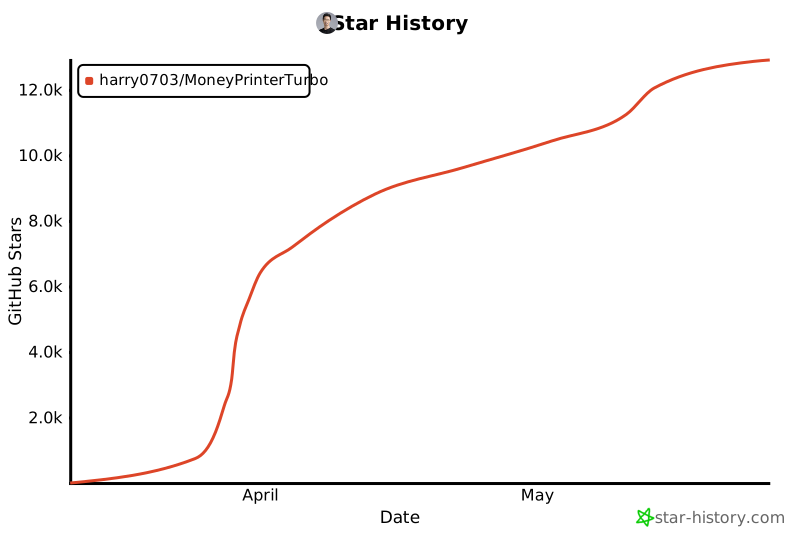](https://star-history.com/#harry0703/MoneyPrinterTurbo&Date)
|
||||
@ -1,5 +0,0 @@
|
||||
## Background Music 🎵
|
||||
|
||||
Background music for videos is located in the project's `resource/songs` directory.
|
||||
> The current project includes some default music from YouTube videos. If there are copyright issues, please delete
|
||||
> them.
|
||||
@ -1,70 +0,0 @@
|
||||
## Common Questions 🤔
|
||||
|
||||
### ❓How to Use the Free OpenAI GPT-3.5 Model?
|
||||
|
||||
[OpenAI has announced that ChatGPT with 3.5 is now free](https://openai.com/blog/start-using-chatgpt-instantly), and
|
||||
developers have wrapped it into an API for direct usage.
|
||||
|
||||
**Ensure you have Docker installed and running**. Execute the following command to start the Docker service:
|
||||
|
||||
```shell
|
||||
docker run -p 3040:3040 missuo/freegpt35
|
||||
```
|
||||
|
||||
Once successfully started, modify the `config.toml` configuration as follows:
|
||||
|
||||
- Set `llm_provider` to `openai`
|
||||
- Fill in `openai_api_key` with any value, for example, '123456'
|
||||
- Change `openai_base_url` to `http://localhost:3040/v1/`
|
||||
- Set `openai_model_name` to `gpt-3.5-turbo`
|
||||
|
||||
### ❓RuntimeError: No ffmpeg exe could be found
|
||||
|
||||
Normally, ffmpeg will be automatically downloaded and detected.
|
||||
However, if your environment has issues preventing automatic downloads, you may encounter the following error:
|
||||
|
||||
```
|
||||
RuntimeError: No ffmpeg exe could be found.
|
||||
Install ffmpeg on your system, or set the IMAGEIO_FFMPEG_EXE environment variable.
|
||||
```
|
||||
|
||||
In this case, you can download ffmpeg from https://www.gyan.dev/ffmpeg/builds/, unzip it, and set `ffmpeg_path` to your
|
||||
actual installation path.
|
||||
|
||||
```toml
|
||||
[app]
|
||||
# Please set according to your actual path, note that Windows path separators are \\
|
||||
ffmpeg_path = "C:\\Users\\harry\\Downloads\\ffmpeg.exe"
|
||||
```
|
||||
|
||||
### ❓Error generating audio or downloading videos
|
||||
|
||||
[issue 56](https://github.com/harry0703/MoneyPrinterTurbo/issues/56)
|
||||
|
||||
```
|
||||
failed to generate audio, maybe the network is not available.
|
||||
if you are in China, please use a VPN.
|
||||
```
|
||||
|
||||
[issue 44](https://github.com/harry0703/MoneyPrinterTurbo/issues/44)
|
||||
|
||||
```
|
||||
failed to download videos, maybe the network is not available.
|
||||
if you are in China, please use a VPN.
|
||||
```
|
||||
|
||||
This is likely due to network issues preventing access to foreign services. Please use a VPN to resolve this.
|
||||
|
||||
### ❓ImageMagick is not installed on your computer
|
||||
|
||||
[issue 33](https://github.com/harry0703/MoneyPrinterTurbo/issues/33)
|
||||
|
||||
1. Follow the `example configuration` provided `download address` to
|
||||
install https://imagemagick.org/archive/binaries/ImageMagick-7.1.1-30-Q16-x64-static.exe, using the static library
|
||||
2. Do not install in a path with Chinese characters to avoid unpredictable issues
|
||||
|
||||
[issue 54](https://github.com/harry0703/MoneyPrinterTurbo/issues/54#issuecomment-2017842022)
|
||||
|
||||
For Linux systems, you can manually install it, refer to https://cn.linux-console.net/?p=16978
|
||||
|
||||
Thanks to [@wangwenqiao666](https://github.com/wangwenqiao666) for their research and exploration
|
||||
@ -1,34 +0,0 @@
|
||||
## Features 🎯
|
||||
|
||||
- [x] Complete **MVC architecture**, **clearly structured** code, easy to maintain, supports both `API`
|
||||
and `Web interface`
|
||||
- [x] Supports **AI-generated** video copy, as well as **customized copy**
|
||||
- [x] Supports various **high-definition video** sizes
|
||||
- [x] Portrait 9:16, `1080x1920`
|
||||
- [x] Landscape 16:9, `1920x1080`
|
||||
- [x] Supports **batch video generation**, allowing the creation of multiple videos at once, then selecting the most
|
||||
satisfactory one
|
||||
- [x] Supports setting the **duration of video clips**, facilitating adjustments to material switching frequency
|
||||
- [x] Supports video copy in both **Chinese** and **English**
|
||||
- [x] Supports **multiple voice** synthesis
|
||||
- [x] Supports **subtitle generation**, with adjustable `font`, `position`, `color`, `size`, and also
|
||||
supports `subtitle outlining`
|
||||
- [x] Supports **background music**, either random or specified music files, with adjustable `background music volume`
|
||||
- [x] Video material sources are **high-definition** and **royalty-free**
|
||||
- [x] Supports integration with various models such as **OpenAI**, **moonshot**, **Azure**, **gpt4free**, **one-api**,
|
||||
**qianwen**, **Google Gemini**, **Ollama** and more
|
||||
|
||||
❓[How to Use the Free OpenAI GPT-3.5 Model?](https://github.com/harry0703/MoneyPrinterTurbo/blob/main/README-en.md#common-questions-)
|
||||
|
||||
### Future Plans 📅
|
||||
|
||||
- [ ] Introduce support for GPT-SoVITS dubbing
|
||||
- [ ] Enhance voice synthesis with large models for a more natural and emotionally resonant voice output
|
||||
- [ ] Incorporate video transition effects to ensure a smoother viewing experience
|
||||
- [ ] Improve the relevance of video content
|
||||
- [ ] Add options for video length: short, medium, long
|
||||
- [ ] Package the application into a one-click launch bundle for Windows and macOS for ease of use
|
||||
- [ ] Enable the use of custom materials
|
||||
- [ ] Offer voiceover and background music options with real-time preview
|
||||
- [ ] Support a wider range of voice synthesis providers, such as OpenAI TTS, Azure TTS
|
||||
- [ ] Automate the upload process to the YouTube platform
|
||||
@ -1,4 +0,0 @@
|
||||
## Feedback & Suggestions 📢
|
||||
|
||||
- You can submit an [issue](https://github.com/harry0703/MoneyPrinterTurbo/issues) or
|
||||
a [pull request](https://github.com/harry0703/MoneyPrinterTurbo/pulls).
|
||||
@ -1,4 +0,0 @@
|
||||
## Reference Projects 📚
|
||||
|
||||
This project is based on https://github.com/FujiwaraChoki/MoneyPrinter and has been refactored with a lot of
|
||||
optimizations and added functionalities. Thanks to the original author for their spirit of open source.
|
||||
@ -1,3 +0,0 @@
|
||||
## Voice Synthesis 🗣
|
||||
|
||||
A list of all supported voices can be viewed here: [Voice List](/voice-list.txt)
|
||||
@ -1,4 +0,0 @@
|
||||
## Subtitle Fonts 🅰
|
||||
|
||||
Fonts for rendering video subtitles are located in the project's `resource/fonts` directory, and you can also add your
|
||||
own fonts.
|
||||
@ -1,15 +0,0 @@
|
||||
## Subtitle Generation 📜
|
||||
|
||||
Currently, there are 2 ways to generate subtitles:
|
||||
|
||||
- edge: Faster generation speed, better performance, no specific requirements for computer configuration, but the
|
||||
quality may be unstable
|
||||
- whisper: Slower generation speed, poorer performance, specific requirements for computer configuration, but more
|
||||
reliable quality
|
||||
|
||||
You can switch between them by modifying the `subtitle_provider` in the `config.toml` configuration file
|
||||
|
||||
It is recommended to use `edge` mode, and switch to `whisper` mode if the quality of the subtitles generated is not
|
||||
satisfactory.
|
||||
|
||||
> If left blank, it means no subtitles will be generated.
|
||||
@ -1,35 +0,0 @@
|
||||
## Video Demos 📺
|
||||
|
||||
### Portrait 9:16
|
||||
|
||||
<table>
|
||||
<thead>
|
||||
<tr>
|
||||
<th align="center"><g-emoji class="g-emoji" alias="arrow_forward">▶️</g-emoji> How to Add Fun to Your Life </th>
|
||||
<th align="center"><g-emoji class="g-emoji" alias="arrow_forward">▶️</g-emoji> What is the Meaning of Life</th>
|
||||
</tr>
|
||||
</thead>
|
||||
<tbody>
|
||||
<tr>
|
||||
<td align="center"><video src="https://github.com/harry0703/MoneyPrinterTurbo/assets/4928832/a84d33d5-27a2-4aba-8fd0-9fb2bd91c6a6"></video></td>
|
||||
<td align="center"><video src="https://github.com/harry0703/MoneyPrinterTurbo/assets/4928832/112c9564-d52b-4472-99ad-970b75f66476"></video></td>
|
||||
</tr>
|
||||
</tbody>
|
||||
</table>
|
||||
|
||||
### Landscape 16:9
|
||||
|
||||
<table>
|
||||
<thead>
|
||||
<tr>
|
||||
<th align="center"><g-emoji class="g-emoji" alias="arrow_forward">▶️</g-emoji> What is the Meaning of Life</th>
|
||||
<th align="center"><g-emoji class="g-emoji" alias="arrow_forward">▶️</g-emoji> Why Exercise</th>
|
||||
</tr>
|
||||
</thead>
|
||||
<tbody>
|
||||
<tr>
|
||||
<td align="center"><video src="https://github.com/harry0703/MoneyPrinterTurbo/assets/4928832/346ebb15-c55f-47a9-a653-114f08bb8073"></video></td>
|
||||
<td align="center"><video src="https://github.com/harry0703/MoneyPrinterTurbo/assets/4928832/271f2fae-8283-44a0-8aa0-0ed8f9a6fa87"></video></td>
|
||||
</tr>
|
||||
</tbody>
|
||||
</table>
|
||||
@ -1,16 +0,0 @@
|
||||
---
|
||||
home: true
|
||||
heroImage: /hero.png
|
||||
actions:
|
||||
- text: 快速上手 →
|
||||
link: /zh/guide/
|
||||
type: primary
|
||||
features:
|
||||
- title: 多语言
|
||||
details: 支持 中文 和 英文 视频文案;支持 多种语音 合成。
|
||||
- title: 可维护性
|
||||
details: 完整的 MVC架构,代码 结构清晰,易于维护,支持 API 和 Web界面。
|
||||
- title: 多模型支持
|
||||
details: 支持 OpenAI、moonshot、Azure、gpt4free、one-api、通义千问、Google Gemini、Ollama 等多种模型接入。
|
||||
footer: MIT Licensed | Copyright © 2024-present MoneyPrinterTurbo
|
||||
---
|
||||
@ -1,157 +0,0 @@
|
||||
## 快速开始 🚀
|
||||
|
||||
<br>
|
||||
只需提供一个视频 <b>主题</b> 或 <b>关键词</b> ,就可以全自动生成视频文案、视频素材、视频字幕、视频背景音乐,然后合成一个高清的短视频。
|
||||
<br>
|
||||
|
||||
<h4>Web界面</h4>
|
||||
|
||||

|
||||
|
||||
<h4>API界面</h4>
|
||||
|
||||

|
||||
|
||||
下载一键启动包,解压直接使用
|
||||
|
||||
### Windows
|
||||
|
||||
- 百度网盘: https://pan.baidu.com/s/1bpGjgQVE5sADZRn3A6F87w?pwd=xt16 提取码: xt16
|
||||
|
||||
下载后,建议先**双击执行** `update.bat` 更新到**最新代码**,然后双击 `start.bat` 启动 Web 界面
|
||||
|
||||
### 其他系统
|
||||
|
||||
还没有制作一键启动包,看下面的 **安装部署** 部分,建议使用 **docker** 部署,更加方便。
|
||||
|
||||
## 安装部署 📥
|
||||
|
||||
### 前提条件
|
||||
|
||||
- 尽量不要使用 **中文路径**,避免出现一些无法预料的问题
|
||||
- 请确保你的 **网络** 是正常的,VPN 需要打开`全局流量`模式
|
||||
|
||||
#### ① 克隆代码
|
||||
|
||||
```shell
|
||||
git clone https://github.com/harry0703/MoneyPrinterTurbo.git
|
||||
```
|
||||
|
||||
#### ② 修改配置文件
|
||||
|
||||
- 将 `config.example.toml` 文件复制一份,命名为 `config.toml`
|
||||
- 按照 `config.toml` 文件中的说明,配置好 `pexels_api_keys` 和 `llm_provider`,并根据 llm_provider 对应的服务商,配置相关的
|
||||
API Key
|
||||
|
||||
#### ③ 配置大模型(LLM)
|
||||
|
||||
- 如果要使用 `GPT-4.0` 或 `GPT-3.5`,需要有 `OpenAI` 的 `API Key`,如果没有,可以将 `llm_provider` 设置为 `g4f` (
|
||||
一个免费使用 GPT 的开源库 https://github.com/xtekky/gpt4free ,但是该免费的服务,稳定性较差,有时候可以用,有时候用不了)
|
||||
- 或者可以使用到 [月之暗面](https://platform.moonshot.cn/console/api-keys) 申请。注册就送
|
||||
15 元体验金,可以对话 1500 次左右。然后设置 `llm_provider="moonshot"` 和 `moonshot_api_key`
|
||||
- 也可以使用 通义千问,具体请看配置文件里面的注释说明
|
||||
|
||||
### Docker 部署 🐳
|
||||
|
||||
#### ① 启动 Docker
|
||||
|
||||
如果未安装 Docker,请先安装 https://www.docker.com/products/docker-desktop/
|
||||
|
||||
如果是 Windows 系统,请参考微软的文档:
|
||||
|
||||
1. https://learn.microsoft.com/zh-cn/windows/wsl/install
|
||||
2. https://learn.microsoft.com/zh-cn/windows/wsl/tutorials/wsl-containers
|
||||
|
||||
```shell
|
||||
cd MoneyPrinterTurbo
|
||||
docker-compose up
|
||||
```
|
||||
|
||||
#### ② 访问 Web 界面
|
||||
|
||||
打开浏览器,访问 http://0.0.0.0:8501
|
||||
|
||||
#### ③ 访问 API 文档
|
||||
|
||||
打开浏览器,访问 http://0.0.0.0:8080/docs 或者 http://0.0.0.0:8080/redoc
|
||||
|
||||
### 手动部署 📦
|
||||
|
||||
> 视频教程
|
||||
|
||||
- 完整的使用演示:https://v.douyin.com/iFhnwsKY/
|
||||
- 如何在 Windows 上部署:https://v.douyin.com/iFyjoW3M
|
||||
|
||||
#### ① 创建虚拟环境
|
||||
|
||||
建议使用 [conda](https://conda.io/projects/conda/en/latest/user-guide/install/index.html) 创建 python 虚拟环境
|
||||
|
||||
```shell
|
||||
git clone https://github.com/harry0703/MoneyPrinterTurbo.git
|
||||
cd MoneyPrinterTurbo
|
||||
conda create -n MoneyPrinterTurbo python=3.10
|
||||
conda activate MoneyPrinterTurbo
|
||||
pip install -r requirements.txt
|
||||
```
|
||||
|
||||
#### ② 安装好 ImageMagick
|
||||
|
||||
###### Windows:
|
||||
|
||||
- 下载 https://imagemagick.org/archive/binaries/ImageMagick-7.1.1-30-Q16-x64-static.exe
|
||||
- 安装下载好的 ImageMagick,注意不要修改安装路径
|
||||
- 修改 `配置文件 config.toml` 中的 `imagemagick_path` 为你的实际安装路径(如果安装的时候没有修改路径,直接取消注释即可)
|
||||
|
||||
###### MacOS:
|
||||
|
||||
```shell
|
||||
brew install imagemagick
|
||||
```
|
||||
|
||||
###### Ubuntu
|
||||
|
||||
```shell
|
||||
sudo apt-get install imagemagick
|
||||
```
|
||||
|
||||
###### CentOS
|
||||
|
||||
```shell
|
||||
sudo yum install ImageMagick
|
||||
```
|
||||
|
||||
#### ③ 启动 Web 界面 🌐
|
||||
|
||||
注意需要到 MoneyPrinterTurbo 项目 `根目录` 下执行以下命令
|
||||
|
||||
###### Windows
|
||||
|
||||
```bat
|
||||
conda activate MoneyPrinterTurbo
|
||||
webui.bat
|
||||
```
|
||||
|
||||
###### MacOS or Linux
|
||||
|
||||
```shell
|
||||
conda activate MoneyPrinterTurbo
|
||||
sh webui.sh
|
||||
```
|
||||
|
||||
启动后,会自动打开浏览器
|
||||
|
||||
#### ④ 启动 API 服务 🚀
|
||||
|
||||
```shell
|
||||
python main.py
|
||||
```
|
||||
|
||||
启动后,可以查看 `API文档` http://127.0.0.1:8080/docs 或者 http://127.0.0.1:8080/redoc 直接在线调试接口,快速体验。
|
||||
|
||||
## 许可证 📝
|
||||
|
||||
点击查看 [`LICENSE`](LICENSE) 文件
|
||||
|
||||
## Star History
|
||||
|
||||
[](https://star-history.com/#harry0703/MoneyPrinterTurbo&Date)
|
||||
@ -1,4 +0,0 @@
|
||||
## 背景音乐 🎵
|
||||
|
||||
用于视频的背景音乐,位于项目的 `resource/songs` 目录下。
|
||||
> 当前项目里面放了一些默认的音乐,来自于 YouTube 视频,如有侵权,请删除。
|
||||
@ -1,4 +0,0 @@
|
||||
## 配置要求 📦
|
||||
|
||||
- 建议最低 CPU 4核或以上,内存 8G 或以上,显卡非必须
|
||||
- Windows 10 或 MacOS 11.0 以上系统
|
||||
@ -1,123 +0,0 @@
|
||||
## 常见问题 🤔
|
||||
|
||||
### ❓如何使用免费的OpenAI GPT-3.5模型?
|
||||
|
||||
[OpenAI宣布ChatGPT里面3.5已经免费了](https://openai.com/blog/start-using-chatgpt-instantly),有开发者将其封装成了API,可以直接调用
|
||||
|
||||
**确保你安装和启动了docker服务**,执行以下命令启动docker服务
|
||||
|
||||
```shell
|
||||
docker run -p 3040:3040 missuo/freegpt35
|
||||
```
|
||||
|
||||
启动成功后,修改 `config.toml` 中的配置
|
||||
|
||||
- `llm_provider` 设置为 `openai`
|
||||
- `openai_api_key` 随便填写一个即可,比如 '123456'
|
||||
- `openai_base_url` 改为 `http://localhost:3040/v1/`
|
||||
- `openai_model_name` 改为 `gpt-3.5-turbo`
|
||||
|
||||
### ❓AttributeError: 'str' object has no attribute 'choices'`
|
||||
|
||||
这个问题是由于 OpenAI 或者其他 LLM,没有返回正确的回复导致的。
|
||||
|
||||
大概率是网络原因, 使用 **VPN**,或者设置 `openai_base_url` 为你的代理 ,应该就可以解决了。
|
||||
|
||||
### ❓RuntimeError: No ffmpeg exe could be found
|
||||
|
||||
通常情况下,ffmpeg 会被自动下载,并且会被自动检测到。
|
||||
但是如果你的环境有问题,无法自动下载,可能会遇到如下错误:
|
||||
|
||||
```
|
||||
RuntimeError: No ffmpeg exe could be found.
|
||||
Install ffmpeg on your system, or set the IMAGEIO_FFMPEG_EXE environment variable.
|
||||
```
|
||||
|
||||
此时你可以从 https://www.gyan.dev/ffmpeg/builds/ 下载ffmpeg,解压后,设置 `ffmpeg_path` 为你的实际安装路径即可。
|
||||
|
||||
```toml
|
||||
[app]
|
||||
# 请根据你的实际路径设置,注意 Windows 路径分隔符为 \\
|
||||
ffmpeg_path = "C:\\Users\\harry\\Downloads\\ffmpeg.exe"
|
||||
```
|
||||
|
||||
### ❓生成音频时报错或下载视频报错
|
||||
|
||||
[issue 56](https://github.com/harry0703/MoneyPrinterTurbo/issues/56)
|
||||
|
||||
```
|
||||
failed to generate audio, maybe the network is not available.
|
||||
if you are in China, please use a VPN.
|
||||
```
|
||||
|
||||
[issue 44](https://github.com/harry0703/MoneyPrinterTurbo/issues/44)
|
||||
|
||||
```
|
||||
failed to download videos, maybe the network is not available.
|
||||
if you are in China, please use a VPN.
|
||||
```
|
||||
|
||||
这个大概率是网络原因,无法访问境外的服务,请使用VPN解决。
|
||||
|
||||
### ❓ImageMagick is not installed on your computer
|
||||
|
||||
[issue 33](https://github.com/harry0703/MoneyPrinterTurbo/issues/33)
|
||||
|
||||
1. 按照 `示例配置` 里面提供的 `下载地址`
|
||||
,安装 https://imagemagick.org/archive/binaries/ImageMagick-7.1.1-29-Q16-x64-static.exe, 用静态库
|
||||
2. 不要安装在中文路径里面,避免出现一些无法预料的问题
|
||||
|
||||
[issue 54](https://github.com/harry0703/MoneyPrinterTurbo/issues/54#issuecomment-2017842022)
|
||||
|
||||
如果是linux系统,可以手动安装,参考 https://cn.linux-console.net/?p=16978
|
||||
|
||||
感谢 [@wangwenqiao666](https://github.com/wangwenqiao666)的研究探索
|
||||
|
||||
### ❓ImageMagick的安全策略阻止了与临时文件@/tmp/tmpur5hyyto.txt相关的操作
|
||||
|
||||
[issue 92](https://github.com/harry0703/MoneyPrinterTurbo/issues/92)
|
||||
|
||||
可以在ImageMagick的配置文件policy.xml中找到这些策略。
|
||||
这个文件通常位于 /etc/ImageMagick-`X`/ 或 ImageMagick 安装目录的类似位置。
|
||||
修改包含`pattern="@"`的条目,将`rights="none"`更改为`rights="read|write"`以允许对文件的读写操作。
|
||||
|
||||
感谢 [@chenhengzh](https://github.com/chenhengzh)的研究探索
|
||||
|
||||
### ❓OSError: [Errno 24] Too many open files
|
||||
|
||||
[issue 100](https://github.com/harry0703/MoneyPrinterTurbo/issues/100)
|
||||
|
||||
这个问题是由于系统打开文件数限制导致的,可以通过修改系统的文件打开数限制来解决。
|
||||
|
||||
查看当前限制
|
||||
|
||||
```shell
|
||||
ulimit -n
|
||||
```
|
||||
|
||||
如果过低,可以调高一些,比如
|
||||
|
||||
```shell
|
||||
ulimit -n 10240
|
||||
```
|
||||
|
||||
### ❓AttributeError: module 'PIL.Image' has no attribute 'ANTIALIAS'
|
||||
|
||||
[issue 101](https://github.com/harry0703/MoneyPrinterTurbo/issues/101),
|
||||
[issue 83](https://github.com/harry0703/MoneyPrinterTurbo/issues/83),
|
||||
[issue 70](https://github.com/harry0703/MoneyPrinterTurbo/issues/70)
|
||||
|
||||
先看下当前的 Pillow 版本是多少
|
||||
|
||||
```shell
|
||||
pip list |grep Pillow
|
||||
```
|
||||
|
||||
如果是 10.x 的版本,可以尝试下降级看看,有用户反馈降级后正常
|
||||
|
||||
```shell
|
||||
pip uninstall Pillow
|
||||
pip install Pillow==9.5.0
|
||||
# 或者降级到 8.4.0
|
||||
pip install Pillow==8.4.0
|
||||
```
|
||||
@ -1,31 +0,0 @@
|
||||
## 功能特性 🎯
|
||||
|
||||
- [x] 完整的 **MVC架构**,代码 **结构清晰**,易于维护,支持 `API` 和 `Web界面`
|
||||
- [x] 支持视频文案 **AI自动生成**,也可以**自定义文案**
|
||||
- [x] 支持多种 **高清视频** 尺寸
|
||||
- [x] 竖屏 9:16,`1080x1920`
|
||||
- [x] 横屏 16:9,`1920x1080`
|
||||
- [x] 支持 **批量视频生成**,可以一次生成多个视频,然后选择一个最满意的
|
||||
- [x] 支持 **视频片段时长**设置,方便调节素材切换频率
|
||||
- [x] 支持 **中文** 和 **英文** 视频文案
|
||||
- [x] 支持 **多种语音** 合成
|
||||
- [x] 支持 **字幕生成**,可以调整 `字体`、`位置`、`颜色`、`大小`,同时支持`字幕描边`设置
|
||||
- [x] 支持 **背景音乐**,随机或者指定音乐文件,可设置`背景音乐音量`
|
||||
- [x] 视频素材来源 **高清**,而且 **无版权**
|
||||
- [x] 支持 **OpenAI**、**moonshot**、**Azure**、**gpt4free**、**one-api**、**通义千问**、**Google Gemini**、**Ollama** 等多种模型接入
|
||||
|
||||
❓[如何使用免费的 **OpenAI GPT-3.5
|
||||
** 模型?](https://github.com/harry0703/MoneyPrinterTurbo?tab=readme-ov-file#%E5%B8%B8%E8%A7%81%E9%97%AE%E9%A2%98-)
|
||||
|
||||
### 后期计划 📅
|
||||
|
||||
- [ ] GPT-SoVITS 配音支持
|
||||
- [ ] 优化语音合成,利用大模型,使其合成的声音,更加自然,情绪更加丰富
|
||||
- [ ] 增加视频转场效果,使其看起来更加的流畅
|
||||
- [ ] 增加更多视频素材来源,优化视频素材和文案的匹配度
|
||||
- [ ] 增加视频长度选项:短、中、长
|
||||
- [ ] 增加免费网络代理,让访问OpenAI和素材下载不再受限
|
||||
- [ ] 可以使用自己的素材
|
||||
- [ ] 朗读声音和背景音乐,提供实时试听
|
||||
- [ ] 支持更多的语音合成服务商,比如 OpenAI TTS
|
||||
- [ ] 自动上传到YouTube平台
|
||||
@ -1,4 +0,0 @@
|
||||
## 反馈建议 📢
|
||||
|
||||
- 可以提交 [issue](https://github.com/harry0703/MoneyPrinterTurbo/issues)
|
||||
或者 [pull request](https://github.com/harry0703/MoneyPrinterTurbo/pulls)。
|
||||
@ -1,4 +0,0 @@
|
||||
## 参考项目 📚
|
||||
|
||||
该项目基于 https://github.com/FujiwaraChoki/MoneyPrinter 重构而来,做了大量的优化,增加了更多的功能。
|
||||
感谢原作者的开源精神。
|
||||
@ -1,9 +0,0 @@
|
||||
## 特别感谢 🙏
|
||||
|
||||
由于该项目的 **部署** 和 **使用**,对于一些小白用户来说,还是 **有一定的门槛**,在此特别感谢
|
||||
**录咖(AI智能 多媒体服务平台)** 网站基于该项目,提供的免费`AI视频生成器`服务,可以不用部署,直接在线使用,非常方便。
|
||||
|
||||
- 中文版:https://reccloud.cn
|
||||
- 英文版:https://reccloud.com
|
||||
|
||||

|
||||
@ -1,5 +0,0 @@
|
||||
## 语音合成 🗣
|
||||
|
||||
所有支持的声音列表,可以查看:[声音列表](/voice-list.txt)
|
||||
|
||||
2024-04-16 v1.1.2 新增了9种Azure的语音合成声音,需要配置API KEY,该声音合成的更加真实。
|
||||
@ -1,3 +0,0 @@
|
||||
## 字幕字体 🅰
|
||||
|
||||
用于视频字幕的渲染,位于项目的 `resource/fonts` 目录下,你也可以放进去自己的字体。
|
||||
@ -1,36 +0,0 @@
|
||||
## 字幕生成 📜
|
||||
|
||||
当前支持2种字幕生成方式:
|
||||
|
||||
- **edge**: 生成`速度快`,性能更好,对电脑配置没有要求,但是质量可能不稳定
|
||||
- **whisper**: 生成`速度慢`,性能较差,对电脑配置有一定要求,但是`质量更可靠`。
|
||||
|
||||
可以修改 `config.toml` 配置文件中的 `subtitle_provider` 进行切换
|
||||
|
||||
建议使用 `edge` 模式,如果生成的字幕质量不好,再切换到 `whisper` 模式
|
||||
|
||||
> 注意:
|
||||
|
||||
1. whisper 模式下需要到 HuggingFace 下载一个模型文件,大约 3GB 左右,请确保网络通畅
|
||||
2. 如果留空,表示不生成字幕。
|
||||
|
||||
> 由于国内无法访问 HuggingFace,可以使用以下方法下载 `whisper-large-v3` 的模型文件
|
||||
|
||||
下载地址:
|
||||
|
||||
- 百度网盘: https://pan.baidu.com/s/11h3Q6tsDtjQKTjUu3sc5cA?pwd=xjs9
|
||||
- 夸克网盘:https://pan.quark.cn/s/3ee3d991d64b
|
||||
|
||||
模型下载后解压,整个目录放到 `.\MoneyPrinterTurbo\models` 里面,
|
||||
最终的文件路径应该是这样: `.\MoneyPrinterTurbo\models\whisper-large-v3`
|
||||
|
||||
```
|
||||
MoneyPrinterTurbo
|
||||
├─models
|
||||
│ └─whisper-large-v3
|
||||
│ config.json
|
||||
│ model.bin
|
||||
│ preprocessor_config.json
|
||||
│ tokenizer.json
|
||||
│ vocabulary.json
|
||||
```
|
||||
@ -1,7 +0,0 @@
|
||||
## 感谢赞助 🙏
|
||||
|
||||
感谢佐糖 https://picwish.cn 对该项目的支持和赞助,使得该项目能够持续的更新和维护。
|
||||
|
||||
佐糖专注于**图像处理领域**,提供丰富的**图像处理工具**,将复杂操作极致简化,真正实现让图像处理更简单。
|
||||
|
||||

|
||||
@ -1,37 +0,0 @@
|
||||
## 视频演示 📺
|
||||
|
||||
### 竖屏 9:16
|
||||
|
||||
<table>
|
||||
<thead>
|
||||
<tr>
|
||||
<th align="center"><g-emoji class="g-emoji" alias="arrow_forward">▶️</g-emoji> 《如何增加生活的乐趣》</th>
|
||||
<th align="center"><g-emoji class="g-emoji" alias="arrow_forward">▶️</g-emoji> 《金钱的作用》<br>更真实的合成声音</th>
|
||||
<th align="center"><g-emoji class="g-emoji" alias="arrow_forward">▶️</g-emoji> 《生命的意义是什么》</th>
|
||||
</tr>
|
||||
</thead>
|
||||
<tbody>
|
||||
<tr>
|
||||
<td align="center"><video src="https://github.com/harry0703/MoneyPrinterTurbo/assets/4928832/a84d33d5-27a2-4aba-8fd0-9fb2bd91c6a6"></video></td>
|
||||
<td align="center"><video src="https://github.com/harry0703/MoneyPrinterTurbo/assets/4928832/af2f3b0b-002e-49fe-b161-18ba91c055e8"></video></td>
|
||||
<td align="center"><video src="https://github.com/harry0703/MoneyPrinterTurbo/assets/4928832/112c9564-d52b-4472-99ad-970b75f66476"></video></td>
|
||||
</tr>
|
||||
</tbody>
|
||||
</table>
|
||||
|
||||
### 横屏 16:9
|
||||
|
||||
<table>
|
||||
<thead>
|
||||
<tr>
|
||||
<th align="center"><g-emoji class="g-emoji" alias="arrow_forward">▶️</g-emoji>《生命的意义是什么》</th>
|
||||
<th align="center"><g-emoji class="g-emoji" alias="arrow_forward">▶️</g-emoji>《为什么要运动》</th>
|
||||
</tr>
|
||||
</thead>
|
||||
<tbody>
|
||||
<tr>
|
||||
<td align="center"><video src="https://github.com/harry0703/MoneyPrinterTurbo/assets/4928832/346ebb15-c55f-47a9-a653-114f08bb8073"></video></td>
|
||||
<td align="center"><video src="https://github.com/harry0703/MoneyPrinterTurbo/assets/4928832/271f2fae-8283-44a0-8aa0-0ed8f9a6fa87"></video></td>
|
||||
</tr>
|
||||
</tbody>
|
||||
</table>
|
||||
@ -1,24 +0,0 @@
|
||||
{
|
||||
"name": "MoneyPrinterTurbo",
|
||||
"version": "1.1.2",
|
||||
"description": "利用AI大模型,一键生成高清短视频 Generate short videos with one click using AI LLM.",
|
||||
"main": "index.js",
|
||||
"repository": "https://github.com/harry0703/MoneyPrinterTurbo",
|
||||
"author": "harry0703",
|
||||
"license": "MIT",
|
||||
"devDependencies": {
|
||||
"@vue/tsconfig": "^0.1.3",
|
||||
"@vuepress/bundler-vite": "2.0.0-rc.9",
|
||||
"@vuepress/theme-default": "2.0.0-rc.25",
|
||||
"gh-pages": "^6.1.1",
|
||||
"vue": "^3.4.23",
|
||||
"vue-router": "^4.3.1",
|
||||
"vuepress": "2.0.0-rc.9"
|
||||
},
|
||||
"scripts": {
|
||||
"docs:dev": "vuepress dev docs",
|
||||
"docs:build": "vuepress build docs",
|
||||
"predeploy": "pnpm docs:build",
|
||||
"deploy": "gh-pages -d docs/.vuepress/dist"
|
||||
}
|
||||
}
|
||||
2284
sites/pnpm-lock.yaml
@ -1,14 +0,0 @@
|
||||
{
|
||||
"extends": "@vue/tsconfig/tsconfig.node.json",
|
||||
"include": [
|
||||
"vite.config.*",
|
||||
"vitest.config.*",
|
||||
"cypress.config.*"
|
||||
],
|
||||
"compilerOptions": {
|
||||
"composite": true,
|
||||
"types": [
|
||||
"node"
|
||||
]
|
||||
}
|
||||
}
|
||||
@ -1,24 +0,0 @@
|
||||
{
|
||||
"extends": "@vue/tsconfig/tsconfig.web.json",
|
||||
"module": "esnext",
|
||||
"include": [
|
||||
"env.d.ts",
|
||||
"src/**/*",
|
||||
"src/**/*.vue",
|
||||
"docs/.vuepress/*.ts"
|
||||
],
|
||||
"compilerOptions": {
|
||||
"baseUrl": ".",
|
||||
"isolatedModules": true,
|
||||
"paths": {
|
||||
"@/*": [
|
||||
"./src/*"
|
||||
]
|
||||
}
|
||||
},
|
||||
"references": [
|
||||
{
|
||||
"path": "./tsconfig.config.json"
|
||||
}
|
||||
]
|
||||
}
|
||||
40
test/README.md
Normal file
@ -0,0 +1,40 @@
|
||||
# MoneyPrinterTurbo Test Directory
|
||||
|
||||
This directory contains unit tests for the **MoneyPrinterTurbo** project.
|
||||
|
||||
## Directory Structure
|
||||
|
||||
- `services/`: Tests for components in the `app/services` directory
|
||||
- `test_video.py`: Tests for the video service
|
||||
- `test_task.py`: Tests for the task service
|
||||
- `test_voice.py`: Tests for the voice service
|
||||
|
||||
## Running Tests
|
||||
|
||||
You can run the tests using Python’s built-in `unittest` framework:
|
||||
|
||||
```bash
|
||||
# Run all tests
|
||||
python -m unittest discover -s test
|
||||
|
||||
# Run a specific test file
|
||||
python -m unittest test/services/test_video.py
|
||||
|
||||
# Run a specific test class
|
||||
python -m unittest test.services.test_video.TestVideoService
|
||||
|
||||
# Run a specific test method
|
||||
python -m unittest test.services.test_video.TestVideoService.test_preprocess_video
|
||||
````
|
||||
|
||||
## Adding New Tests
|
||||
|
||||
To add tests for other components, follow these guidelines:
|
||||
|
||||
1. Create test files prefixed with `test_` in the appropriate subdirectory
|
||||
2. Use `unittest.TestCase` as the base class for your test classes
|
||||
3. Name test methods with the `test_` prefix
|
||||
|
||||
## Test Resources
|
||||
|
||||
Place any resource files required for testing in the `test/resources` directory.
|
||||
1
test/__init__.py
Normal file
@ -0,0 +1 @@
|
||||
# Unit test package for test
|
||||
BIN
test/resources/1.png
Normal file

|
After Width: | Height: | Size: 3.6 KiB |
