mirror of
https://github.com/okxlin/appstore.git
synced 2026-02-23 03:17:24 +08:00

77 lines
3.0 KiB
Markdown
77 lines
3.0 KiB
Markdown
<img src='https://raw.githubusercontent.com/BadApple9/images/main/logo.png'></img>
|
||
|
||
  
|
||
|
||
本仓库为 [LibreSpeed](https://github.com/librespeed/speedtest) 的延伸项目,LibreSpeed 是一个非常轻巧的网站测速工具。
|
||
|
||
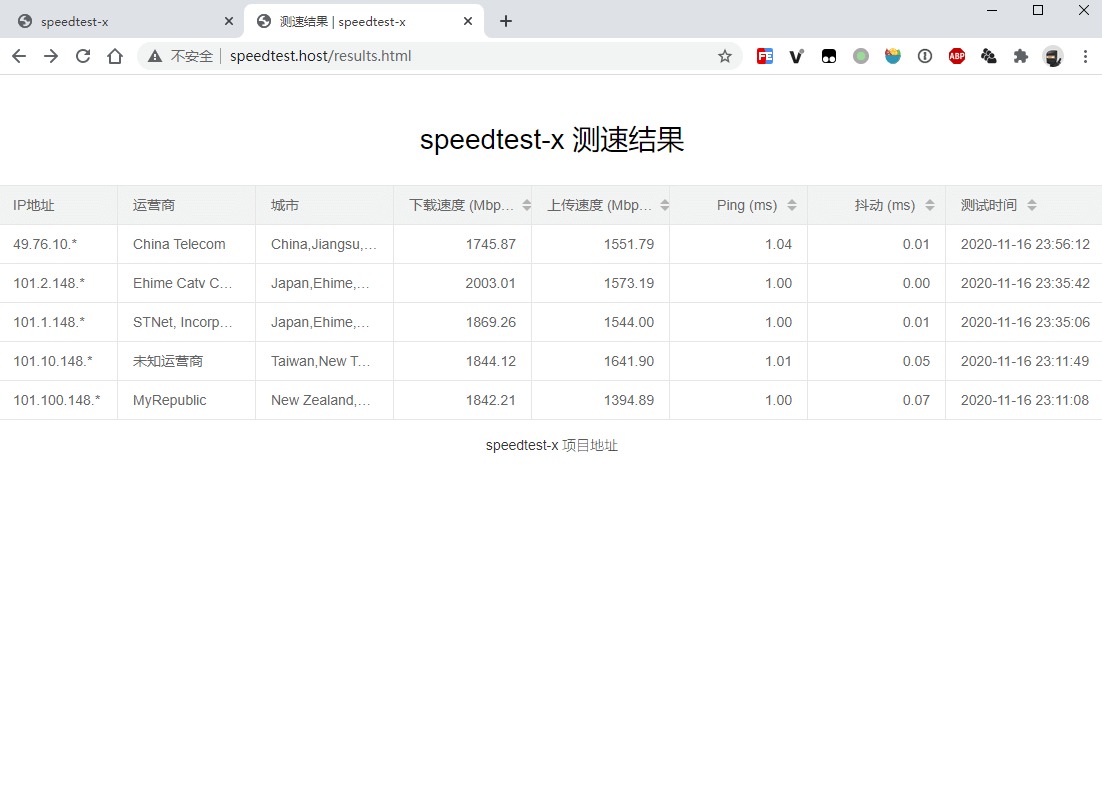
speedtest-x 使用文件数据库来保存来自不同用户的测速结果,方便您查看全国不同地域与运营商的测速效果。
|
||
|
||
[English docs](https://github.com/BadApple9/speedtest-x/blob/master/README.md)
|
||
|
||
[加入交流 TG 群](https://t.me/xiaozhu5)
|
||
|
||
**❗ 注意**:基于网页测速的原理,程序会生成无用文件供测速者下载来计算真实下行带宽,一定程度上存在被恶意刷流量的风险,在对外分享你的测速页面后,请注意观察服务器流量使用情况,避免流量使用异常。
|
||
|
||
## 扩展细节
|
||
- 用户测速会上传测速记录并保存至网站服务器
|
||
- 不依赖 MySQL,使用文件数据库
|
||
- IP 库改用 [ip.sb](https://ip.sb),运营商记录更为精确
|
||
|
||
## 部署与使用
|
||
|
||
#### 常规部署 (环境要求:PHP 5.6+)
|
||
|
||
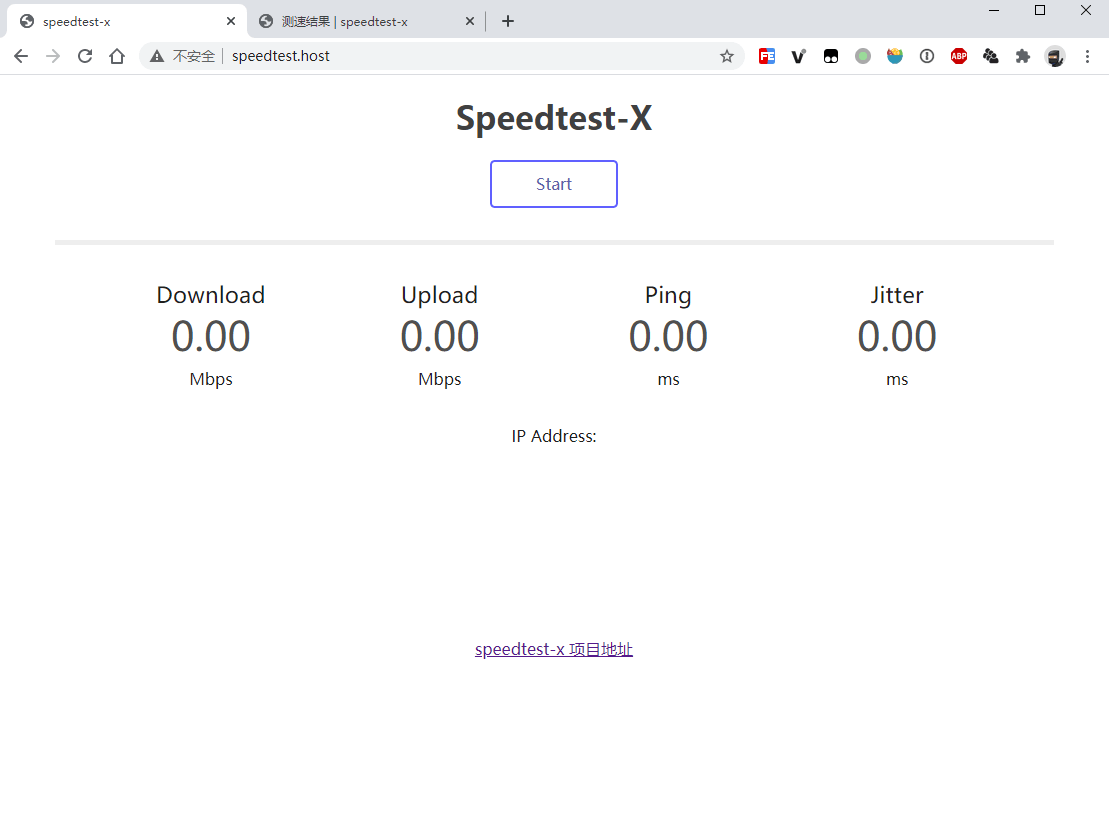
1、下载本仓库并解压到网站目录,访问 `{域名}/index.html` 进行测速
|
||
|
||
2、打开 `{域名}/results.html` 查看测速记录
|
||
|
||
> Tips:`backend/config.php` 中可定义一些自定义配置:
|
||
>
|
||
> `MAX_LOG_COUNT = 100`:最大可保存多少条测速记录
|
||
>
|
||
> `IP_SERVICE = 'ip.sb'`:使用的 IP 运营商解析服务(ip.sb 或 ipinfo.io)
|
||
>
|
||
> `SAME_IP_MULTI_LOGS = false`:是否允许同一IP记录多条测速结果
|
||
|
||
#### Docker 部署 (支持平台: amd64 / arm64)
|
||
|
||
1、拉取 [Docker 镜像](https://hub.docker.com/r/badapple9/speedtest-x) `docker pull badapple9/speedtest-x`
|
||
|
||
2、运行容器 `docker run -d -p 9001:80 -it badapple9/speedtest-x`
|
||
|
||
参数解释:
|
||
> **-d**:以常驻进程模式启动
|
||
>
|
||
> **9001**: 默认容器开放端口,可改为其他端口
|
||
>
|
||
> 启动时可指定的环境变量:
|
||
>
|
||
> **-e WEBPORT=80**: 容器内使用的端口
|
||
>
|
||
> **-e MAX_LOG_COUNT=100**: 最大可保存多少条测速记录
|
||
>
|
||
> **-e IP_SERVICE=ip.sb**: 使用的 IP 运营商解析服务(ip.sb 或 ipinfo.io)
|
||
>
|
||
> **-e SAME_IP_MULTI_LOGS=false**: 是否允许同一IP记录多条测速结果
|
||
|
||
> 如果想让 Docker 容器支持 ipv6,可编辑 `/etc/docker/daemon.json` ,加上以下内容:(如果不存在这个文件则直接创建)
|
||
> ```
|
||
> {
|
||
> "ipv6": true,
|
||
> "fixed-cidr-v6": "fd00::/80",
|
||
> "experimental": true,
|
||
> "ip6tables": true
|
||
> }
|
||
> ```
|
||
|
||
3、访问 `{IP}:{端口}/index.html` 进行测速
|
||
|
||
## 截图
|
||
|
||
|
||
|
||
|
||
## 鸣谢
|
||
- [LibreSpeed](https://github.com/librespeed/speedtest)
|
||
- [ip.sb](https://ip.sb)
|
||
- [SleekDB](https://github.com/rakibtg/SleekDB) |